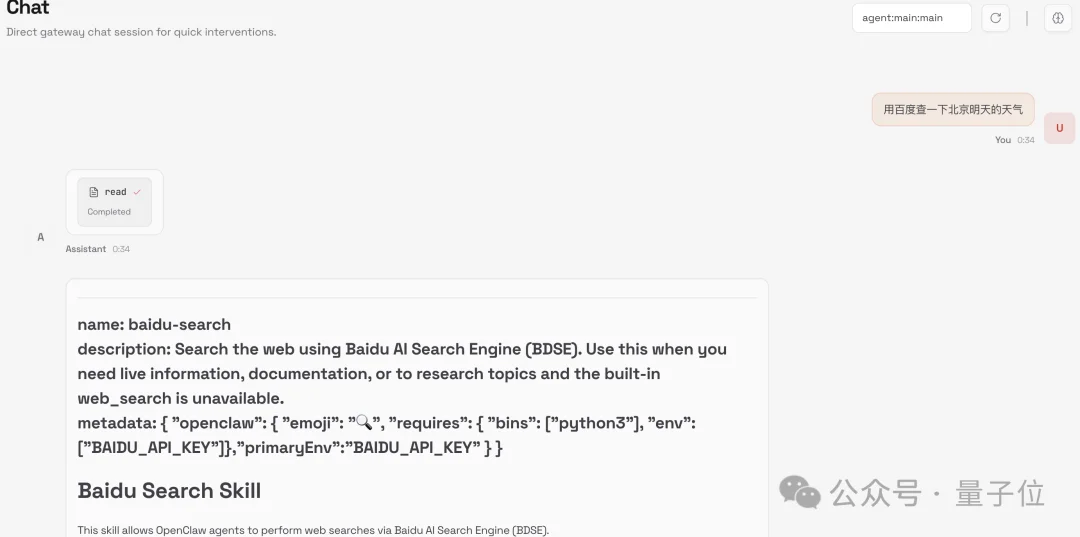
🦞 OpenClaw Deployment Guide: Secure Local Installation and Risk Management
A comprehensive, safety-first walkthrough for deploying, configuring, and uninstalling OpenClaw — from beginners to power users.
⚠️ Critical Security Alert: Four Core Risks Identified
The National Internet Emergency Response Center has issued an official warning on OpenClaw, highlighting four critical security risks:
- Prompt Injection — Malicious instructions embedded in untrusted inputs (e.g., web pages, chat logs)
- Plugin Poisoning — Compromised third-party Skills injecting harmful logic
- Memory Poisoning — Malicious context written into
MEMORY.md, altering long-term behavior - Misoperation — Accidental file deletion, over-permissioned API keys, or unguarded system access
💡 Blind installation = high risk. Always isolate OpenClaw in a dedicated VM or spare machine — never your primary workstation.
🧩 Three Deployment Pathways Compared
| Type | Examples | Pros | Cons | Best For |
|---|---|---|---|---|
| ☁️ Cloud-Hosted SaaS | MaxClaw, Kimi Claw, ArkClaw | Zero setup; browser-based; no CLI required | No local file access; token limits; recurring fees; vendor lock-in | Beginners testing core functionality |
| 📦 One-Click Local Installer | QClaw (Tencent), AutoClaw (Zhipu), WorkBuddy | GUI-driven; IM-integrated (QQ/WeCom/Feishu); pre-configured models | Limited customization; opaque internals; less transparent permissions | Non-technical users needing desktop control |
| ⚙️ Native Local CLI | Official OpenClaw, CoPaw (Alibaba) | Full control; offline capability; extensible Skills; local file/system access | Requires terminal fluency; manual API/key management; higher maintenance | Developers, security-conscious users, automation engineers |
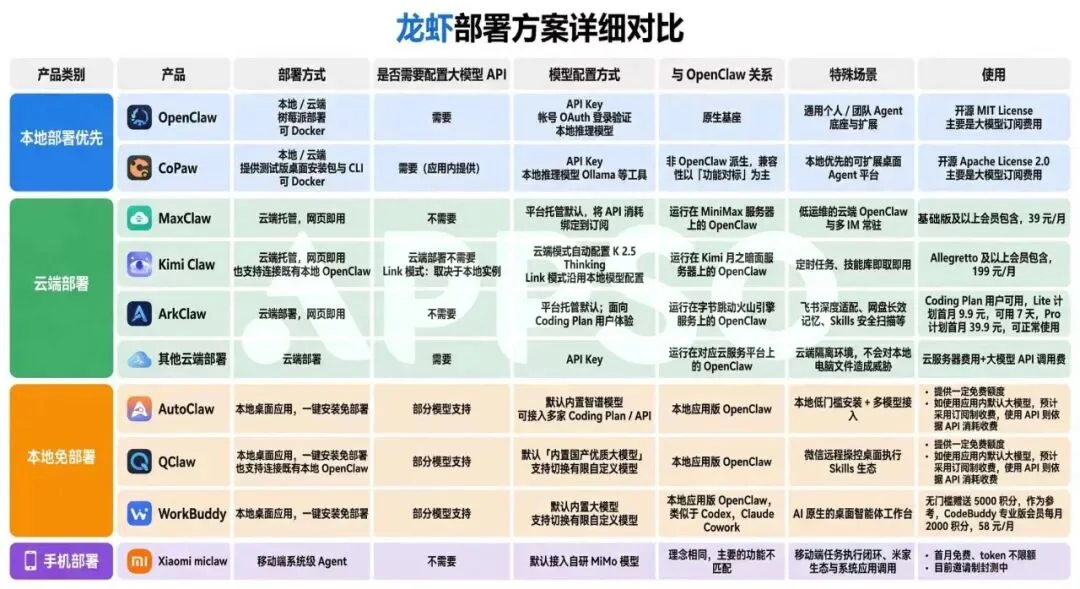
🐧 “Even the goose factory is turning into a shrimp farm.” — Industry observation on AI agent proliferation
✅ Pre-Installation Checklist
🔧 Hardware & Environment
- Minimum: 1 vCPU, 1 GB RAM, 500 MB storage (Raspberry Pi 4 compatible)
- Recommended: 8+ GB RAM, ≥10 GB free disk space
- Mandatory isolation: Use a spare Mac/PC or VM — never your daily driver
- Network: Stable access to GitHub, npm, and LLM APIs (OpenAI/Gemini/Claude/etc.)
- Prerequisites: Node.js ≥v22, Git (auto-installed if missing)
💰 Cost & Model Strategy
- Zero-Cost Route: QClaw / AutoClaw (bundled国产 models)
- Subscription Route: MaxClaw ($39/mo), Kimi Claw ($199/mo), DuClaw ($17.8/mo)
- API-Driven Route: Native OpenClaw + Gemini/Claude/Kimi — ⚠️ Heartbeat tasks can burn 170K–210K tokens per run
🛠️ Step-by-Step Local Deployment (CLI)
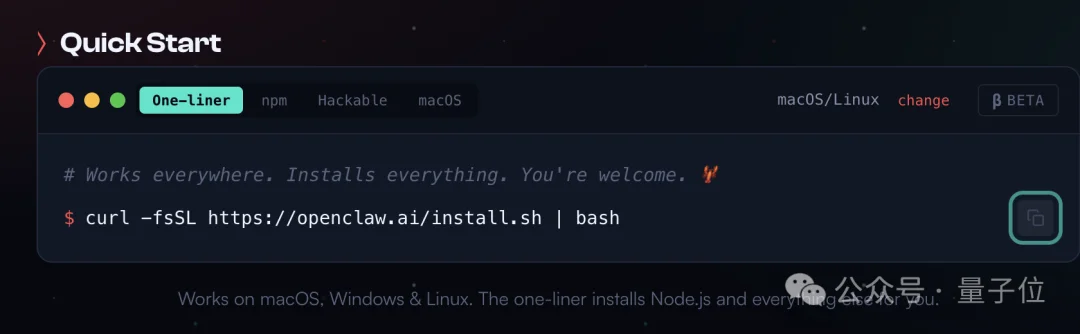
1. Install with One Command
# macOS / Linux / WSL2
curl -fsSL https://openclaw.ai/install.sh | bash

# Windows (PowerShell)
iwr -useb https://openclaw.ai/install.ps1 | iex
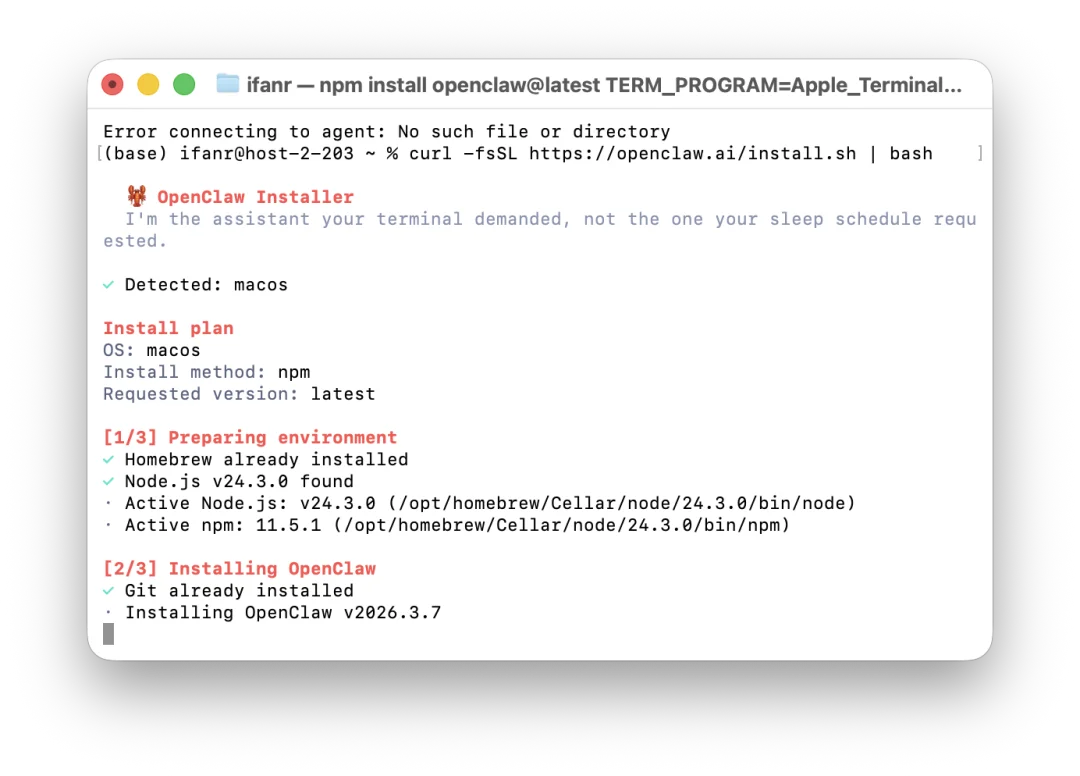
💡 Stuck? Paste error logs into Gemini or Claude — they’ll suggest precise fixes.
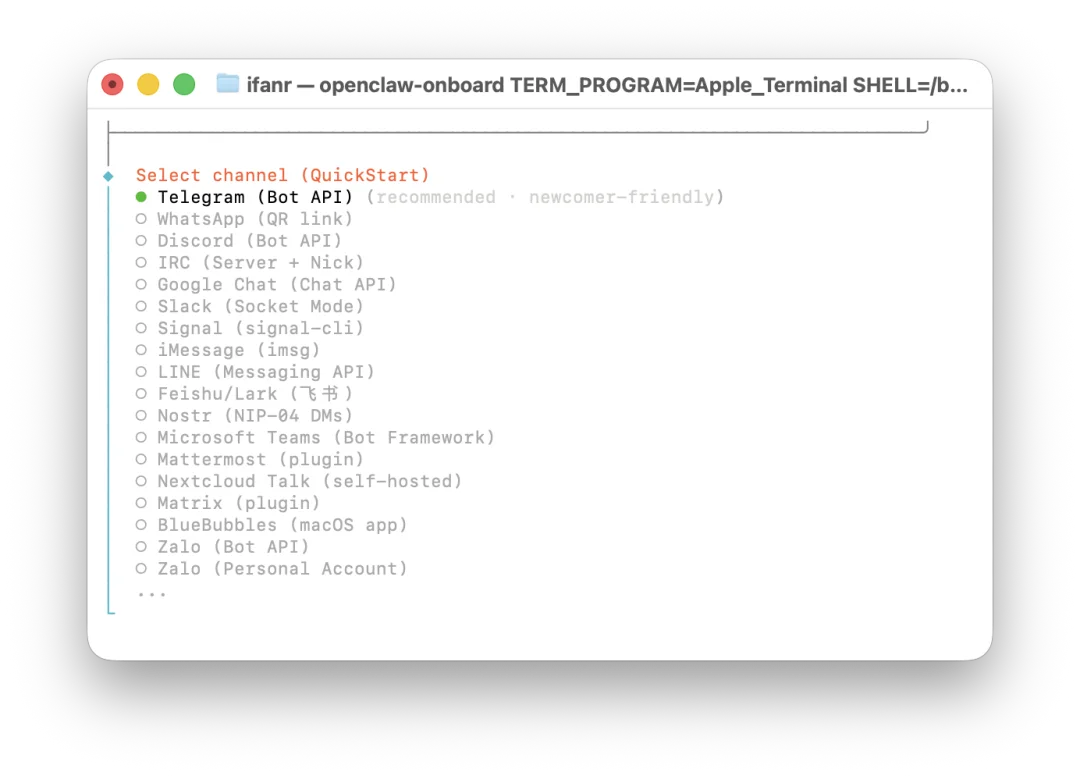
2. Configure During Setup
- Select
QuickStartmode - Choose LLM (e.g., Gemini Flash Lite → 1M context)
- Add API keys with descriptive names (e.g.,
openclaw-gemini-prod) for easy revocation - Connect channels: Telegram, Feishu, WhatsApp (QQ & WeCom require extra steps — see below)
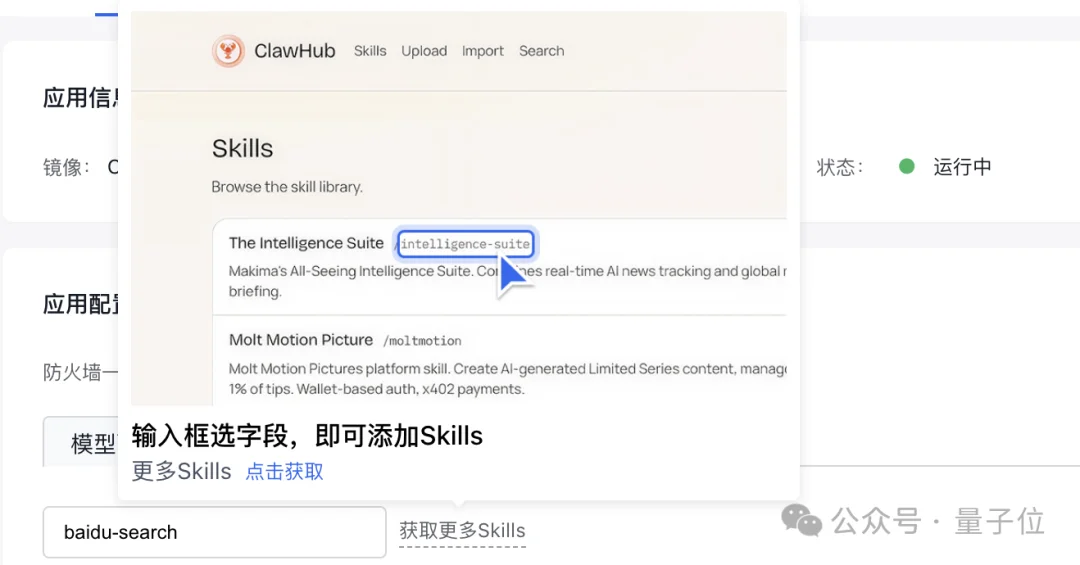
- Install vetted Skills:
tavily-search,find-skills,self-improving-agent,openclaw-backup
3. Connect to QQ & Enterprise WeChat (3 Commands Each)
QQ Integration:
openclaw plugins install @qq/qq-openclaw-plugin
openclaw gateway start
openclaw channels add qq
Enterprise WeChat:
openclaw plugins install @wecom/wecom-openclaw-plugin
openclaw gateway start
openclaw channels add wecom
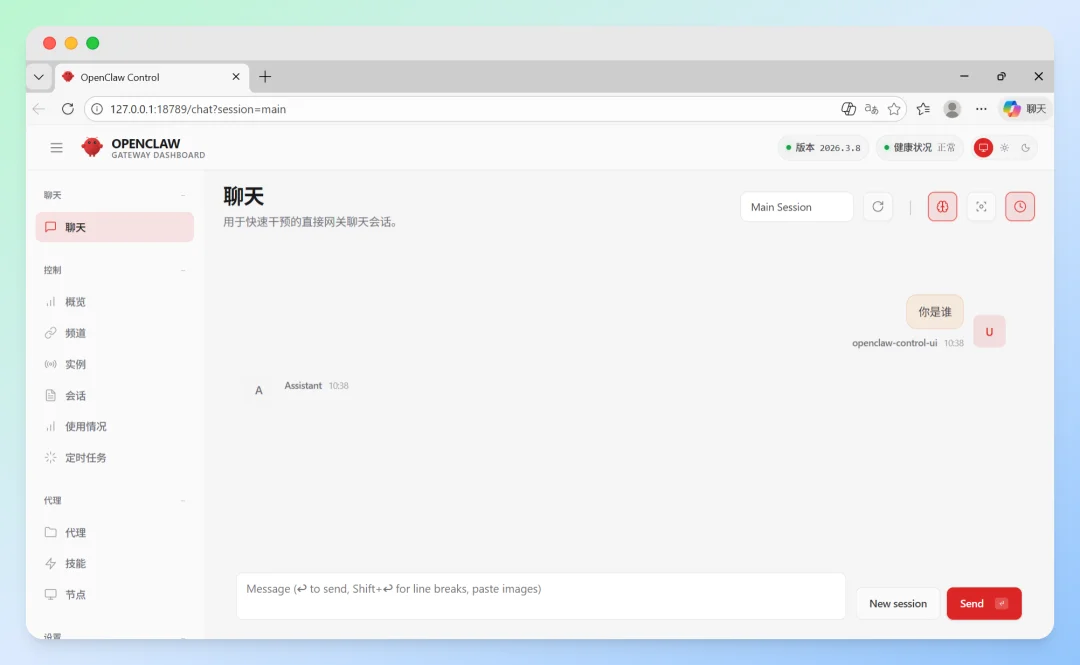
🔐 Safety-First Configuration Files
OpenClaw’s behavior is governed by editable Markdown files — treat them like constitutional law:
| File | Purpose | Security Tip |
|---|---|---|
SOUL.md |
Personality, ethics, boundaries (“Never delete — only move to trash”) | Most critical — define refusal rules for unsafe actions |
USER.md |
Your identity, timezone, preferences | Keep minimal — avoid sensitive personal data |
IDENTITY.md |
Name, tone, emoji style | Avoid over-personalization that encourages hallucination |
MEMORY.md |
Long-term memory | Regularly audit & prune — it’s vulnerable to prompt injection |
HEARTBEAT.md |
Background tasks (e.g., email/calendar checks) | Keep ultra-minimal — each run consumes massive tokens |
AGENTS.md |
SOPs and workflow logic | Version-control this file; validate before updates |
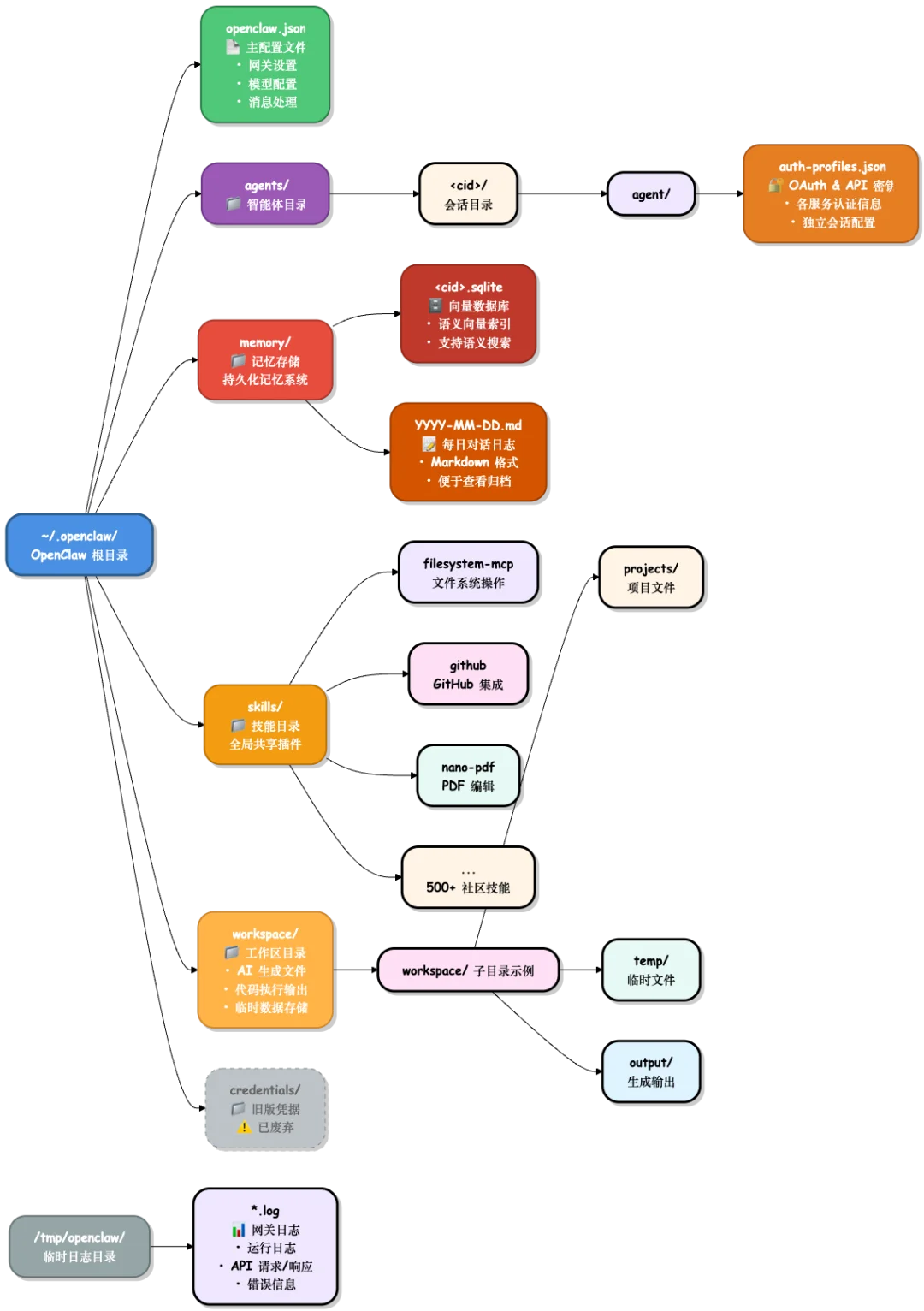
⚠️ If
MEMORY.mdcontains unverified external input (e.g., scraped emails), malicious instructions may persist silently.
🧪 Recommended Skills (Verified & Useful)
| Skill | Purpose | Install Command | Notes |
|---|---|---|---|
tavily-search |
Real-time web search | npx clawhub@latest install tavily-search |
Prevents hallucinated answers |
find-skills |
Auto-recommends relevant Skills | npx clawhub@latest install find-skills |
Reduces discovery friction |
self-improving-agent |
Self-optimizing workflows | npx clawhub@latest install self-improving-agent |
Requires careful memory hygiene |
openclaw-backup |
Scheduled config backups | npx clawhub@latest install openclaw-backup |
Critical for disaster recovery |
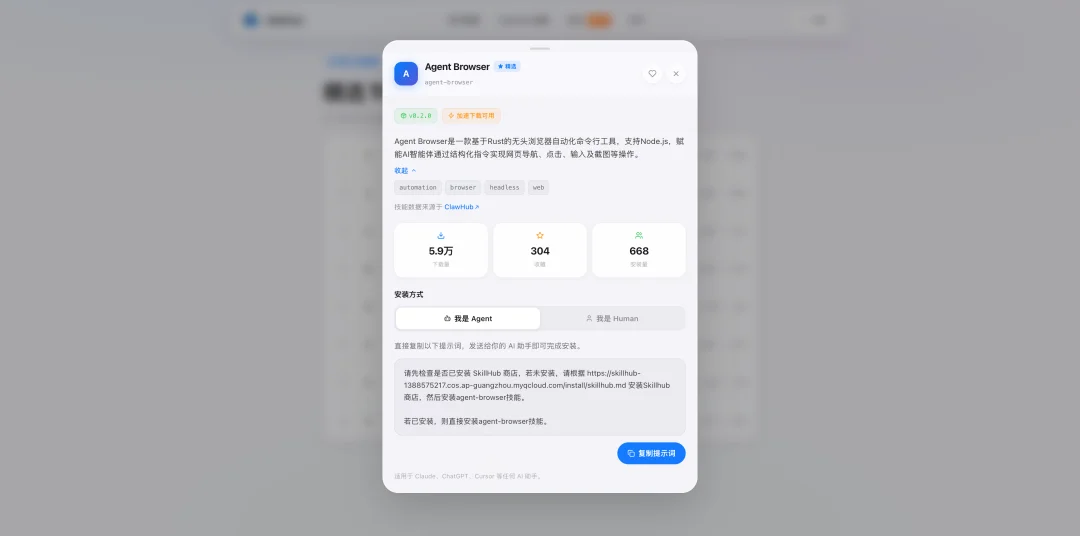
⚠️ Avoid unvetted Skills — e.g.,
agent-browseris flagged as suspicious by VirusTotal due toeval/external API use.
🗑️ Safe Uninstallation Paths
✅ CLI Available (Recommended)
# Full clean removal
openclaw uninstall --all --yes --non-interactive

# Or step-by-step
openclaw gateway stop
openclaw gateway uninstall
rm -rf "${OPENCLAW_STATE_DIR:-$HOME/.openclaw}"
rm -rf ~/.openclaw/workspace
npm rm -g openclaw  # or pnpm/bun equivalent
🛠️ CLI Missing (Manual Cleanup)
- macOS:
launchctl bootout gui/$UID/ai.openclaw.gateway+ remove plist - Linux:
systemctl --user disable --now openclaw-gateway.service - Windows:
schtasks /Delete /F /TN "OpenClaw Gateway"
📌 Multi-profile? Remote mode? Source install? See full checklist at docs.openclaw.ai/install/uninstall
📚 Official Resources
- 📘 OpenClaw Docs (English)
- 📘 Chinese Documentation
- ❓ FAQ & Troubleshooting
- ⏱️ Heartbeat Configuration Guide
“AI tools evolve daily — but security fundamentals don’t. Prioritize isolation, transparency, and incremental adoption over chasing every new ‘shrimp’ in the pond.”