One-Cent OpenClaw Deployment in 10 Minutes
The Rise of OpenClaw: From GitHub Sensation to Digital Employee
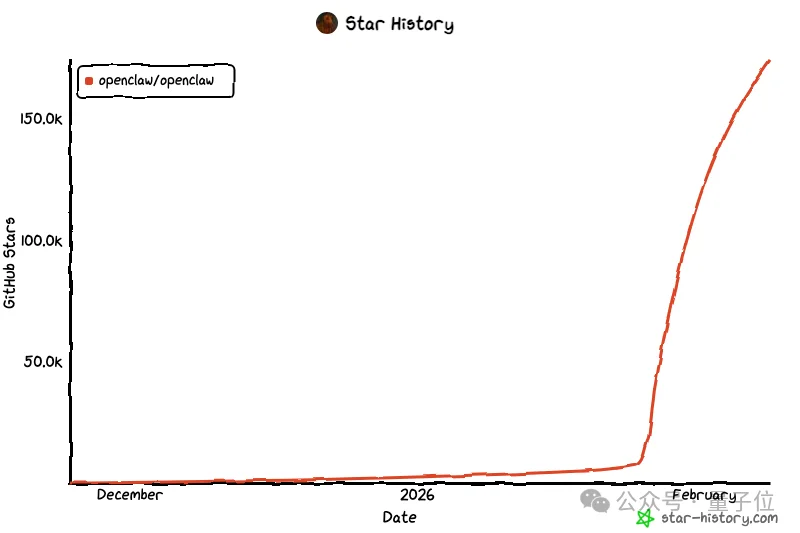
Since 2026, few AI agent frameworks have matched the explosive growth of OpenClaw (formerly Clawdbot/Moltbot). With over 177,000 GitHub stars, its trajectory resembles a rocket launch — and for good reason.
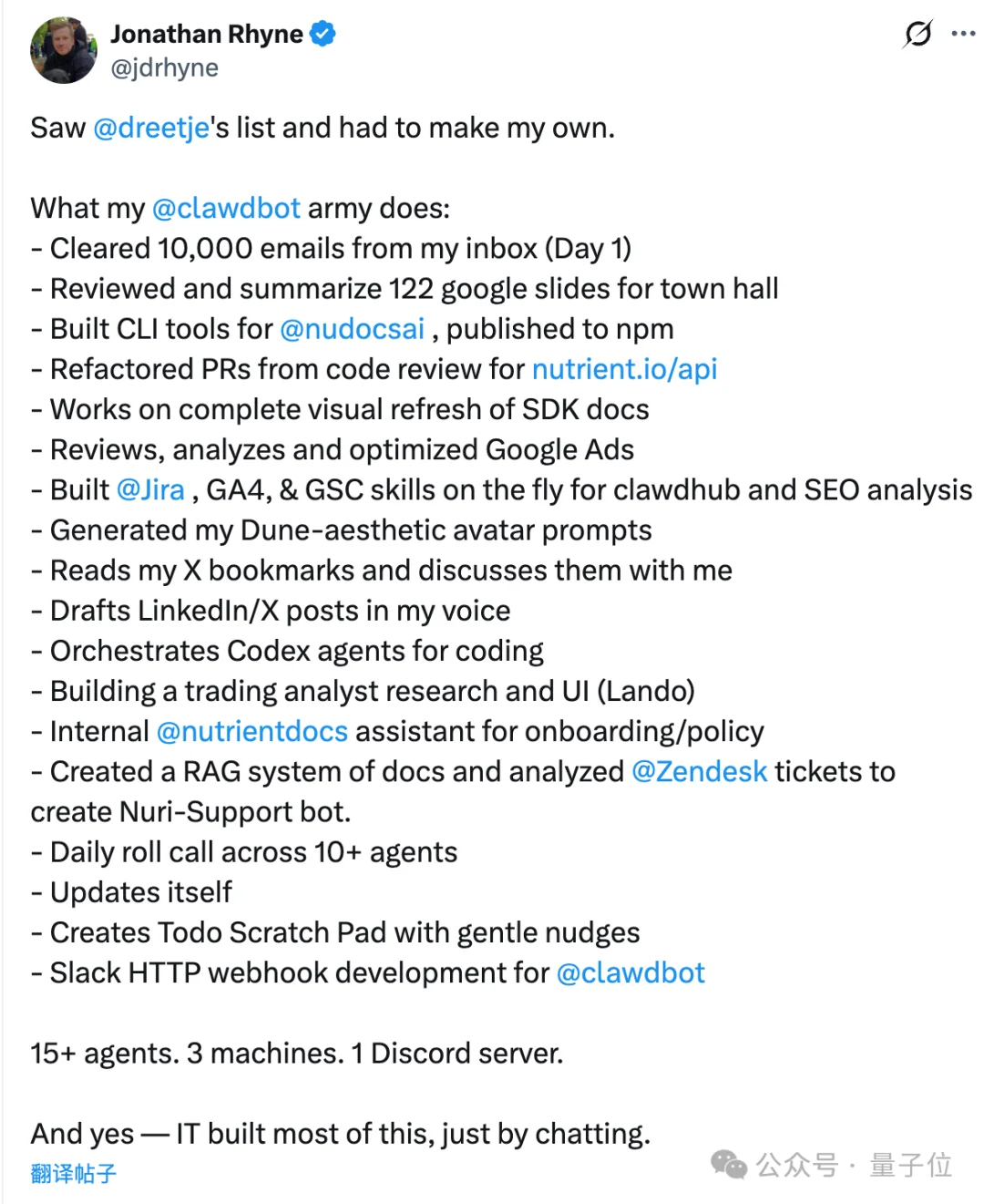
Unlike conventional chatbots, OpenClaw functions as a true digital employee: it autonomously operates software, executes workflows, and orchestrates multi-step tasks across systems. One user deployed a “digital legion” — 15 agents across three machines — managed centrally via Discord to handle email processing, PPT analysis, code generation, social posting, and daily reporting.
Yet, despite its promise, adoption has been hindered by steep technical barriers — until now.
The Deployment Bottleneck: Why “One Command” Was Never Enough
The official documentation boasts a single-line installation command — but reality is far more complex:
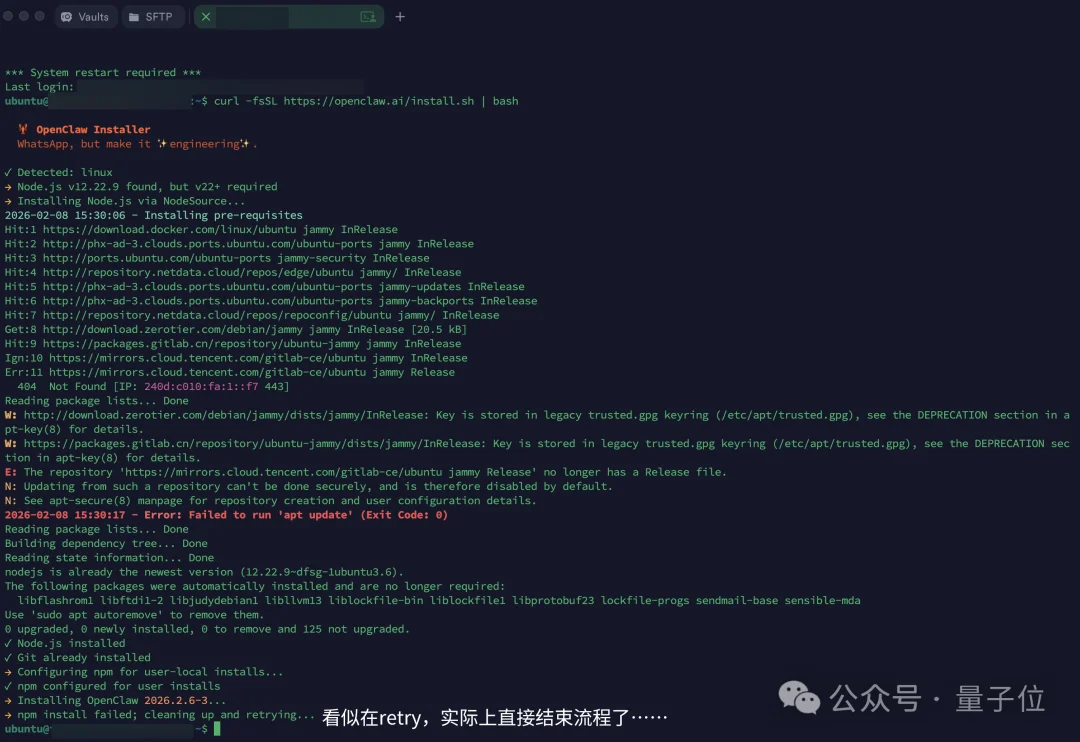
- ✅ Requires Node.js 22+ — incompatible with default Ubuntu/CentOS cloud images (often shipping with v18 or lower)
- ✅ Fails silently in non-interactive environments (Web Shell, automation scripts) due to strict TTY detection
- ✅ Lacks built-in model configuration, API key management, or remote access setup (e.g., Nginx, firewall rules)
Most third-party “one-click” cloud images only deliver a bare runtime — essentially a raw shell without furniture: no preconfigured models, no UI integration, no skill orchestration.
Breakthrough: Baidu Cloud’s Light Server (LS) Solution
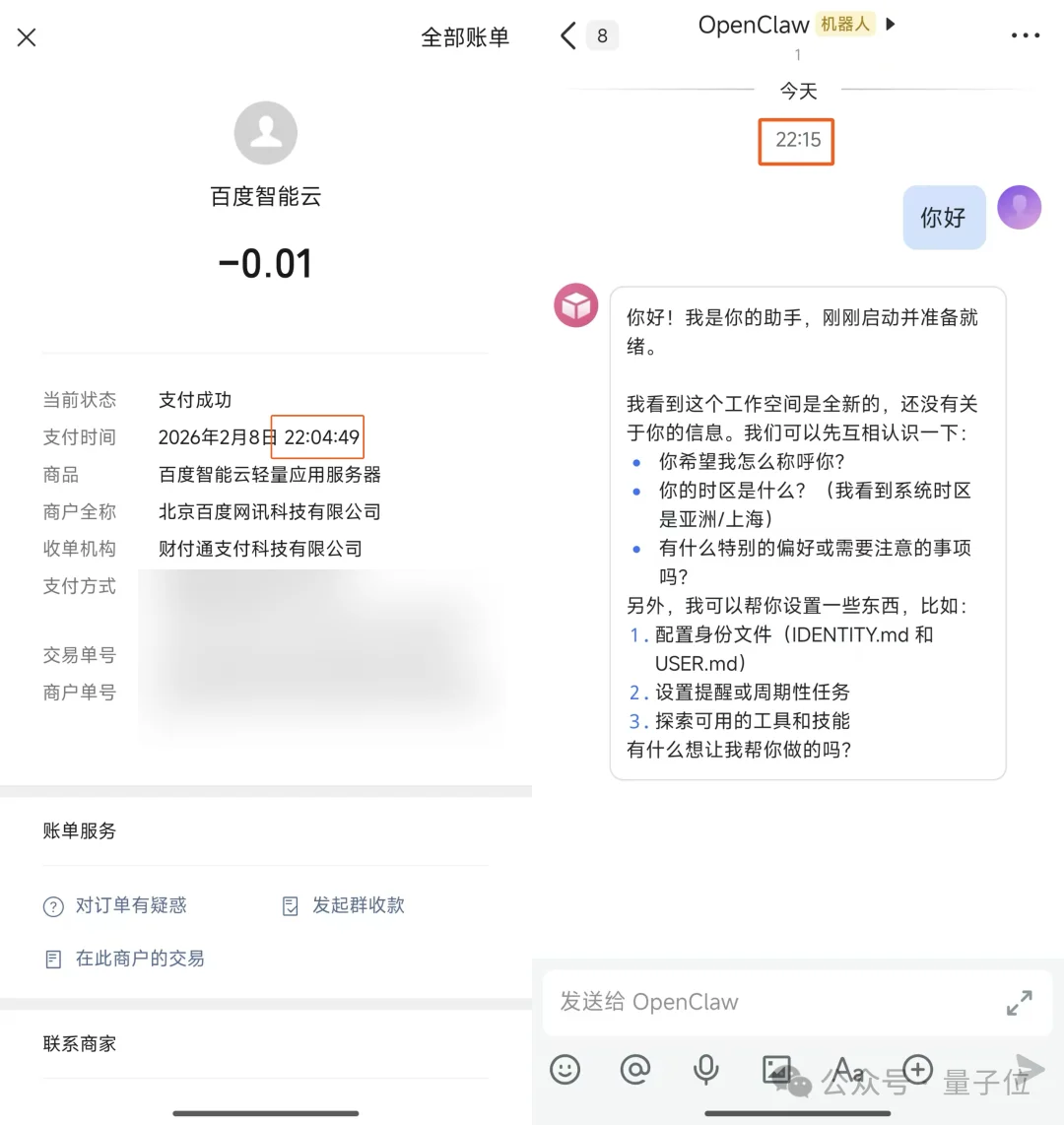
Baidu Intelligent Cloud introduced a purpose-built, graphical, zero-config deployment path for OpenClaw — reducing time-to-first-query from hours to under 10 minutes, starting at ¥0.01/month.
✅ Key Advantages:
- No CLI required: Fully visual console workflow
- Pre-patched environment: Node.js 22+, npm permissions, and dependency conflicts resolved at image build time
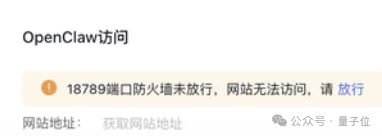
- Zero-configuration port exposure: One-click opening of port
18789(default OpenClaw web UI) - Model flexibility: Supports ERNIE, DeepSeek, Qwen, and Kimi — with ¥20 free voucher for Qwen (valid 30 days)
- No auto-renewal traps: Cancel anytime; no hidden subscriptions
🚀 Step-by-Step Flow:

- Select OpenClaw 2026.2.2-3 from the prebuilt image gallery
- Choose entry-level instance (2C4G + 200GB SSD)
- Click “Create” → backend runs automated install script
- Enable port
18789with one click - Configure preferred LLM (e.g., Qwen) via GUI
- Launch → access web UI or integrate with messaging platforms
Seamless Workplace Integration
OpenClaw isn’t confined to a browser tab. With Baidu’s streamlined setup, it connects natively to:
– ✅ Feishu (Lark)
– ✅ DingTalk
– ✅ QQ
– ✅ WeCom (Enterprise WeChat)
Each integration provides copy-paste JSON permission templates and illustrated guides — no prior platform developer experience needed.
Supercharging OpenClaw: Official Skills from Baidu ClawsHub
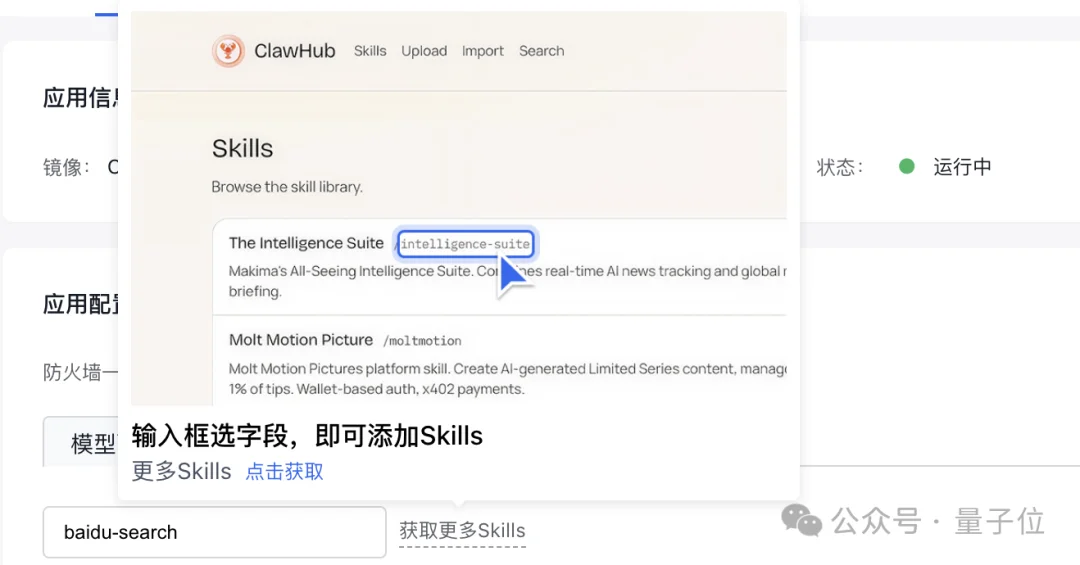
Deployment is just step one. To transform OpenClaw into a fully operational digital worker, Baidu launched six production-grade Skills on ClawHub, all available with one-click install or voice command:
| Skill | Functionality | Use Case |
|---|---|---|
| Baidu Web Search | Real-time internet search | Breaking news, trending topics |
| Baidu Baike Search | Structured knowledge lookup | Fact-checking, definitions, timelines |
| Baidu Scholar Search | Academic paper discovery | Literature reviews, citation mining |
| AI Storybook Generator | Text-to-illustrated绘本 | Educational content, children’s books |
| Smart PPT Generator | Outline-to-slide automation | Executive briefings, pitch decks |
| Qwen Deep Research Agent | Multi-step analytical reasoning | Market reports, competitive analysis, strategic planning |
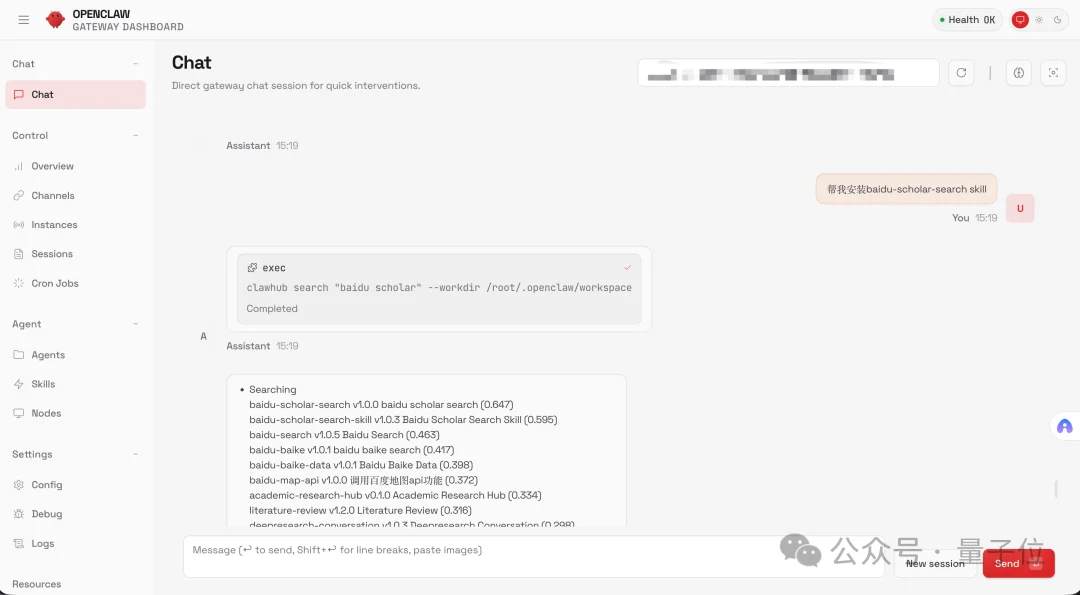
💡 Pro Tip: You can even ask OpenClaw to install skills itself — no terminal needed.
From Geek Toy to Universal Productivity Tool
Historically, AI agents demanded fluency in Docker, Python, Linux shells, and debugging — locking out HR managers, researchers, marketers, and students.
Baidu’s solution flips the paradigm:
– 🖱️ Mouse-only operation
– 🧩 Pre-integrated, battle-tested skills
– 🌐 Built-in model routing & billing transparency
– 🛠️ No version hell, no config files, no SSH tunnels
Now, OpenClaw serves as:
– 📋 HR Assistant: Auto-screens resumes and schedules interviews
– 📚 Research Partner: Aggregates and synthesizes academic papers
– 📊 Operations Copilot: Scrapes KPIs, generates dashboards, drafts reports
This is technology democratization in action: you don’t need to understand how it works — you just need it to get your work done.

Article originally published by QuantumBit.