GLM-5 Meets Claude Agent Teams: The Rise of Vibe Coding
Just 10 hours ago, Zhipu AI officially launched its flagship model — GLM-5, a high-density reasoning engine poised to redefine AI-assisted development.
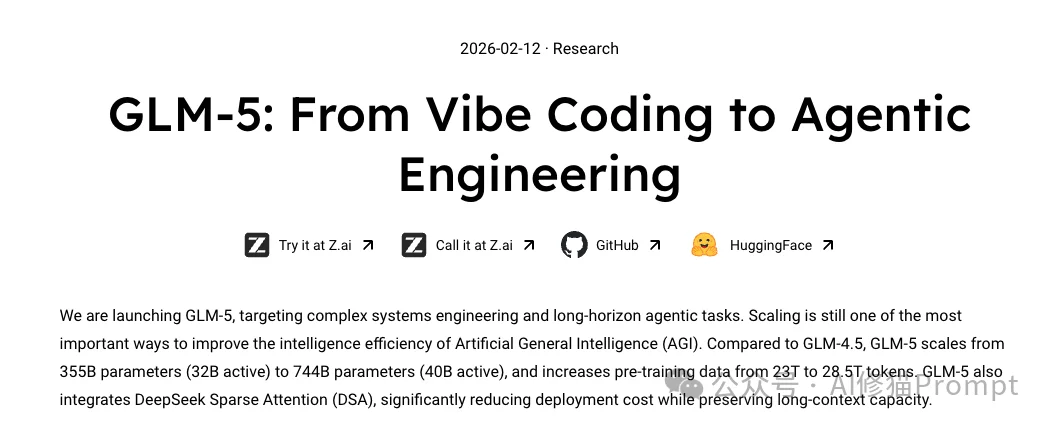
While most developers are still benchmarking its single-thread logical reasoning, forward-thinking engineers have unlocked a far more disruptive paradigm: injecting GLM-5 into Anthropic’s newly released Claude Code Agent Teams architecture.
Beyond Single-Agent Interaction: Enter the AI Engineering Team
Owning one GLM-5 is exciting — but what if GLM-5 could assemble and lead its own engineering team?
That’s the core magic of Agent Teams: you shift from conversing with a single AI to acting as CTO of a fully autonomous, GLM-5–powered engineering squad. These agents are no longer linear “task executors” — they’re collaborative, role-aware teammates capable of:
- Autonomous Team Formation: The Lead Agent dynamically spins up specialized roles — a backend engineer, frontend architect, and even a dedicated QA “devil’s advocate” — based on task requirements.
- Mesh Collaboration: Unlike traditional subagents (star-topology), teammates communicate via Direct Messaging, negotiate API contracts, share a Shared Task List, conduct live code reviews, and debate architectural trade-offs — all in parallel.

Watching tmux auto-split into multiple terminals — each running a GLM-5 agent coding, debugging, and cross-reviewing in real time — embodies Andrej Karpathy’s vision of Vibe Coding: You provide intent; AI delivers organizational intelligence.
Why It’s Now Accessible: Cost-Efficient GLM-5 Inference
Historically, such “full-stack AI software factories” were limited by prohibitive token costs (e.g., Opus 4.5). But with Zhipu’s GLM Coding Plan and high-value inference packages, enterprise-grade team-level coding is now democratized — at the cost of a cup of coffee.
What Are Agent Teams?
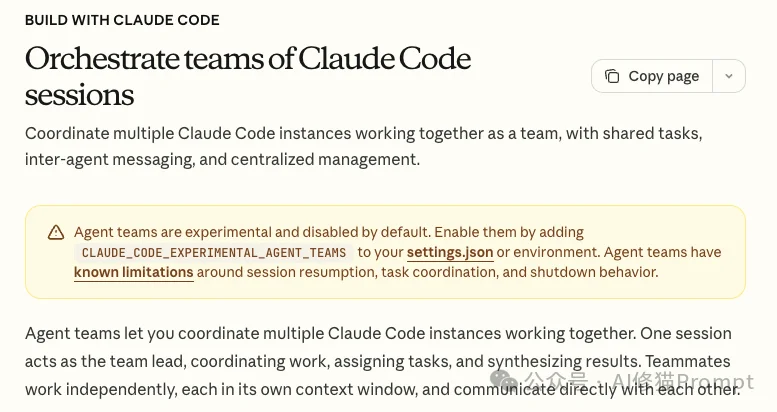
Agent Teams is Claude Code’s latest multi-agent orchestration framework. It transforms a single LLM session into an Organization, composed of:
- A Lead Agent (team orchestrator & final reviewer)
- Multiple Teammates (role-specialized executors)
Core Principles
- Task Decomposition & Parallel Execution: Lead Agent breaks down goals; teammates execute frontend, backend, and QA tasks concurrently — slashing end-to-end delivery time.
- Independent Context Windows: Each teammate runs in an isolated process with its own context window — eliminating interference (e.g., CSS history won’t pollute SQL logic), ensuring laser focus.
Technical Pillars
🔹 Mesh Communication
Unlike centralized routing, teammates message directly via a built-in Mailbox system, enabling real-time interface sync without Lead Agent bottlenecks.
🔹 Shared Task System
A local JSON task list powers coordination:
– File Locking: Prevents race conditions (e.g., two agents claiming the same task).
– Dependency Management: Tasks unlock only after prerequisites (e.g., DB schema → ORM code) complete.
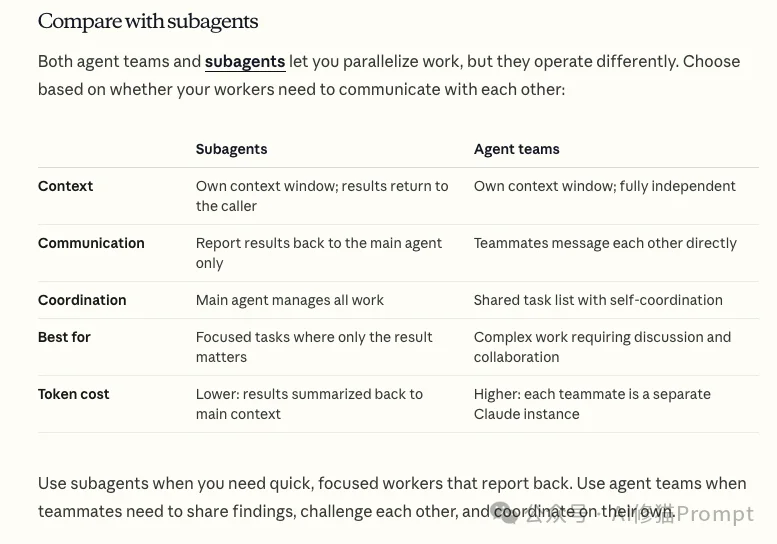
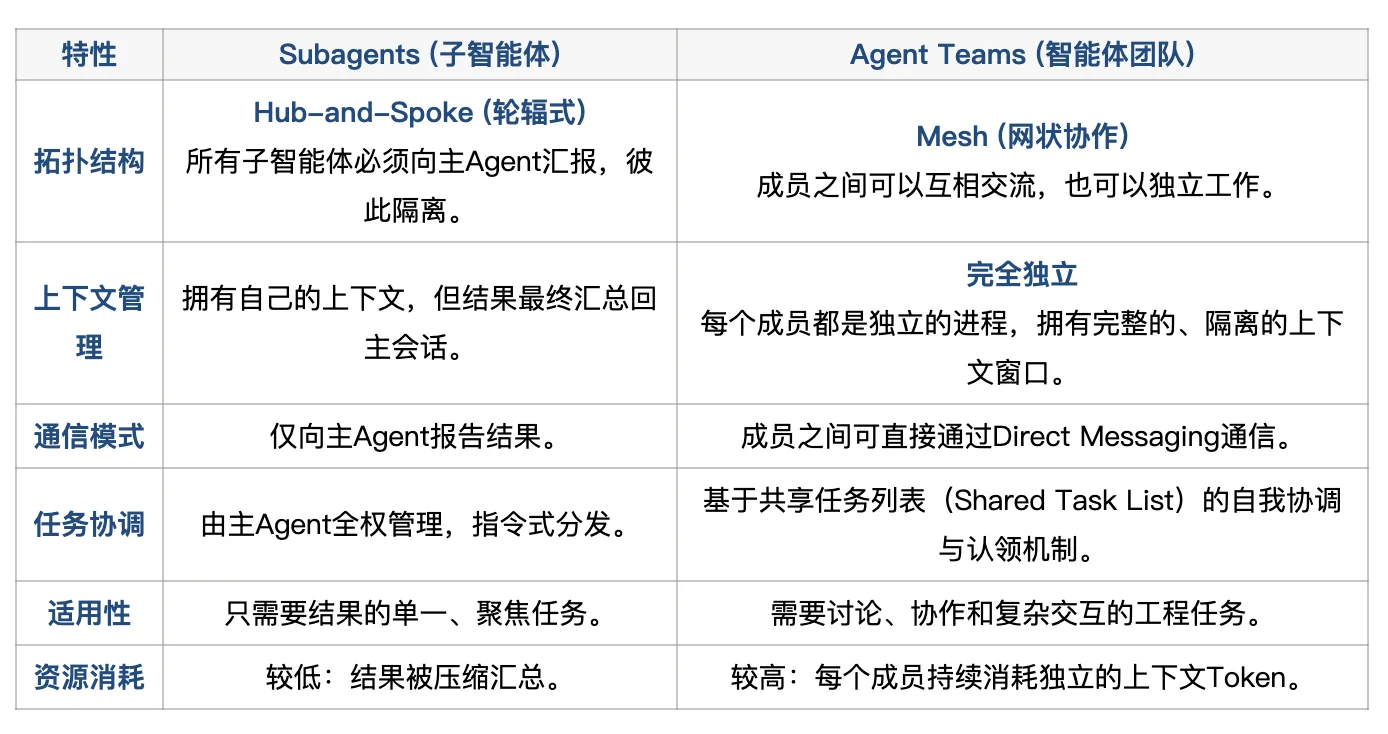
Agent Teams vs. Subagents: Key Distinction
| Feature | Subagents | Agent Teams |
|---|---|---|
| Topology | Star (all traffic through leader) | Mesh (peer-to-peer) |
| Context | Shared or inherited | Fully independent per agent |
| Use Case | Fast, atomic subtasks (e.g., error lookup) | Complex systems work (refactoring, full-stack prototyping) |
Unlocking the “God View”: Tmux Integration
To witness true parallelism — multiple agents coding side-by-side — you must use Tmux (Terminal Multiplexer). Without it, Claude defaults to single-window scroll mode.
Why Tmux?
Claude Code leverages Unix philosophy: it integrates natively with Tmux (or iTerm2) to dynamically split panes — no custom GUI required. The main process controls terminal layout via Tmux’s API.
Installation Guide
- macOS:
brew install tmux - Linux:
sudo apt update && sudo apt install tmux - Windows: Enable WSL2, install Ubuntu, then run
sudo apt install tmux
Workflow: Two-Step Activation
- Launch Tmux: Run
tmuxin your terminal → green status bar confirms entry. - Start Claude: Inside the Tmux session, run
claude. When an Agent Team forms, Claude auto-splits panes and assigns agents.
Pro Tmux Cheatsheet
| Action | Shortcut |
|---|---|
| Navigate Panes | Ctrl+b → o (next) / q (show numbers → jump) |
| Zoom In | Ctrl+b → z (maximize current pane; press again to restore) |
| Scroll History | Ctrl+b → [ (enter copy mode → arrow keys) |
Configuration & Setup
Agent Teams is experimental — enable it manually:
Step 1: Enable Flag
Edit ~/.claude/settings.json:
{
  "env": {
    "CLAUDE_CODE_EXPERIMENTAL_AGENT_TEAMS": "1"
  }
}
Step 2: Issue Natural-Language Prompts
- “Create an agent team to review this codebase: one focused on security, one on performance, one on test coverage — output actionable fixes.”
- “Build a to-do app prototype. Launch a team: React frontend engineer, Node.js backend engineer, and QA tester. Begin work in parallel.”
Troubleshooting: Fixing 400 Errors in Sub-Panels
⚠️ Common Pitfall: Sub-terminals fail with Error 400 because environment variables (e.g., ANTHROPIC_AUTH_TOKEN, model mappings) aren’t inherited by new Tmux panes.
✅ Fix: Explicitly declare all required env vars in settings.json:
{
  "env": {
    "CLAUDE_CODE_EXPERIMENTAL_AGENT_TEAMS": "1",
    "ANTHROPIC_AUTH_TOKEN": "your_zai_api_key",
    "ANTHROPIC_BASE_URL": "https://api.z.ai/api/anthropic",
    "API_TIMEOUT_MS": "3000000",
    "ANTHROPIC_DEFAULT_OPUS_MODEL": "GLM-5",
    "ANTHROPIC_DEFAULT_SONNET_MODEL": "GLM-5",
    "ANTHROPIC_DEFAULT_HAIKU_MODEL": "GLM-4.5-Air"
  }
}
Save (Ctrl+X → Y → Enter) — problem resolved.
Conclusion: From Pair Programming to Team Engineering
Agent Teams marks the evolution of AI coding from pair programming to team engineering. By combining:
- 🖥️ Tmux-powered visual orchestration,
- 🧠 Isolated-context autonomy, and
- 💡 Cost-efficient GLM-5 inference,
you can now run a full-stack AI dev team locally. This isn’t incremental tooling — it’s the fully realized Vibe Coding paradigm. Try it while the momentum is hot.
Article adapted from WeChat Official Account “AI Xiū Māo Prompt”.