Floatboat Review: AI-Powered Work Environment for Solo Founders
All for One, One for All — seamless information flow in a unified AI-native workspace
The rise of the One-Person Company (OPC) is no longer theoretical — accelerated by AI agent maturity, individuals now routinely operate at the capacity of small teams. Content creators manage ideation, drafting, formatting, and distribution solo; e-commerce founders orchestrate curation, listing, customer service, and ad campaigns unaided. Yet tooling lagged — until Floatboat, an AI-native work environment now in private beta and backed by Sequoia and LightSpeed Venture Partners.
Why Floatboat Stands Out
Unlike another chatbot or automation wrapper, Floatboat positions itself as a full-stack, desktop-integrated work environment — purpose-built for multi-role individuals. Its core thesis: eliminate context-switching friction by embedding AI agents directly into your native workflow.
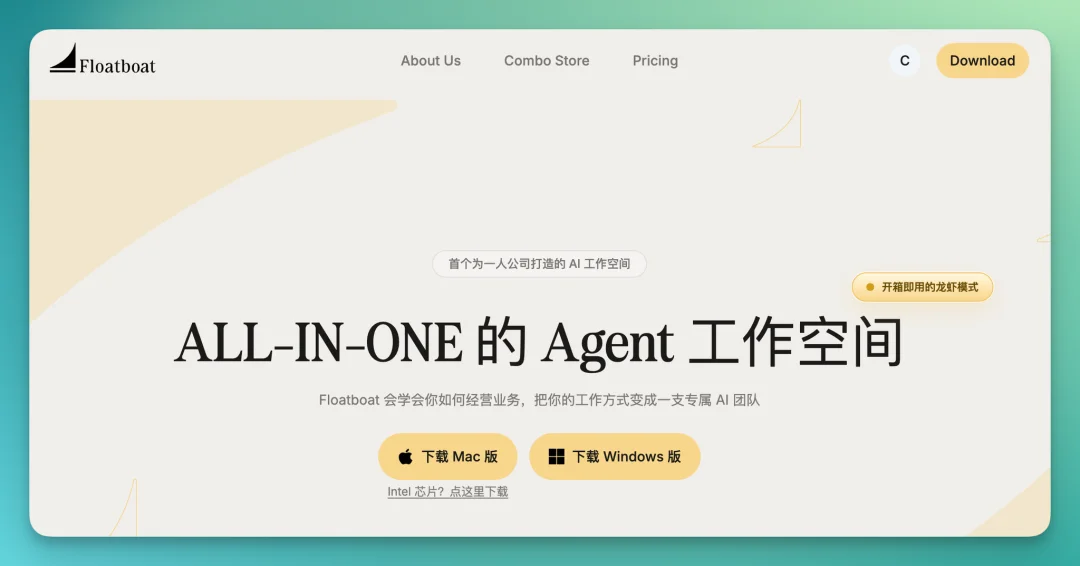
Product Link: https://floatboat.ai/
✅ The “Work Environment” Paradigm
Traditional AI tools require manual context injection: copy-paste text, upload files, screenshot-and-send. Floatboat flips this model:
- Your entire desktop becomes the agent’s perception layer: local files, browser tabs (Safari/Chrome), cloud storage (iCloud, Dropbox), macOS apps (Notes, Numbers), and even WhatsApp/iMessage content are natively accessible.
- No manual uploads. No context reassembly. Your live workspace is the shared memory.
Core Capabilities — Tested & Verified
1️⃣ Unified Workspace & Multi-View Interaction
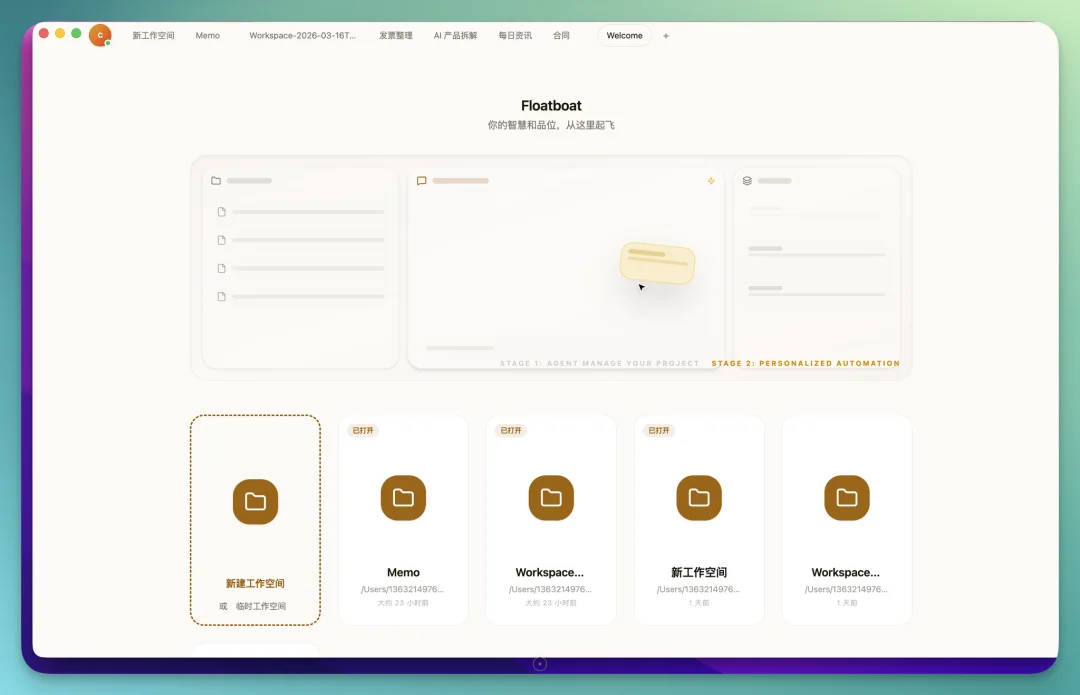

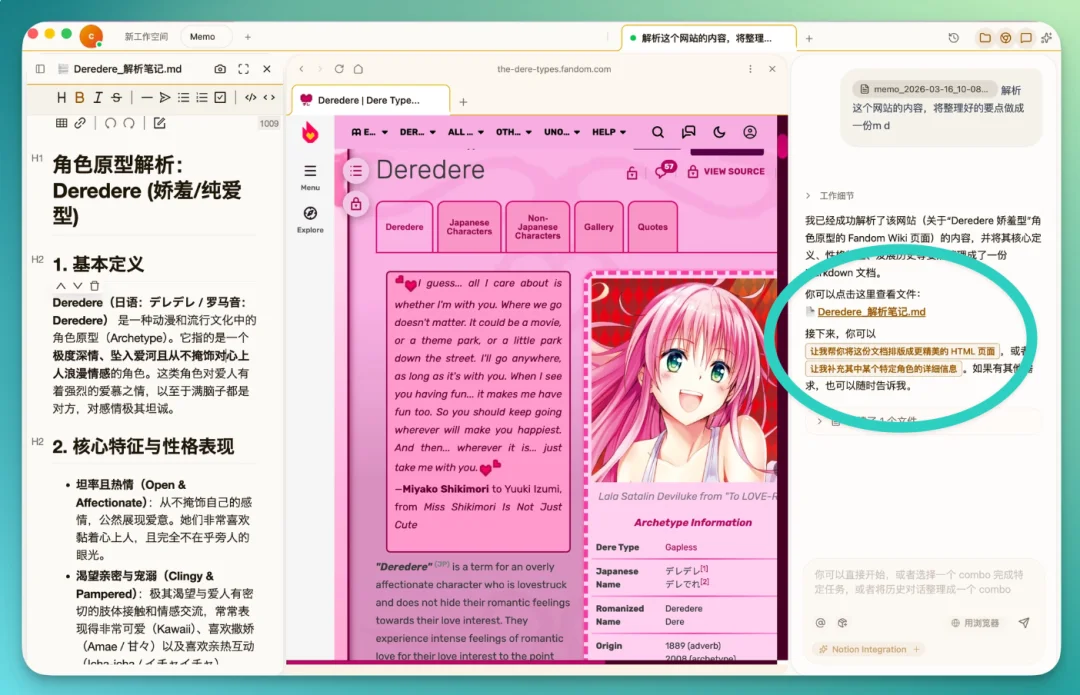
Floatboat supports tabbed, resizable panels — Chat, File Manager, and Built-in Browser — arranged side-by-side or stacked, like browser tabs.
- Drag-and-drop files or folders directly into Chat to instantly inject context.
- Open multiple documents simultaneously with browser-style tabs — close any panel with one click.
- Built-in browser supports full-site interaction (e.g., DeepSeek, Gemini, Notion) and can automate actions on those sites.
2️⃣ Context Production: From Fragmented Inputs to Structured Outputs
We tested Floatboat using a real-world scenario: deep-dive research on LoveyDovey, an AI emotional companion app.
- Created a dedicated workspace.
- Imported local Markdown docs (prior coverage), browser tabs (product site, blog posts), and Slack/WeChat snippets.
- Used drag-and-drop to feed 2+ MD files into Chat → prompted: “Generate a comprehensive market analysis covering growth strategy, technical architecture, and competitive positioning.”
✅ Agent executed using Claude Code or Gemini (user-selectable backend).
✅ Automatically requested file-system permissions — transparent and scoped.
✅ Output saved directly to local folder as editable .md, ready for publishing.
3️⃣ Context Capture: One-Click Cross-App Flow
- From browser: Highlight + drag any webpage element (text, chart, table) → auto-saves as Markdown or image.
- From desktop: Use floating Memo bar (menu-bar resident) — drag selected text/image from any app (e.g.,微信, Notes) → triggers AI action instantly.
- From video: Drag MP4 → prompt “Create 2× speed version, compress to <10MB” → done in one step.
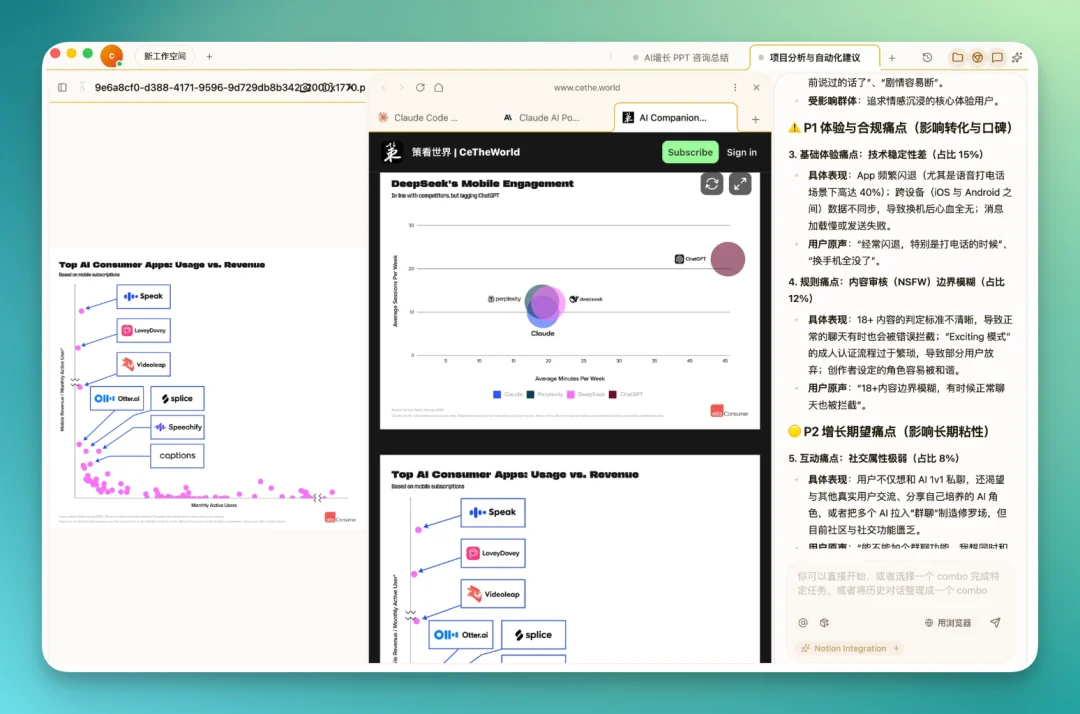
4️⃣ Context Synthesis: Merge, Compare, Refine
After gathering outputs across Growth, Research, and Product dimensions:
- Drag entire folders onto each other → automatic merge.
- Prompt: “Compare this merged output against our prior WeChat article — identify missing angles, gaps, and tone mismatches.”
- Agent analyzes structural alignment, suggests additions, and refines drafts in situ.

5️⃣ Combo Skills: Customizable, Evolving SOPs
This is Floatboat’s most powerful abstraction:
- Combo Skills = reusable, multi-step agent workflows — think “Research → Summarize → De-AI → Format → Push to Notion.”
- Install prebuilt Skills (GitHub, ClawHub), import from Dify/Coze/n8n, or build your own.
- Auto-generate Skills: Click “Save as Combo” at bottom of Chat → converts your entire session into a reusable, shareable Skill.
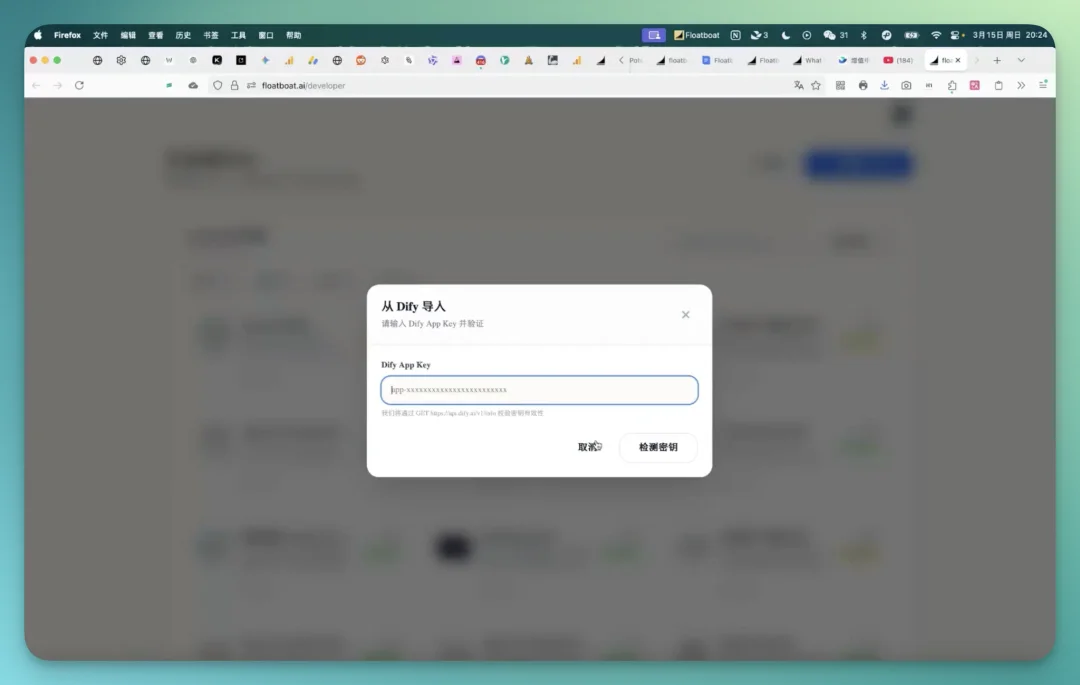
In practice:
– Researched LoveyDovey → applied “Remove AI Tone” Skill (4.8k★ GitHub project) → polished draft.
– Ran “Notion Integration Combo” → published final report directly into Notion database.
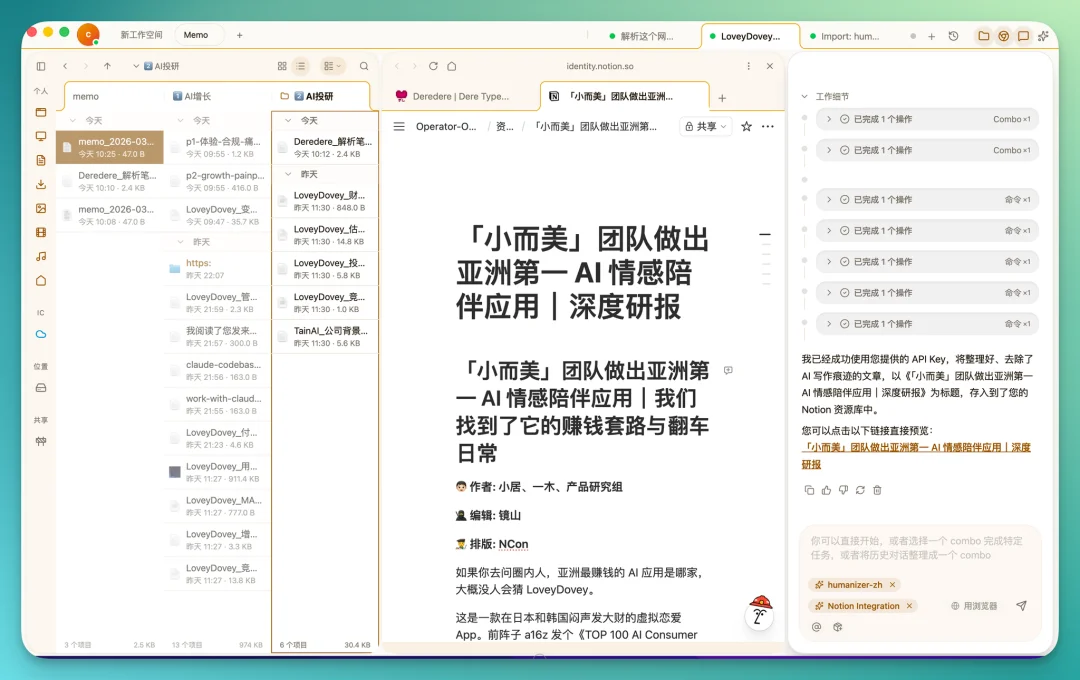
Advanced Features Worth Highlighting
🦞 macOS Native Tool Integration
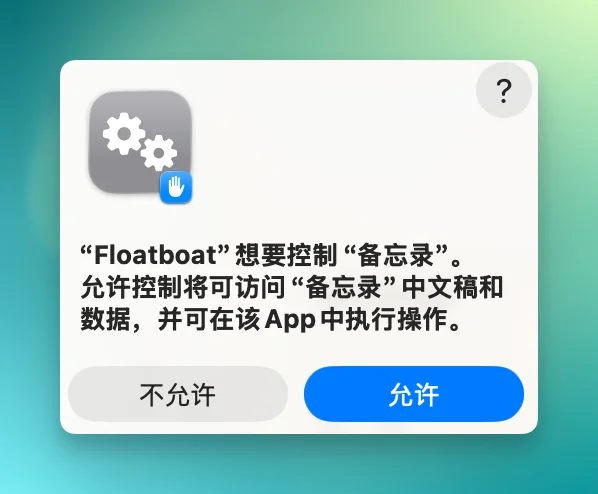
Floatboat operates as a local agent: it invokes native apps via system permissions.
- Prompt: “Export all competitor analysis tables into a new Numbers spreadsheet.”
- Prompt: “Add top 5 action items to macOS Notes.”
→ No API wrappers. No webhooks. Just natural language + OS access.
🦞 Claw Mode: IM-First Agent Control
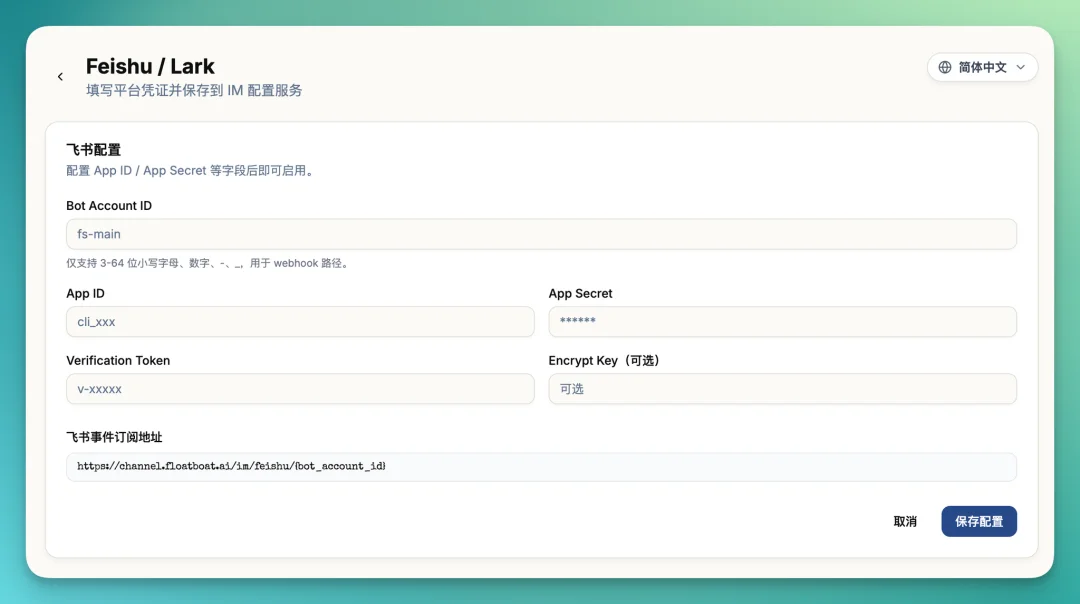
Floatboat’s Claw mode embeds functionality into Telegram, Feishu, and other IMs — execute full workflows without opening the app. Founder Shaoqing demonstrated remote bug-fixing and interview drafting via mobile Telegram commands while his desktop agent executed tasks in real time.
📦 Two Open Protocols — Selfware & IACT
- Selfware: A
.selffile format that bundles data + logic + UI — “software as document.” Enables cross-platform Skill portability. (GitHub) - IACT: Interactive Agent Command Toolkit — replaces “type ‘option 1’” with clickable buttons, reducing interaction latency. MIT-licensed and fully open.
Verdict: Visionary — But Early
Floatboat doesn’t just optimize tasks — it redefines where and how AI collaborates. By dissolving the wall between user intent and agent action, it delivers tangible efficiency gains for solopreneurs, researchers, and indie makers.
⚠️ Caveats: As a first-gen product, some features lack polish (e.g., inconsistent file-type support, occasional permission prompts). But its architectural vision — Selfware over Software, contextual continuity over fragmented tools — is both coherent and compelling.
“Tools shouldn’t be written for everyone — they should belong to the person using them.”
Try it yourself: https://floatboat.ai/

— Article by Crossing Road team | Author: Jingshan