16 Top DeepSeek Harness Plugins for AI Agents

DeepSeek Harness (DSH) is DeepSeek’s official open-source AI Agent runtime environment — a highly customizable, plugin-first programming toolkit designed to rival Claude Code and GitHub Copilot. Its core philosophy: “Everything is a plugin.” Built on the modular Cordis meta-framework, DSH enables hot-swappable components — from model adapters and tool registries to session logs, agent loops, and even its entire web UI.
While the base DSH distribution remains lean, its plugin ecosystem is exploding. Within just over a week, thousands of community plugins have appeared under the dsh-plugin tag on GitHub — ranging from production-grade utilities to playful visual experiments.
This article curates and reviews 16 standout plugins, grouped into three categories: Skill Expansion, UI & Workflow Enhancement, and Community Creativity.
🔍 Discovering High-Quality Plugins
GitHub Discovery
The most direct method: search GitHub for repositories tagged dsh-plugin. This yields rapid access to newly published tools — but quality varies widely, as tagging is unmoderated.
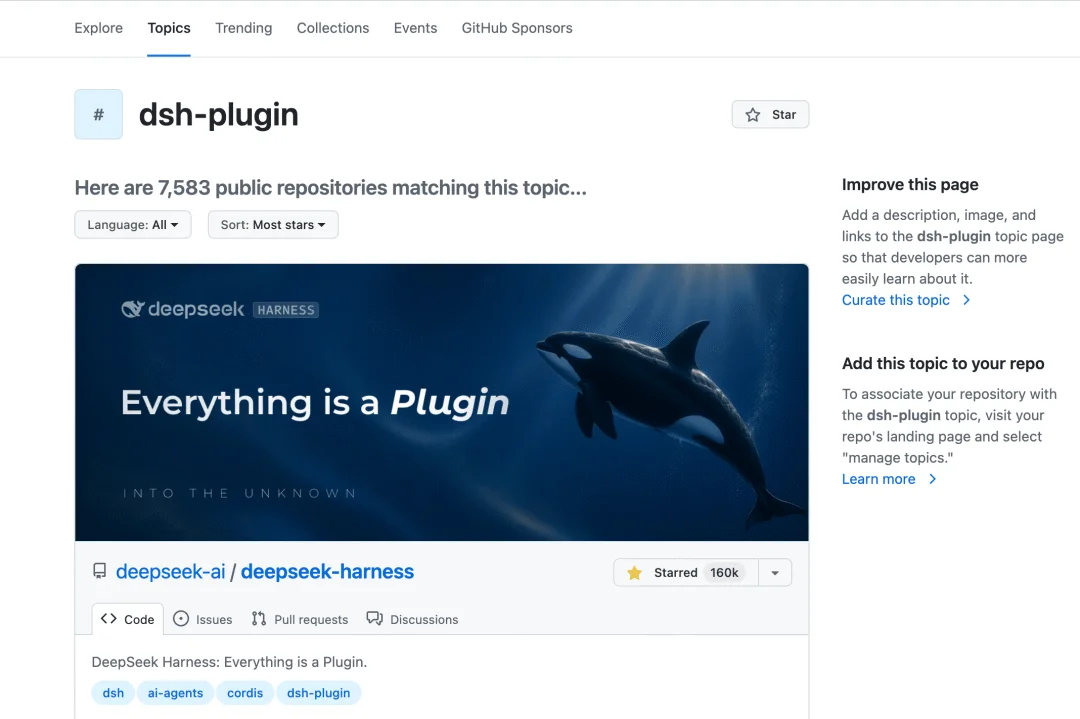
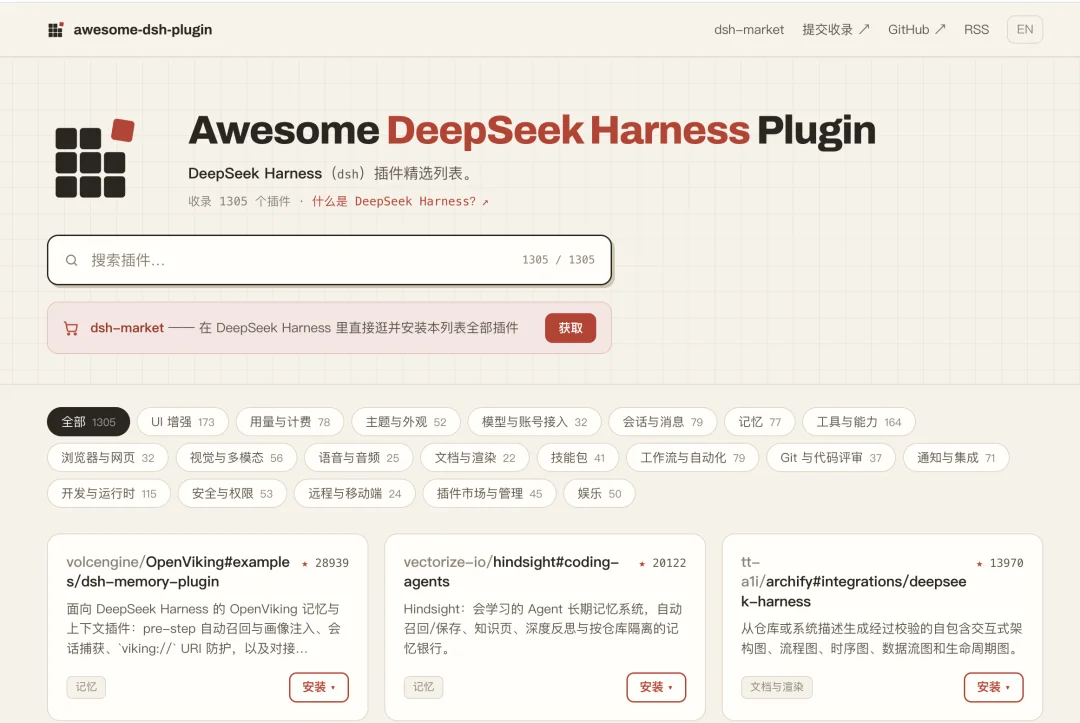
Awesome DSH Plugin
A community-maintained curated list (awesome-dsh-plugin) categorizes plugins by function — ideal for quick discovery and trend-spotting. However, it is not an official endorsement.
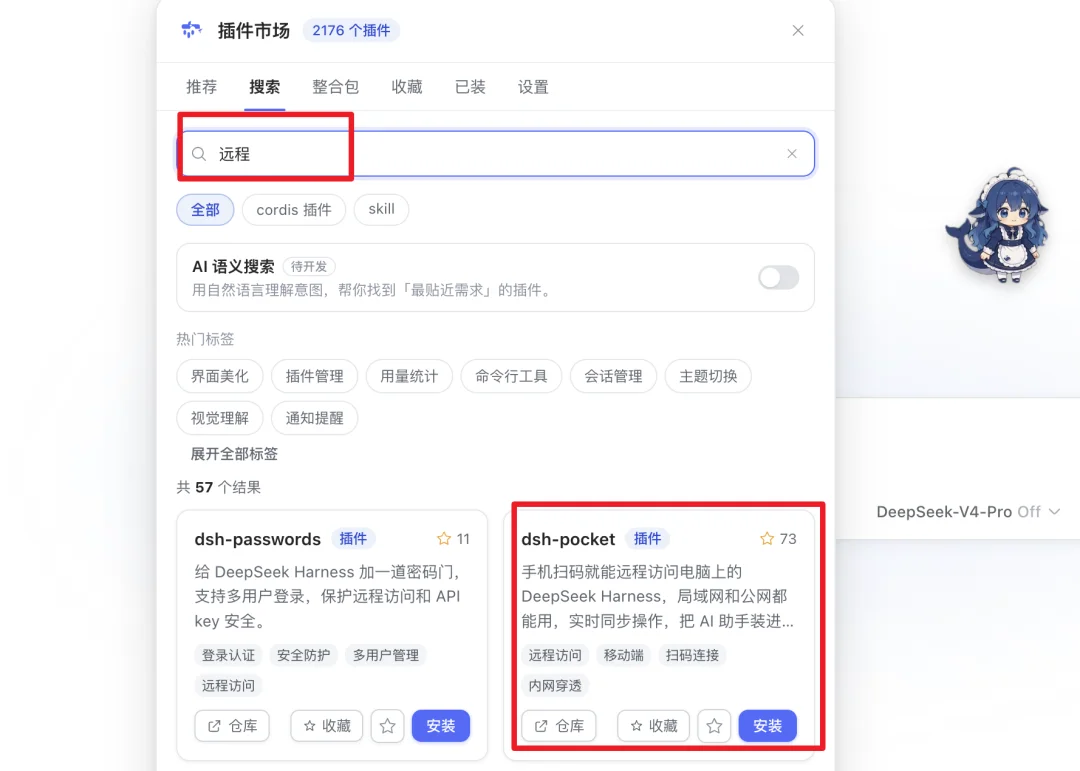
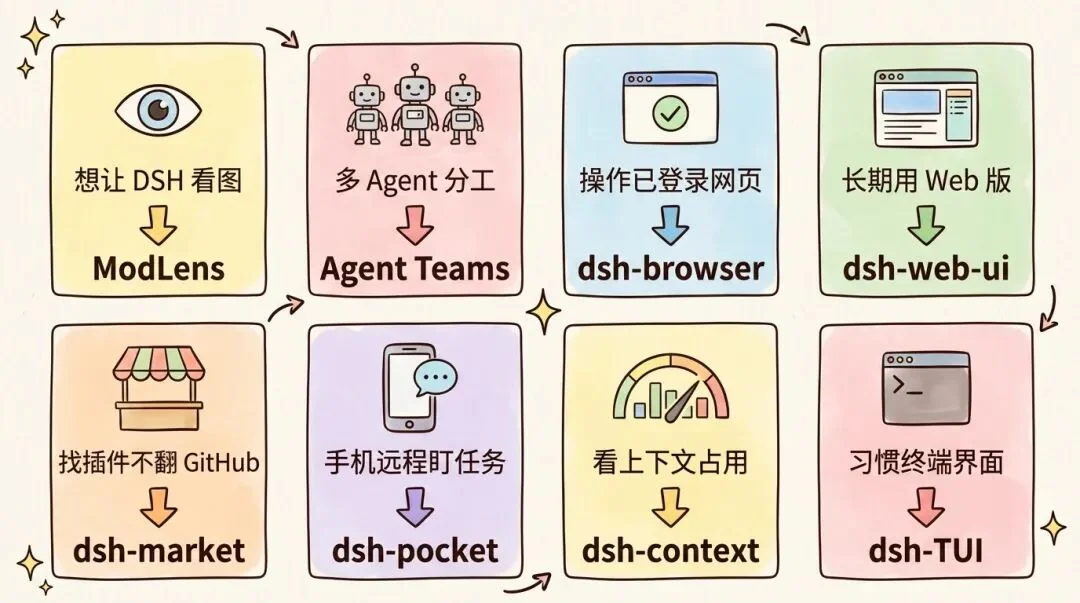
dsh-market — The In-App Plugin Marketplace
✅ Plugin that solves the plugin-discovery problem
dsh-market embeds a full-featured plugin marketplace directly into your DSH interface. It supports:
– Real-time browsing & keyword search (e.g., “remote”, “browser”)
– Smart recommendations based on your installed plugins
– One-click install and dependency resolution
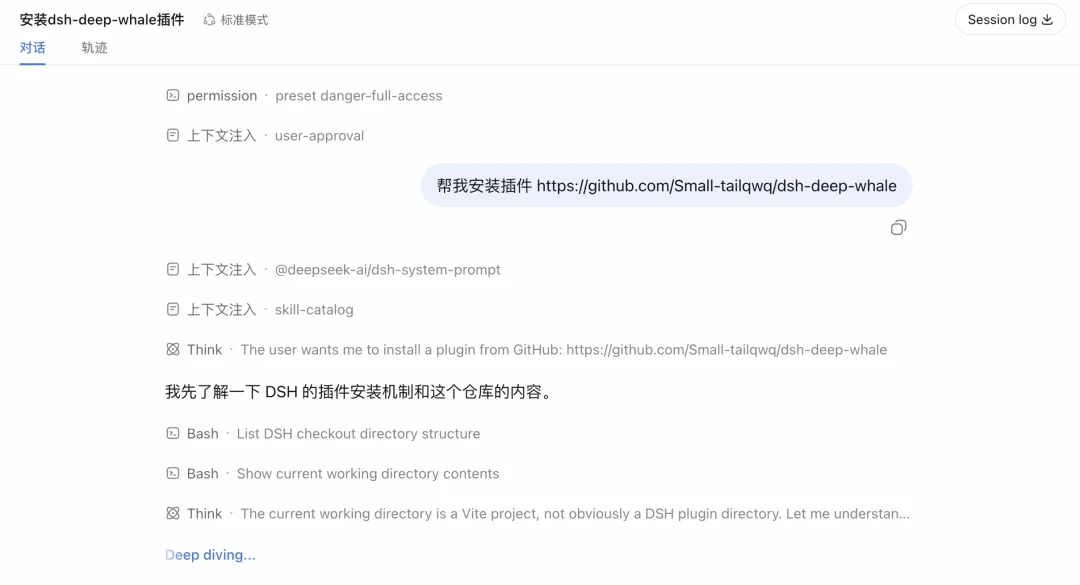
Installation tip: Paste any GitHub repo URL into DSH — AI will auto-parse README.md, detect installation steps, execute CLI commands, and prompt you to restart dsh web.
⚙️ Skill Expansion Plugins
ModLens — Vision-Augmented Reasoning
Repository: github.com/liustack/modlens
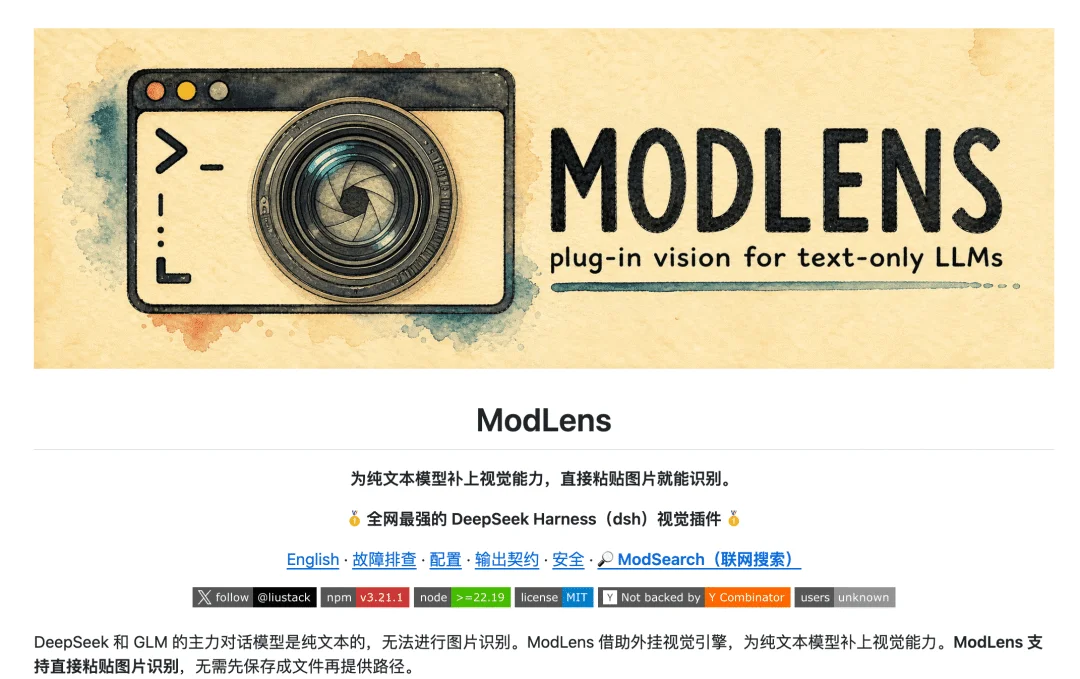
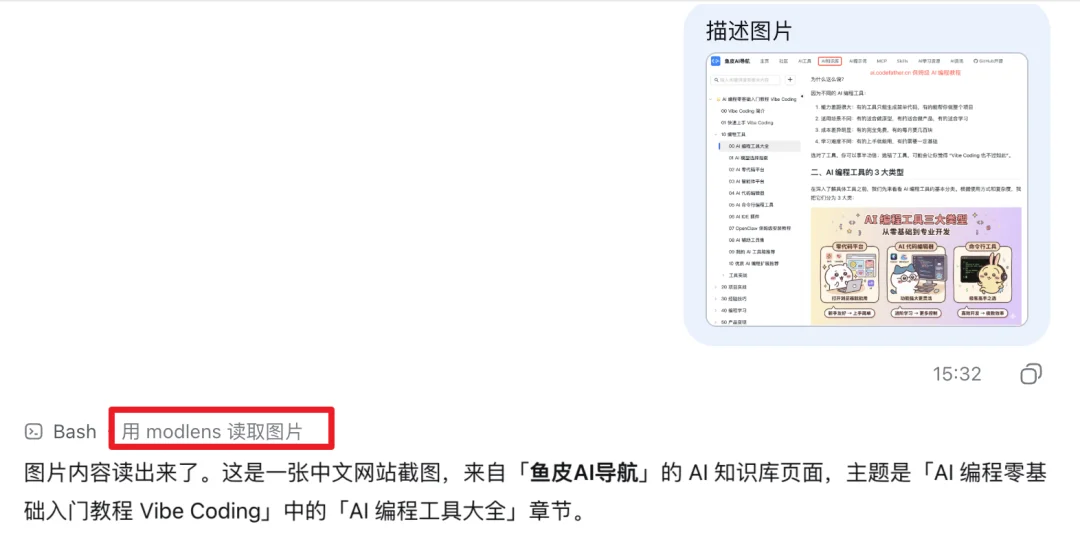
DeepSeek V4 models are text-only. ModLens bridges that gap by forwarding images to external vision models (e.g., Qwen-VL), then feeding structured JSON — including OCR text, layout regions, and semantic descriptions — back into DSH for multimodal reasoning.
✅ Ideal for frontend QA: paste a screenshot → AI verifies fidelity vs. code.
ModSearch — Multi-Source Web Search
Repository: github.com/liustack/modsearch
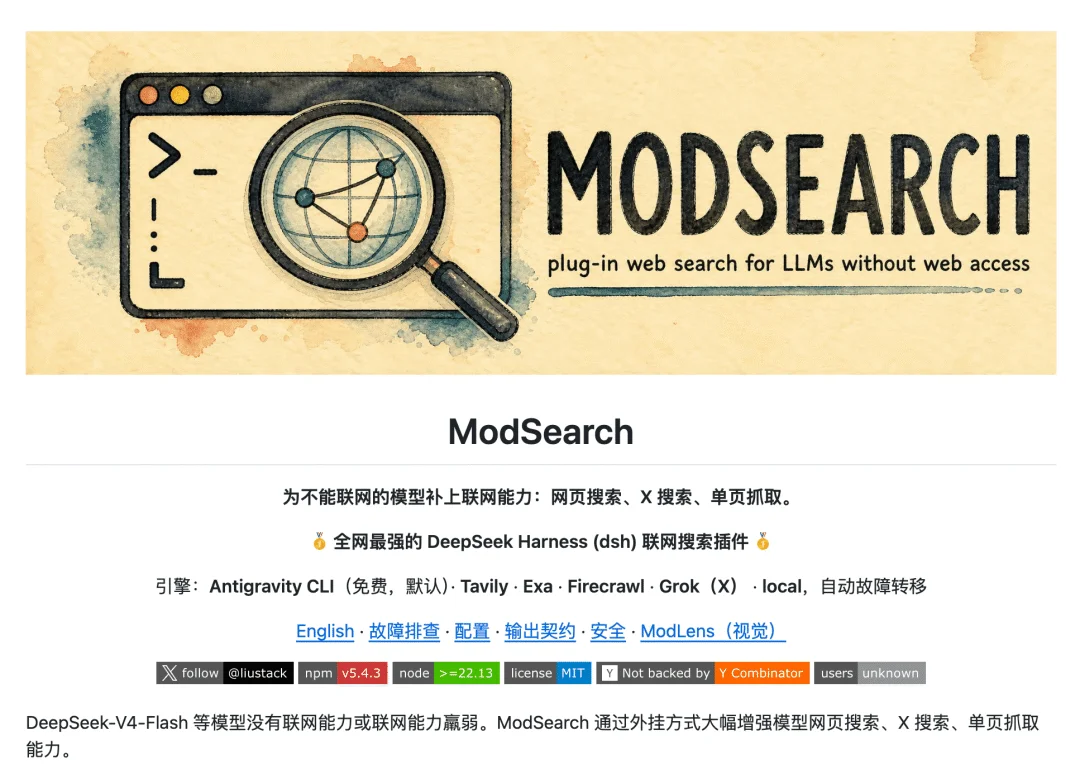
Extends DSH’s native search with integrations for Firecrawl, Tavily, Exa, and experimental Twitter scraping.
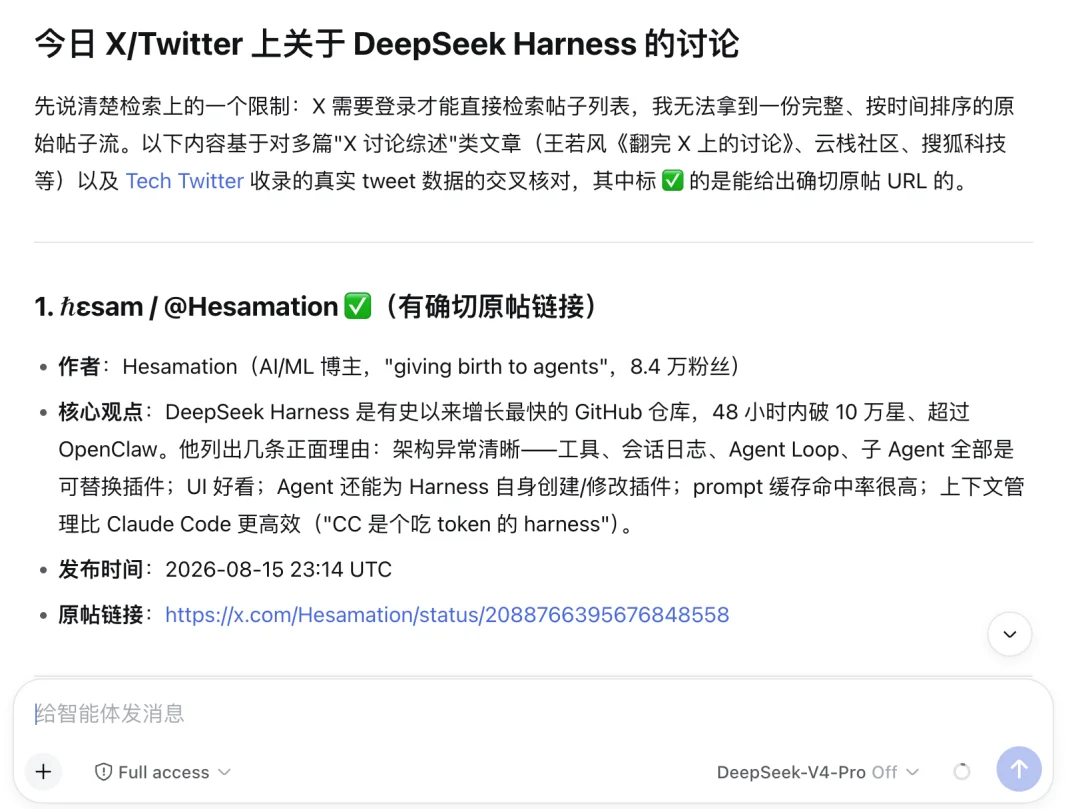
Before: DSH returned only media summaries for “DSH on Twitter”.
After: With ModSearch, AI retrieved original tweets — verified via direct link.
⚠️ Full functionality requires API keys (e.g., Tavily, Exa).
dsh-browser — Real Browser Automation
Repository: github.com/Lum1104/dsh-browser
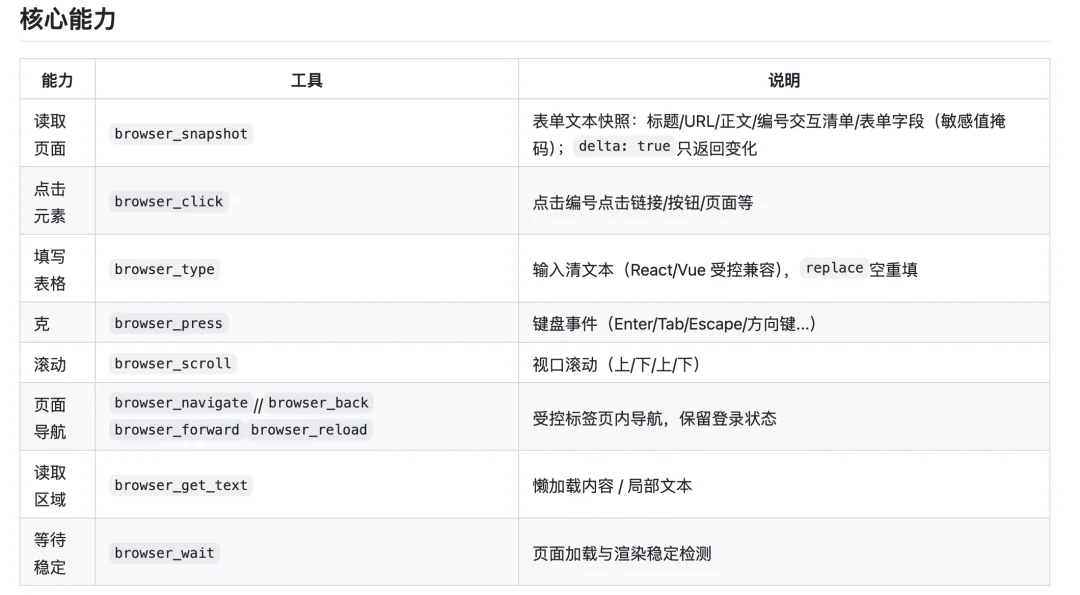
Unlike headless browsers, dsh-browser connects to your live Chrome instance — preserving cookies, sessions, and login state.
How it works:
– DSH ↔ Chrome Extension via local WebSocket
– Pages rendered as numbered, interactive element lists (no OCR needed)
– All actions (click, type, navigate) require user confirmation
Tested successfully on GitHub repo inspection and real-time Twitter search.
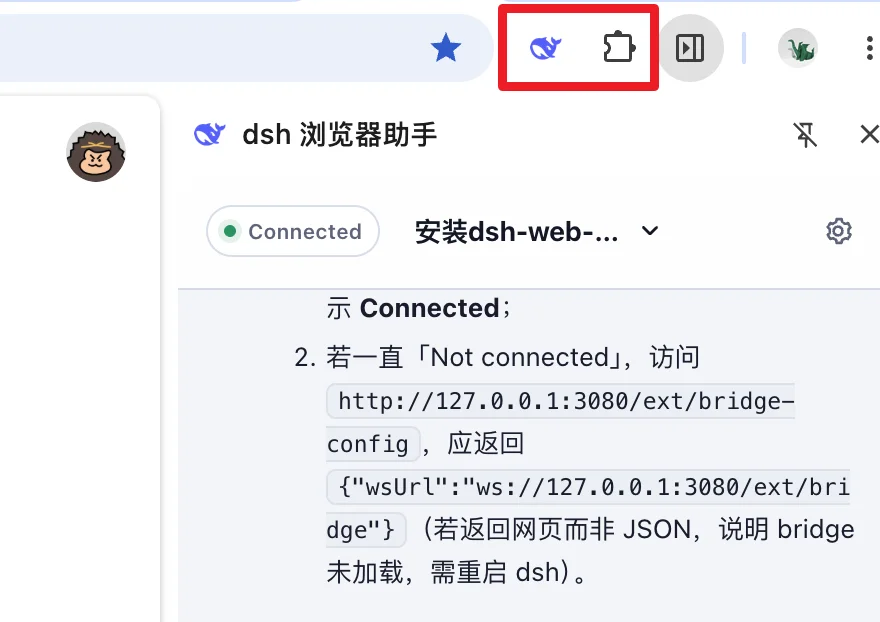
💡 Pro tip: Launch target site first → use DSH sidebar chat → avoids page hijacking.
Agent Teams — Collaborative Multi-Agent Orchestration
Repository: github.com/NanmiCoder/dsh-agent-teams
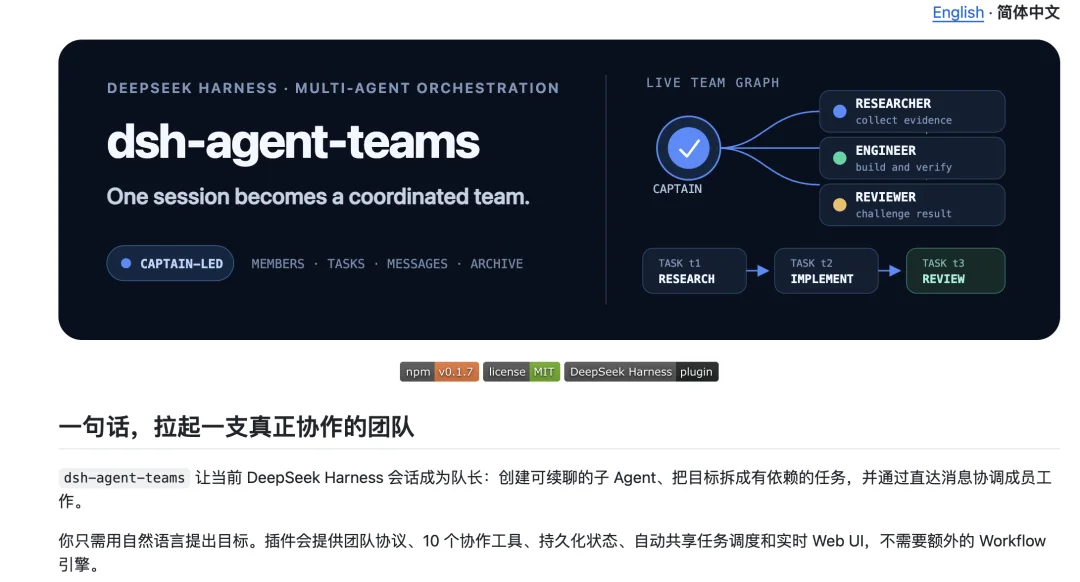
Enables persistent, role-based agent teams:
– Captain: Splits tasks, assigns work, aggregates results
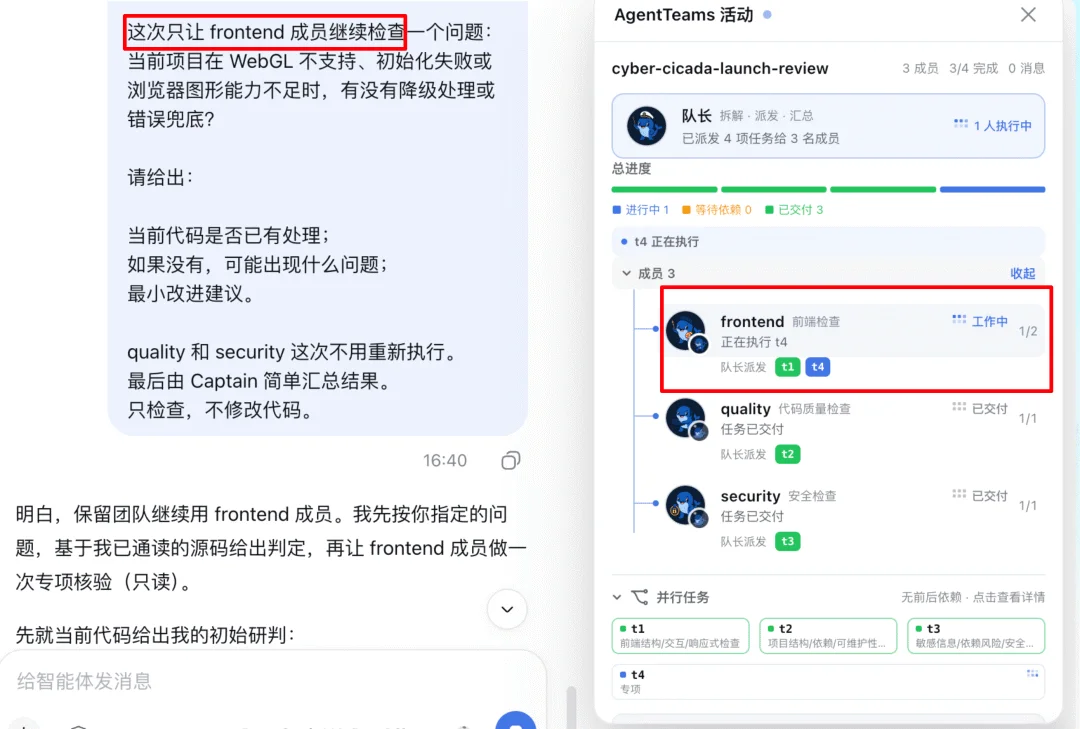
– Members: Specialized agents (e.g., Frontend, Security, Code Quality)
Example workflow:
Frontend Agent: checks DOM structure & responsiveness
Code Quality Agent: audits architecture & dependencies
Security Agent: scans for leaks & CVEs
Results appear in real-time activity panel → Captain compiles final report.
✅ Teams persist across sessions — reuse members without re-initialization.
🎨 UI & Workflow Enhancement Plugins
dsh-market — In-App Plugin Marketplace
(Covered above — included here for completeness)
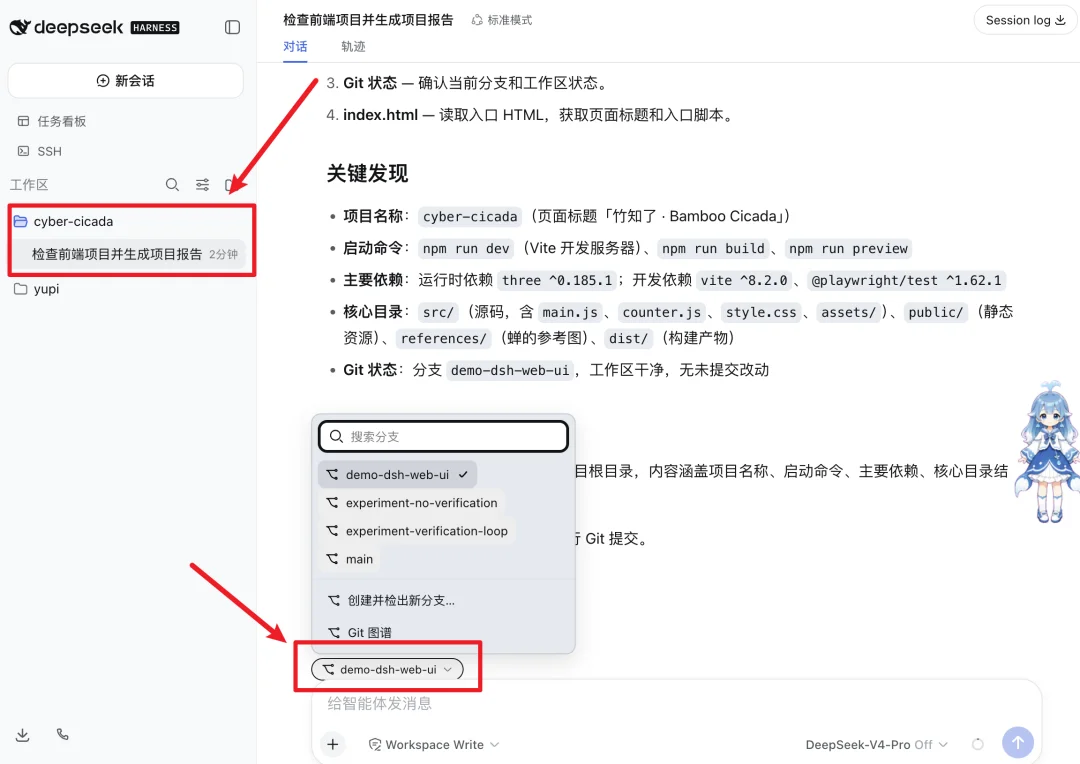
dsh-web-ui — Feature-Rich Developer Workspace
Repository: github.com/zhu1090093659/dsh-web-ui
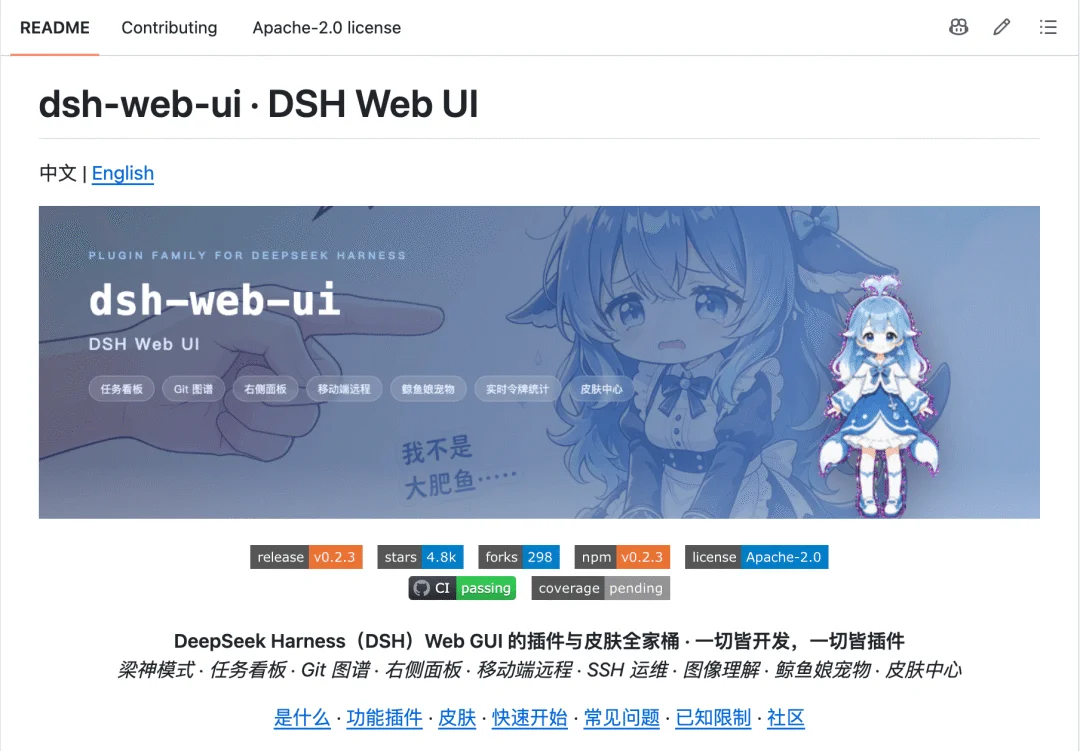
A comprehensive suite including:
– 📋 Task board with session linking
– 🌐 Git visualization (branch graphs, commit history)
– 🧩 VS Code–style sidebar (dsh-better-sidebar)
– 🎨 Themes & desktop pet
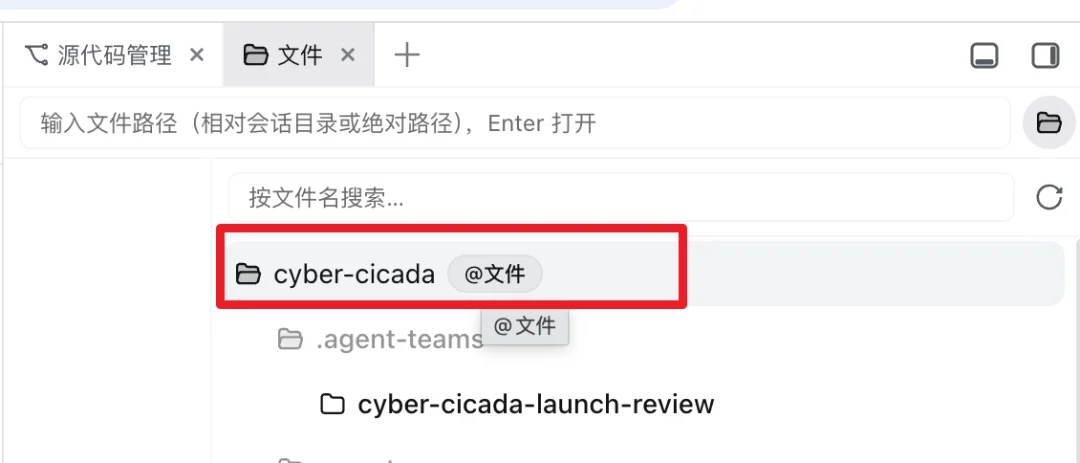
Bonus: File tree includes @file buttons → inject files directly into chat.
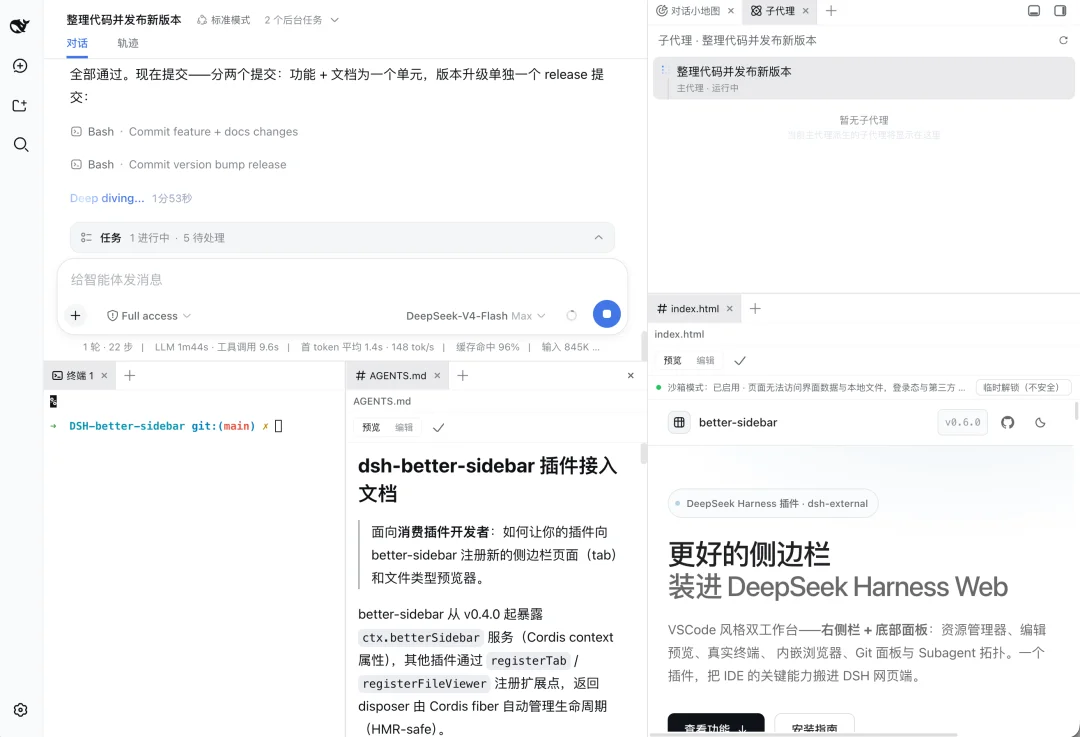
DSH-better-sidebar — Lightweight Sidebar Toolkit
Repository: github.com/omdsh-dev/DSH-better-sidebar
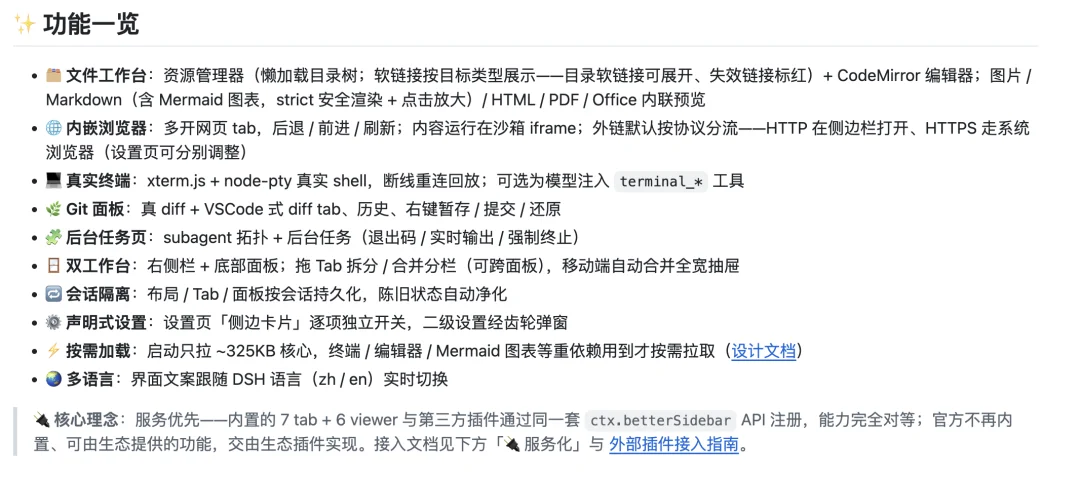
A focused alternative to dsh-web-ui: file tree, terminal, and Git status — no bloat. Ideal for minimalists.
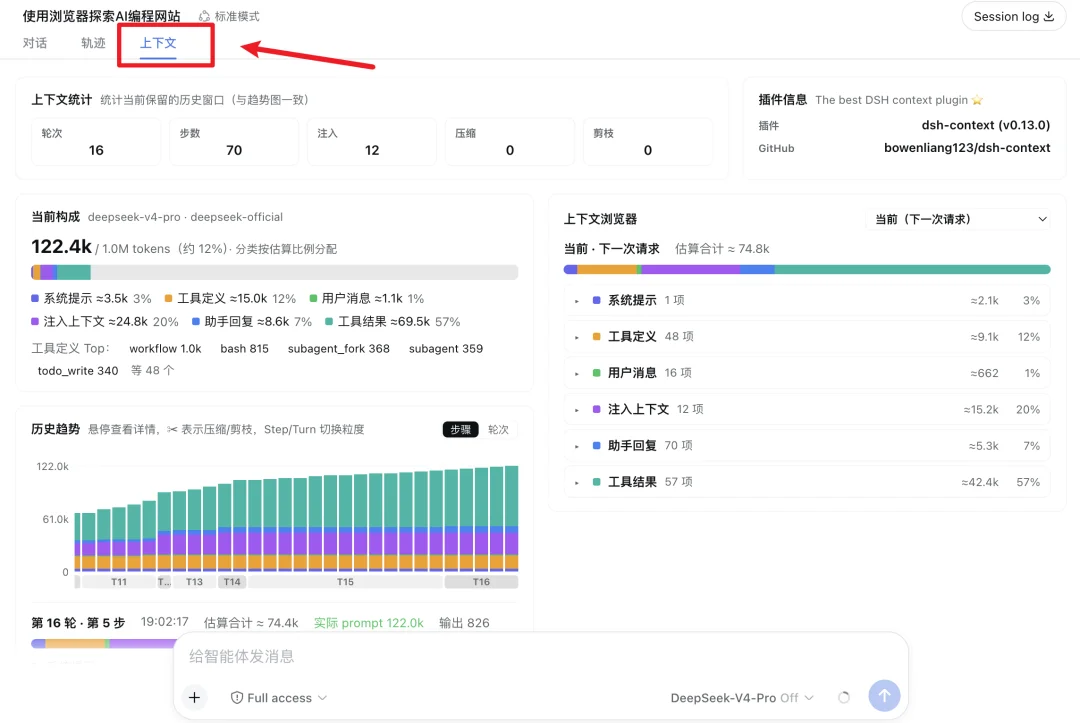
dsh-context — Context Visibility & Optimization
Repository: github.com/bowenliang123/dsh-context
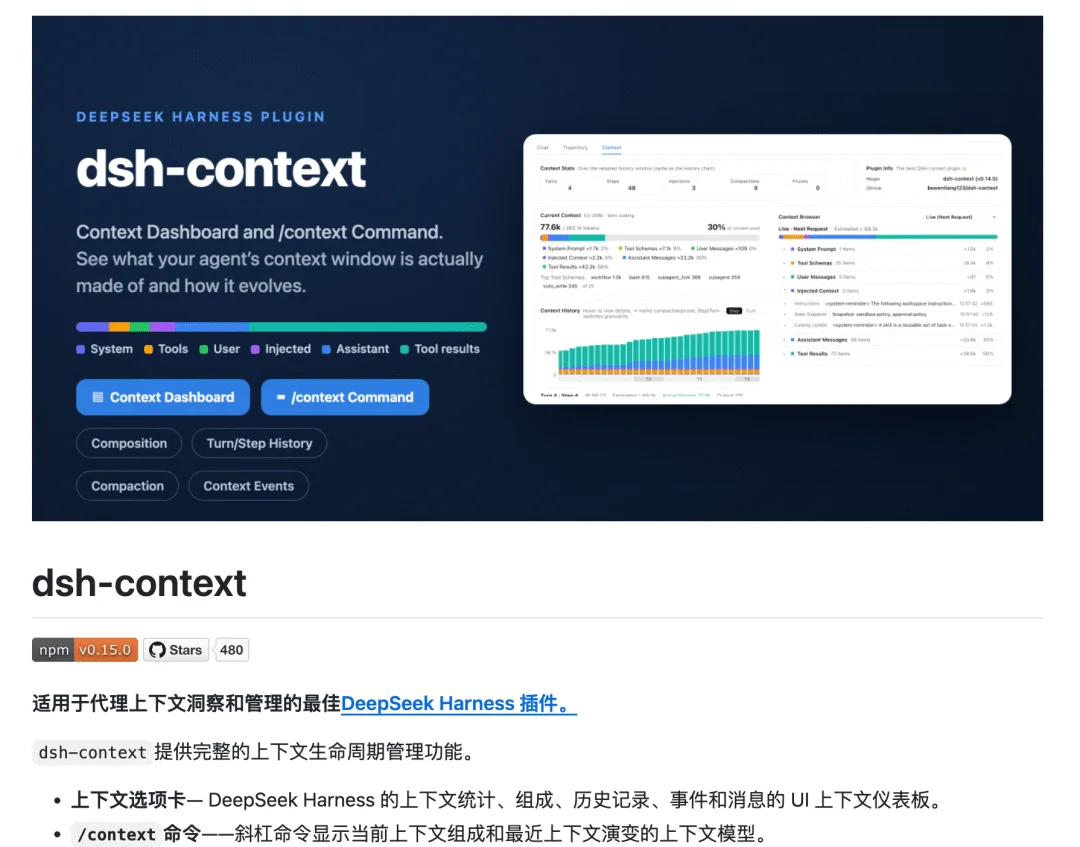
Visualize token usage per context source (history, files, tool outputs). See exactly what’s bloating your session — and prune intelligently.
💡 Critical for long-running or tool-heavy workflows.
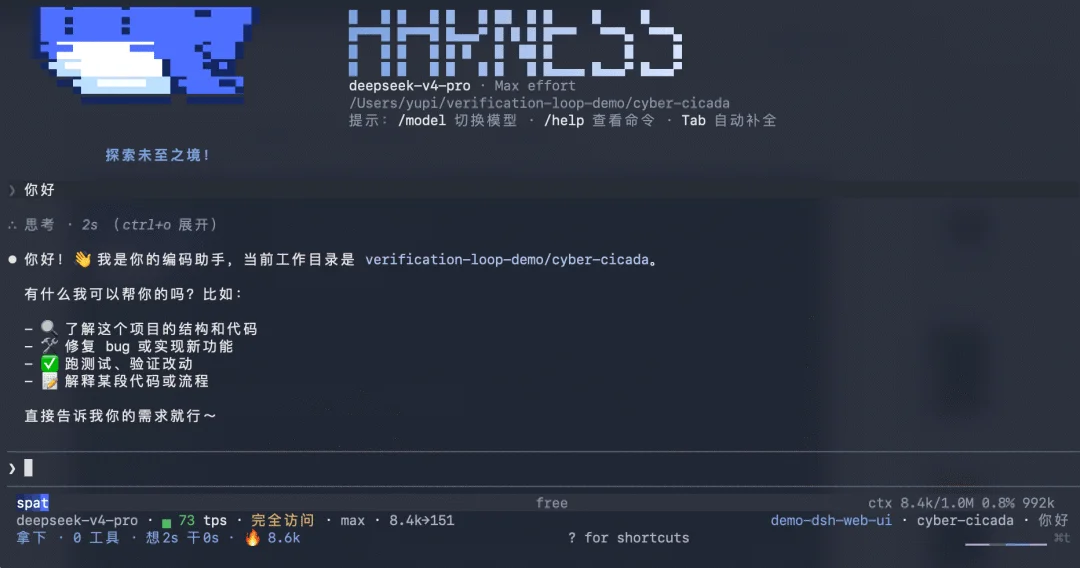
dsh-TUI — Terminal-Style Interface
Repository: github.com/ccch1mneyyy/dsh-TUI
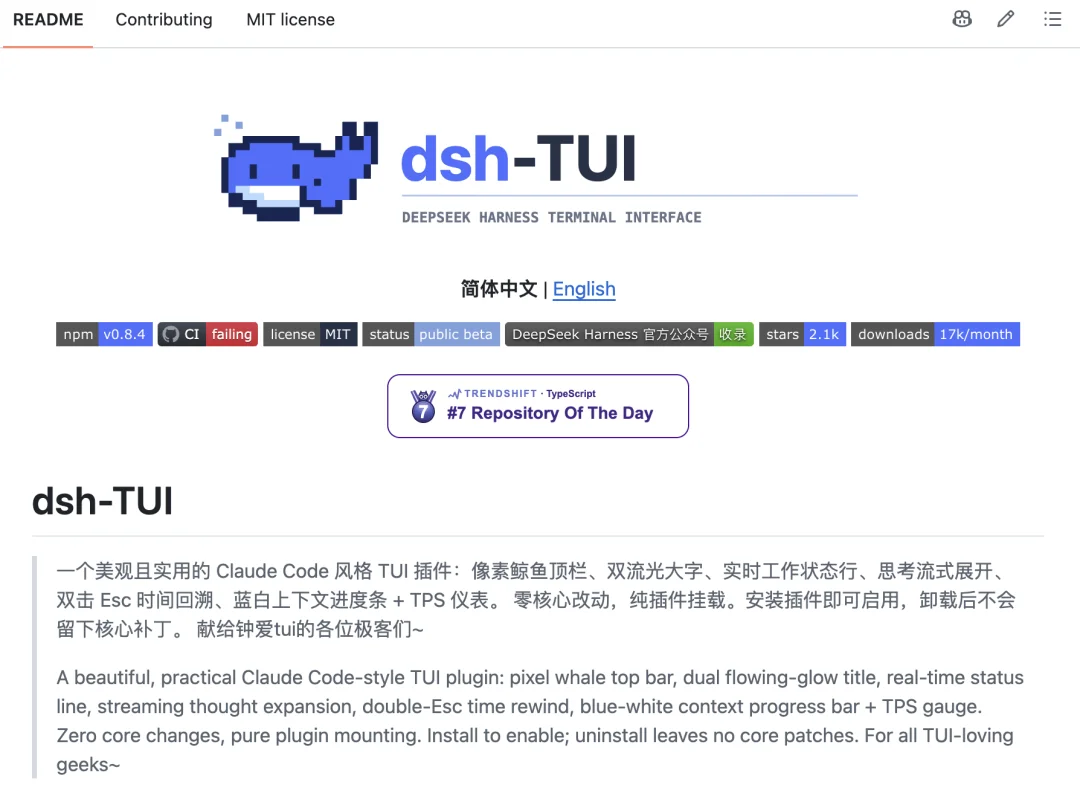
Full-screen terminal view showing live model stats, inference strength, and context %.
⚠️ Warning: High risk of compatibility breakage due to DSH’s rapid evolution. Not recommended for beginners.
dsh-genui — Interactive Generative UI
Repository: github.com/omdsh-dev/dsh-genui
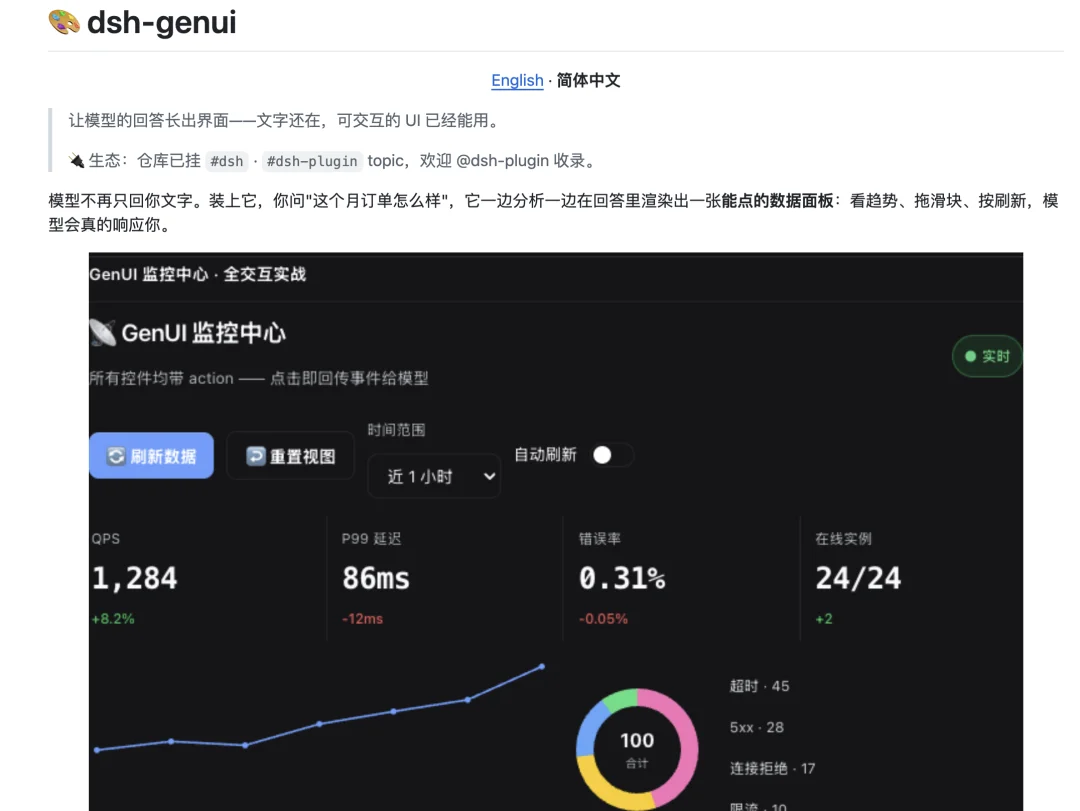
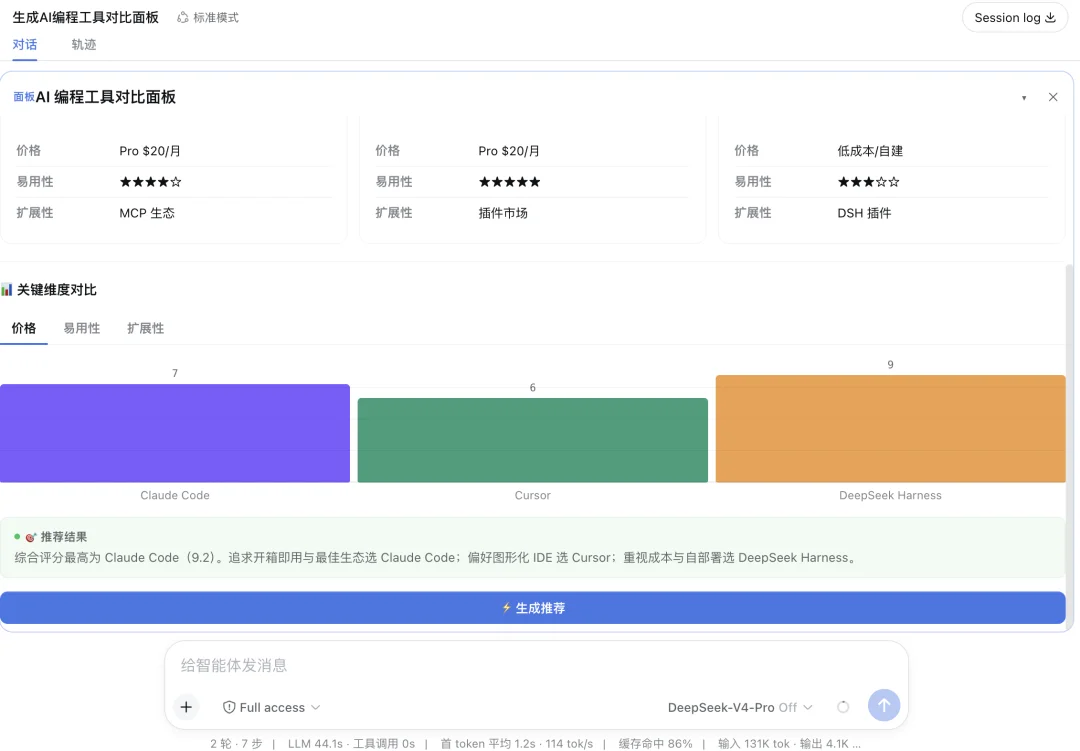
Renders rich UI elements in-chat: interactive cards, charts, buttons, forms.
Demo: “Build an AI tool comparison dashboard” → renders live bar chart + info cards.
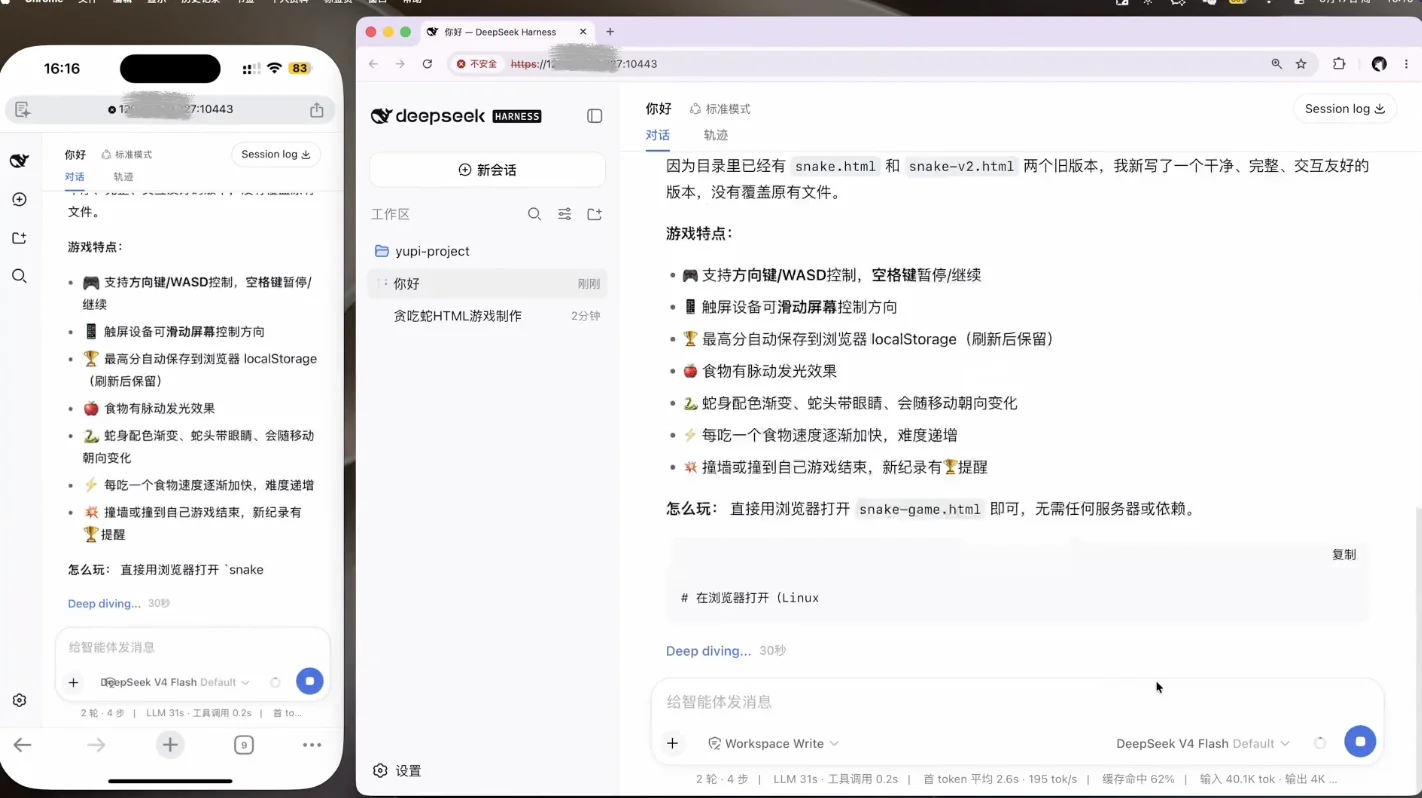
dsh-pocket — Mobile Remote Control
Repository: github.com/shaobeichen/dsh-pocket
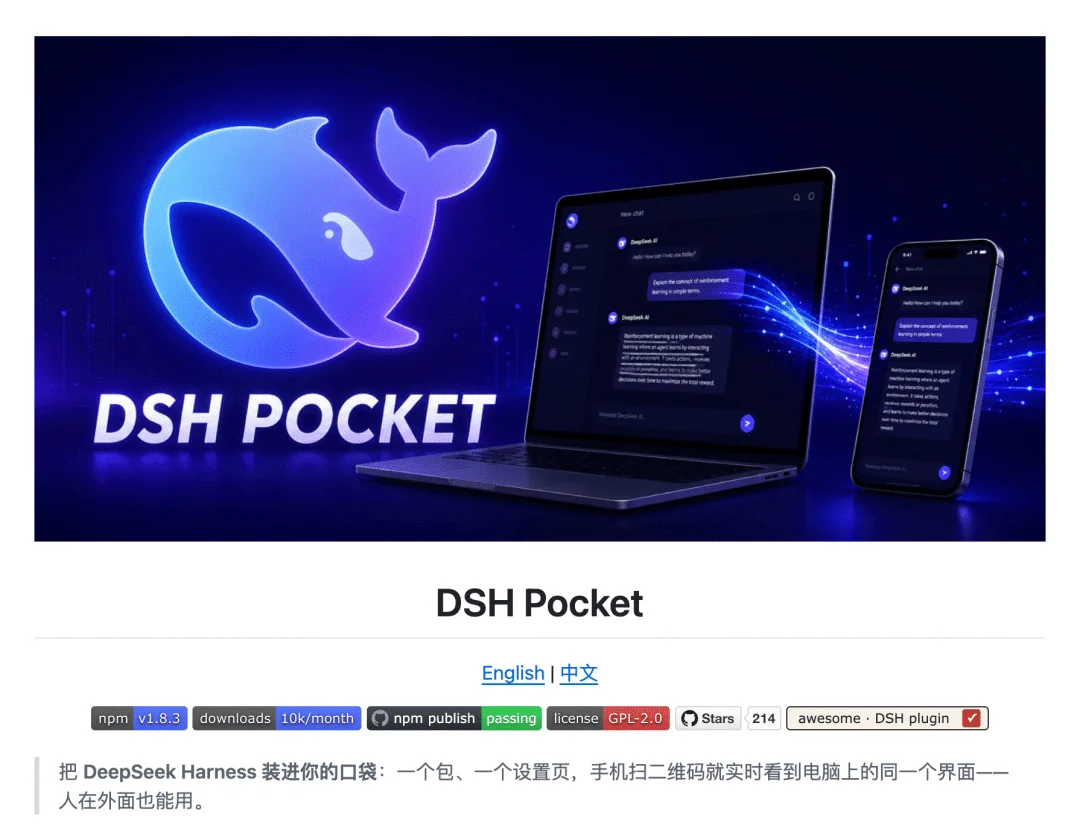
Access DSH from your phone via QR code:
– Local mode: Same WiFi → instant connection
– Public mode: Cloudflare Quick Tunnel → zero server setup
All streaming output (including typing indicators) syncs in real time.
🔐 Security note: Never share QR codes, public URLs, or passwords publicly.
🎭 Community Creativity Plugins
dsh-deep-whale — Whale Girl Theme
Repository: github.com/Small-tailqwq/dsh-deep-whale
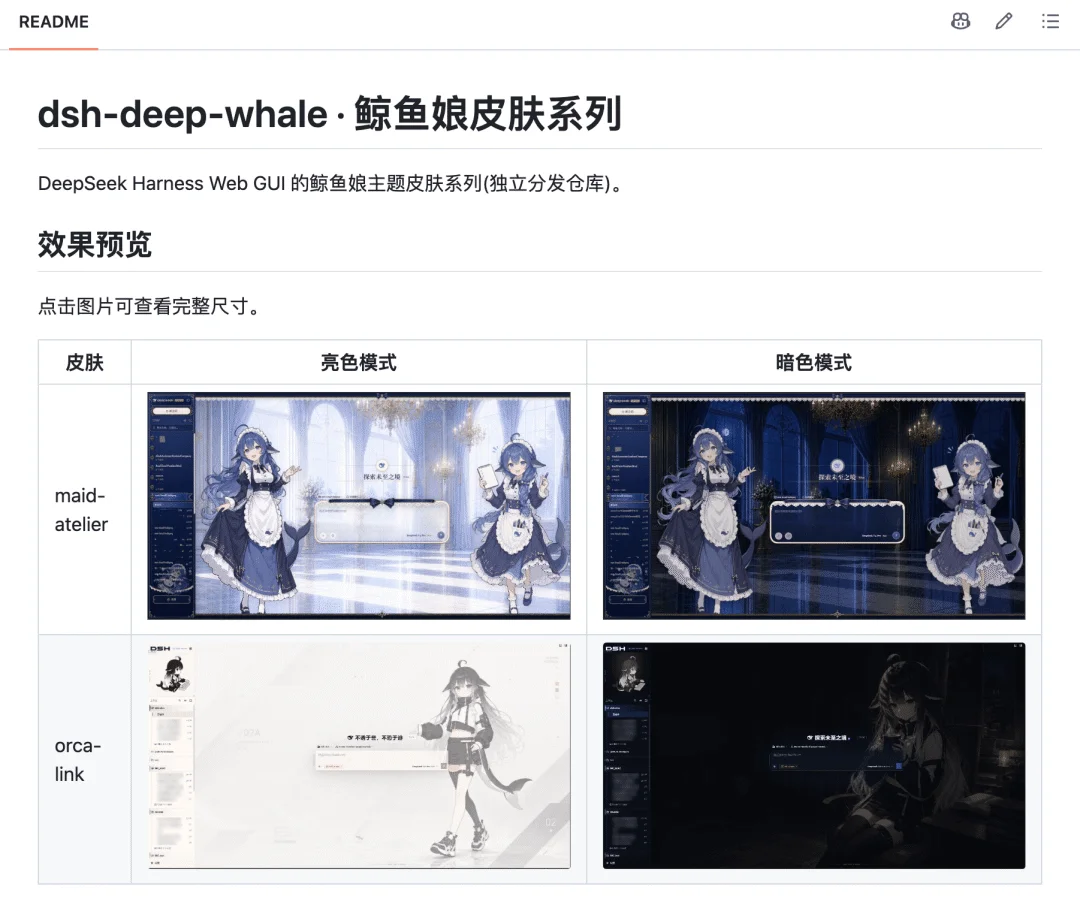
Transforms DSH’s UI into an anime-inspired “whale girl” aesthetic — pure delight, zero utility.

whale-girl — Interactive Desktop Pet
Repository: github.com/vlln/whale-girl
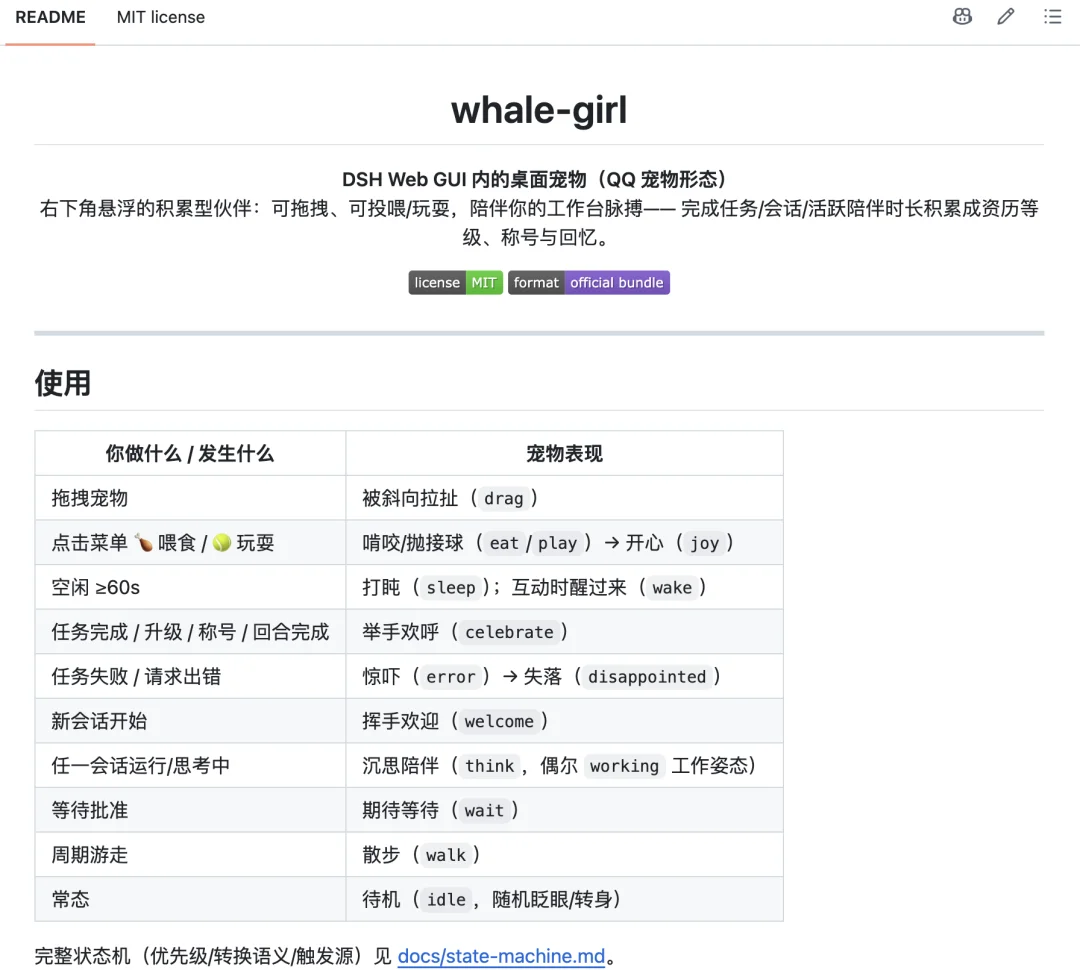
A fully animated, interactive desktop companion:
– Hover → see level & mood
– Click → feed, play, or customize
– Reacts to agent state (thinking → head tilt; done → celebration)

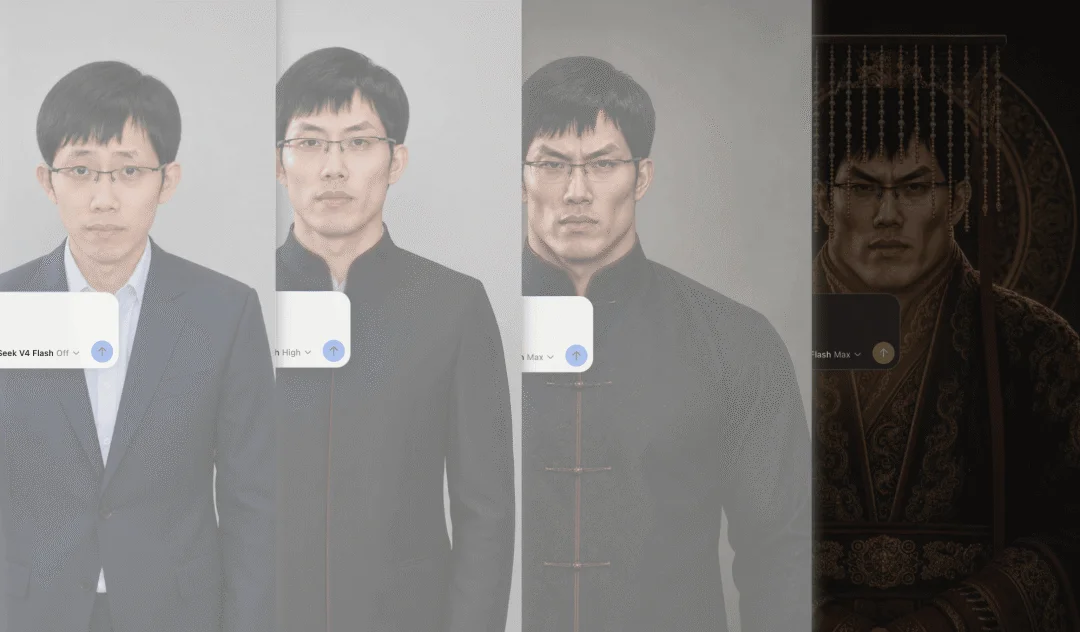
dsh-liang-skin — “Slide-to-Ancestor” Slider
Repository: github.com/kingOfSoySauce/dsh-liang-skin
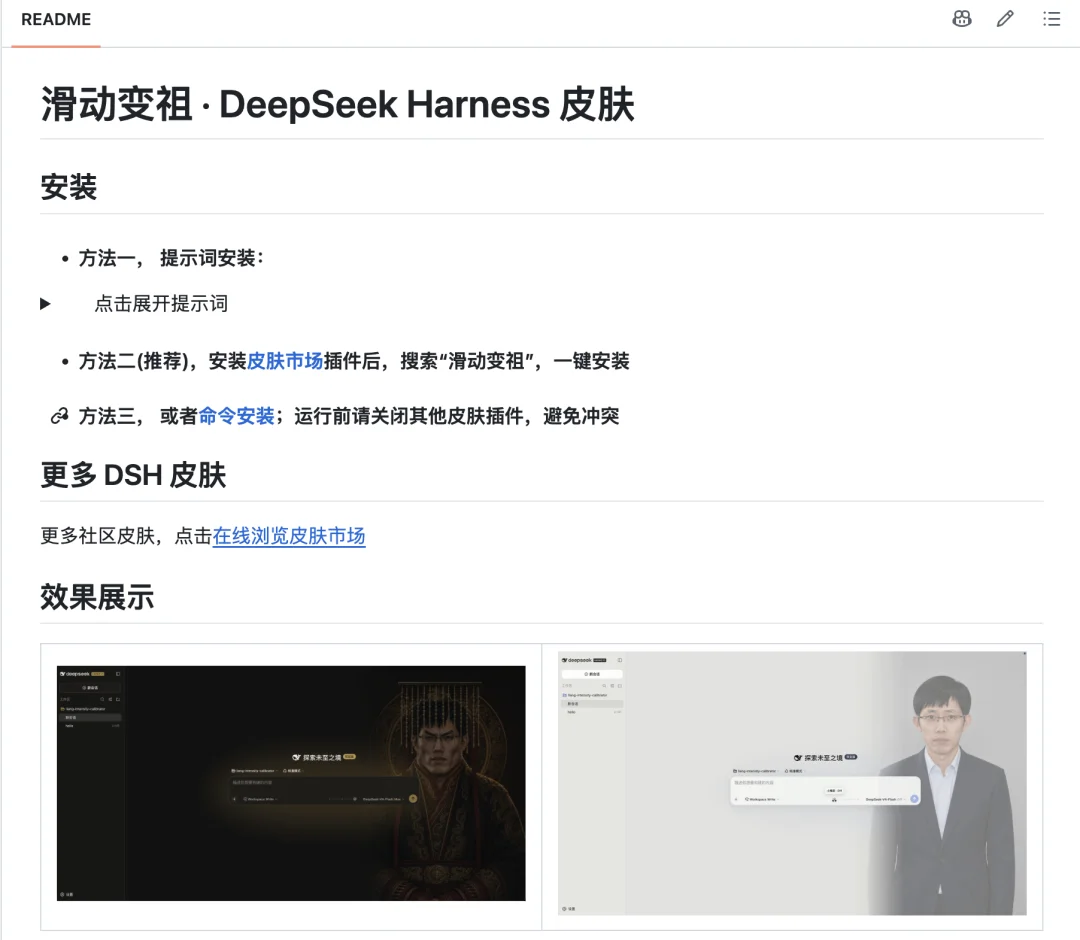
Replaces the inference strength slider with a meme-driven “evolution scale”: drag from Liang Zi → Liang Zu. Absurd? Yes. Iconic? Also yes.
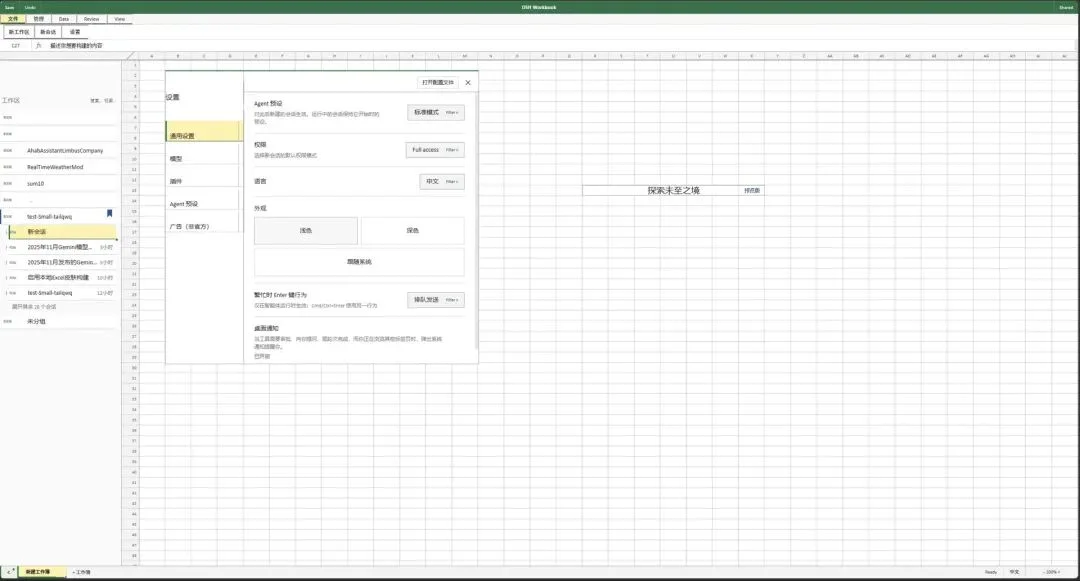
dsh-deepcel — Excel-Style Interface
Repository: github.com/Small-tailqwq/dsh-deepcel
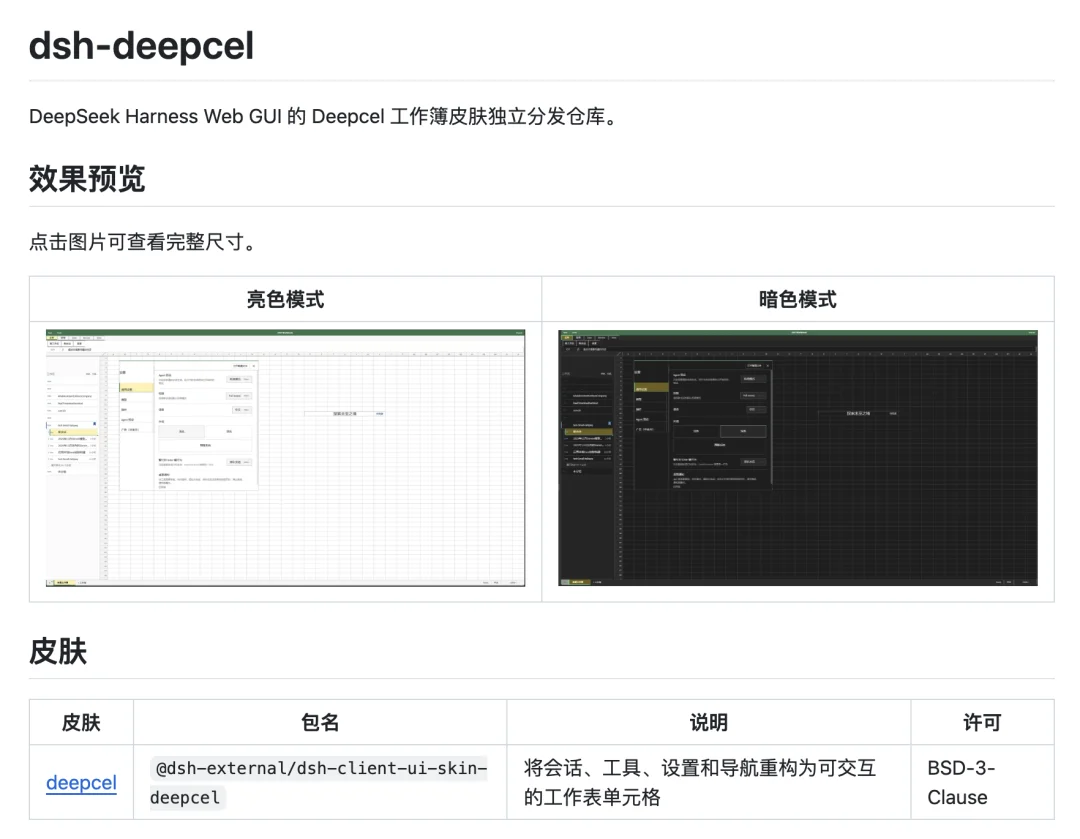
Turns DSH into a nostalgic Excel spreadsheet — perfect for spreadsheet lovers or stealthy office “productivity.”
dsh-ads — Retro Internet Ad Injector
Repository: github.com/Nagi-ovo/dsh-ads

Injects authentic 2005-era Chinese web ads: pop-ups, fake antivirus alerts, banner spam, and “download now!” modals.

⚠️ Final Recommendations
- Security First: Plugins with browser, shell, or file system access demand scrutiny. Audit permissions and source repos before installing.
- Version Control: Use Git to track your DSH config — enables fast rollback if incompatible plugins break startup.
- Principle of Minimalism: Only install plugins with proven, repeatable value. Avoid “plugin bloat” that degrades performance or stability.
📌 Article adapted from WeChat Official Account “Programmer Yupil” — original author: Programmer Yupil.