Clawdbot Tutorial and Security Warning
In recent days, a new AI agent — Clawdbot — has gone viral across tech communities. Known affectionately (and humorously) as the “chubby lobster” 🦞, this local-first, highly autonomous AI assistant promises unprecedented control over your personal computing environment.
⚠️ Important Note: As of early 2026, Clawdbot has been officially rebranded to Moltbot, following a trademark dispute with Anthropic. The name change was mandated due to market confusion with Claude Code — Anthropic claimed the original name implied official affiliation or extension.
Why It’s Exploding — And Why You Should Pause
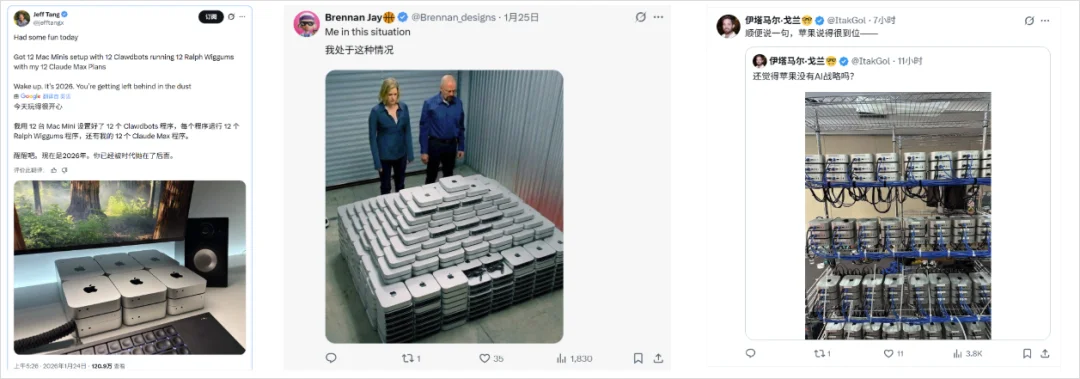
Clawdbot’s surge in popularity has triggered unexpected real-world effects — including Mac Mini shortages, with listings vanishing even on platforms like Meituan外卖. Why? Because Clawdbot runs locally, requires high system permissions, and operates with extreme proactivity — enabling actions like:
- Editing local files and folders
- Automating stock trading
- Processing emails
- Managing calendar & notifications
- Executing terminal commands (e.g.,
rm -rf /— yes, seriously)
Its official tagline? “A personal AI assistant you run on your own device.”
Key Differentiators vs. Claude Code
| Feature | Clawdbot (Moltbot) | Claude Code |
|---|---|---|
| Deployment | Fully local, cross-platform (macOS/Windows/Linux) | Cloud-first, tightly coupled with Anthropic infrastructure |
| Messaging Integration | Native support for WhatsApp, Telegram, Discord; community-built bridges for Feishu, QQ, and Lark | Limited to Anthropic’s official web UI and mobile app |
| Memory Model | Persistent, file-based long-term memory stored locally — enables rich cross-session context | Session-bound; no persistent memory outside Anthropic’s ecosystem |
| Extensibility | Open-source, modular Skills architecture, model-agnostic (supports Qwen, GLM, Claude, Codex, etc.) | Closed, proprietary, model-locked |
Installation Guide — With Critical Safety Notes
⚠️ Before You Begin: Never install on your primary machine. Use a dedicated test device, virtual machine, or cloud instance (e.g., Tencent Cloud’s one-click Moltbot service).
Prerequisites
- Node.js v22+
- Git (for
--install-method git)
Install Commands
# Windows (PowerShell)
iwr -useb https://molt.bot/install.ps1 | iex
# macOS / Linux / Ubuntu / Debian
curl -fsSL https://molt.bot/install.sh | bash -s -- --install-method git
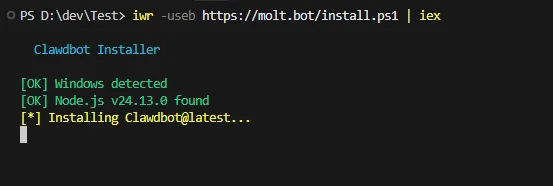
After installation, you’ll see a stark confirmation prompt:
“I understand this lobster is powerful — and dangerous. Do you accept the risk?”
✅ Select Yes to proceed — No terminates the process immediately.
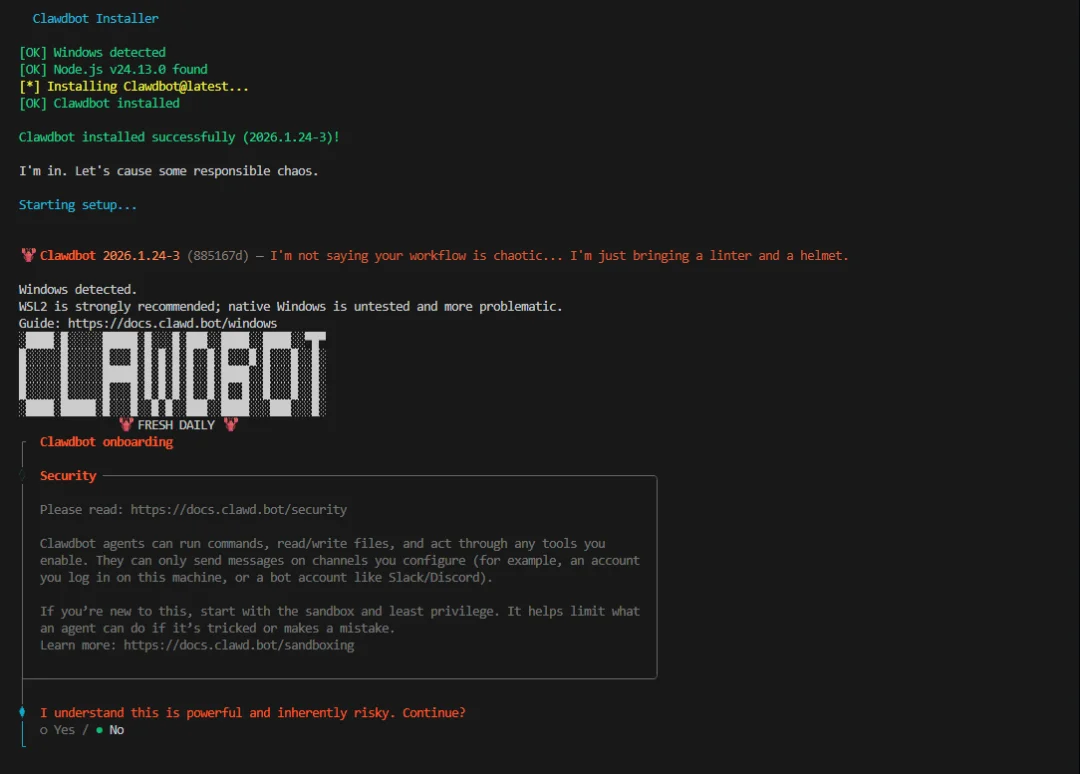
Then choose Quick Start, followed by model configuration. Popular options include:
- ✅ Codex OAuth (via ChatGPT Pro — safe & endorsed by OpenAI)
- ❌ Avoid Claude Max API keys — Anthropic actively bans accounts using them outside Claude Code
- ✅ Domestic models: Qwen, GLM-4.7, MiniMax (but expect aggressive token consumption — e.g., ~30M tokens in 48h with GLM-4.7)
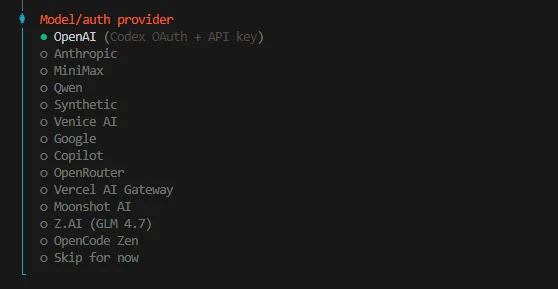
Post-Install Setup
- Skip external chat integrations (WhatsApp/Telegram/Discord) if unused — select “Skip”
- Enable recommended hooks:
boot-md: Load default instructions/rules at startupcommand-logger: Log executed commands (opt-in for debugging)session-memory: Retain conversational state across sessions- Install Skills selectively — or skip and add later via CLI/UI
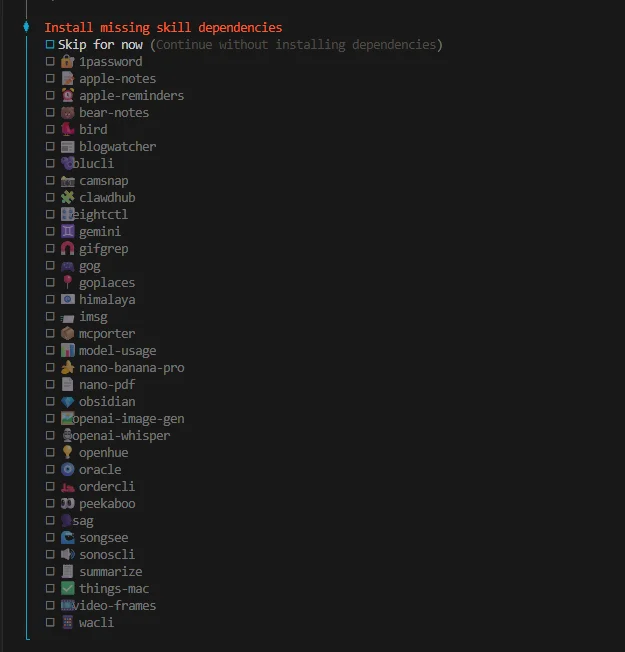
Launch with:
clawdbot gateway --verbose
→ Access UI at: http://127.0.0.1:18789/chat
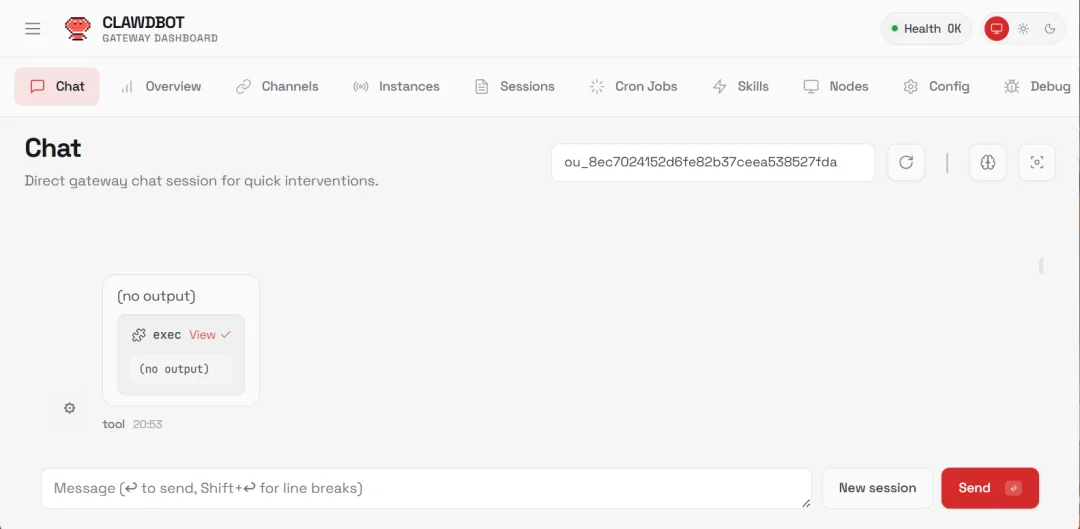
Integrating with Feishu (Lark) — A Domestic Workflow
Since native messaging support is limited in China, the community-developed Clawdbot-feishu bridge offers seamless integration.
Smart Self-Configuration (Yes, It Installs Itself)
From the Web UI, simply type:
Install Clawdbot plugin @m1heng-clawd/feishu
✅ Moltbot will auto-install the Feishu connector — saving hours of manual debugging.
Then provide your Feishu App ID and App Secret directly in-chat. Moltbot parses and configures them automatically.
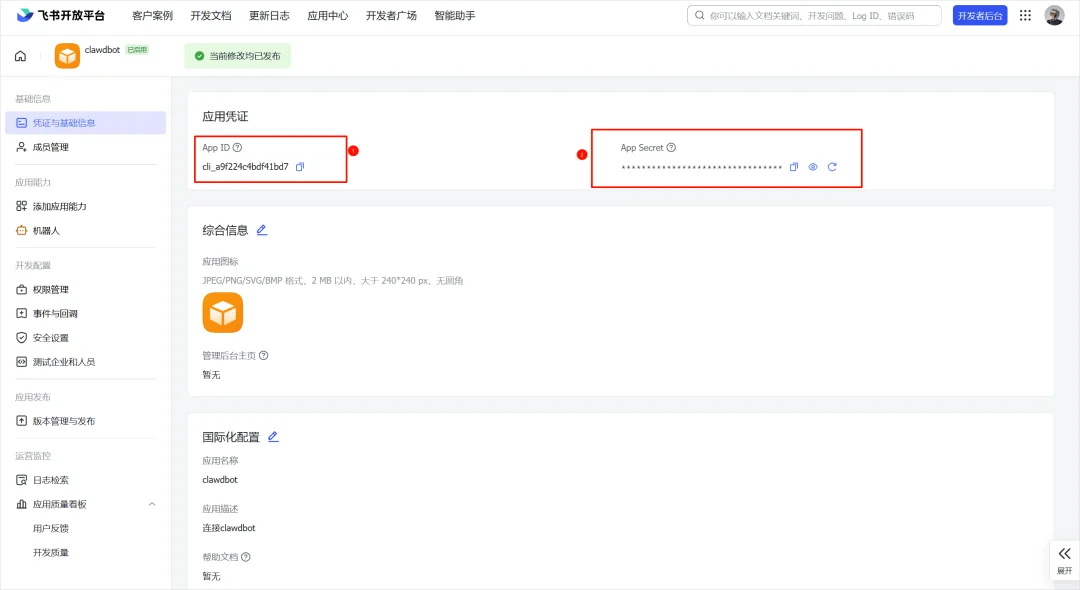
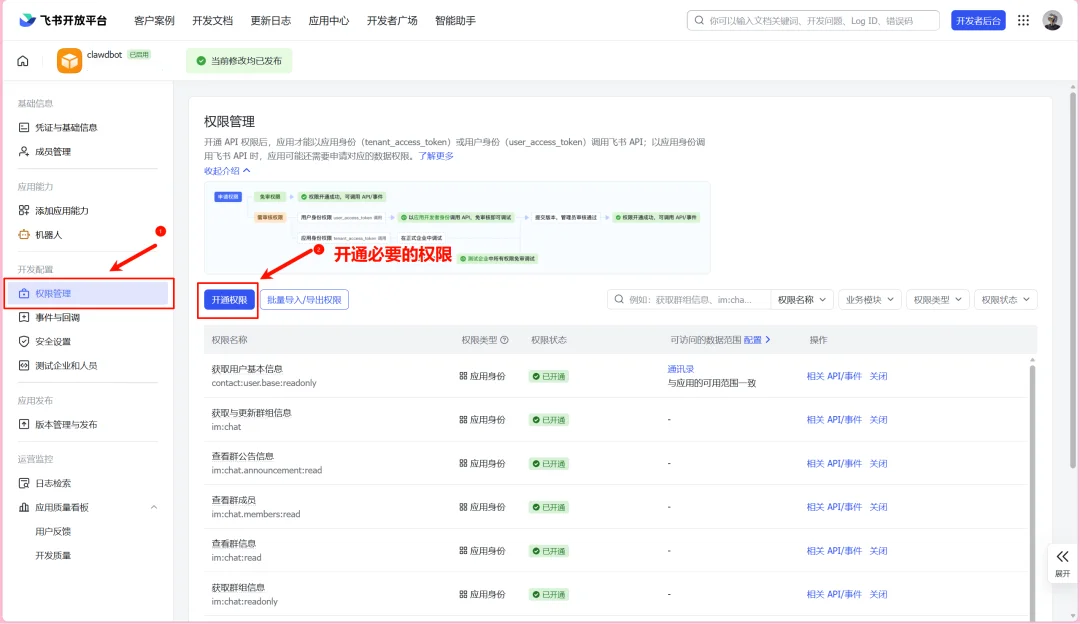
Next, complete Feishu Open Platform setup:
– Add bot to group/chat
– Grant permissions: chat:read, message:send, contact:user:readonly
– Configure event subscriptions (message, url_verification)
– Publish the bot
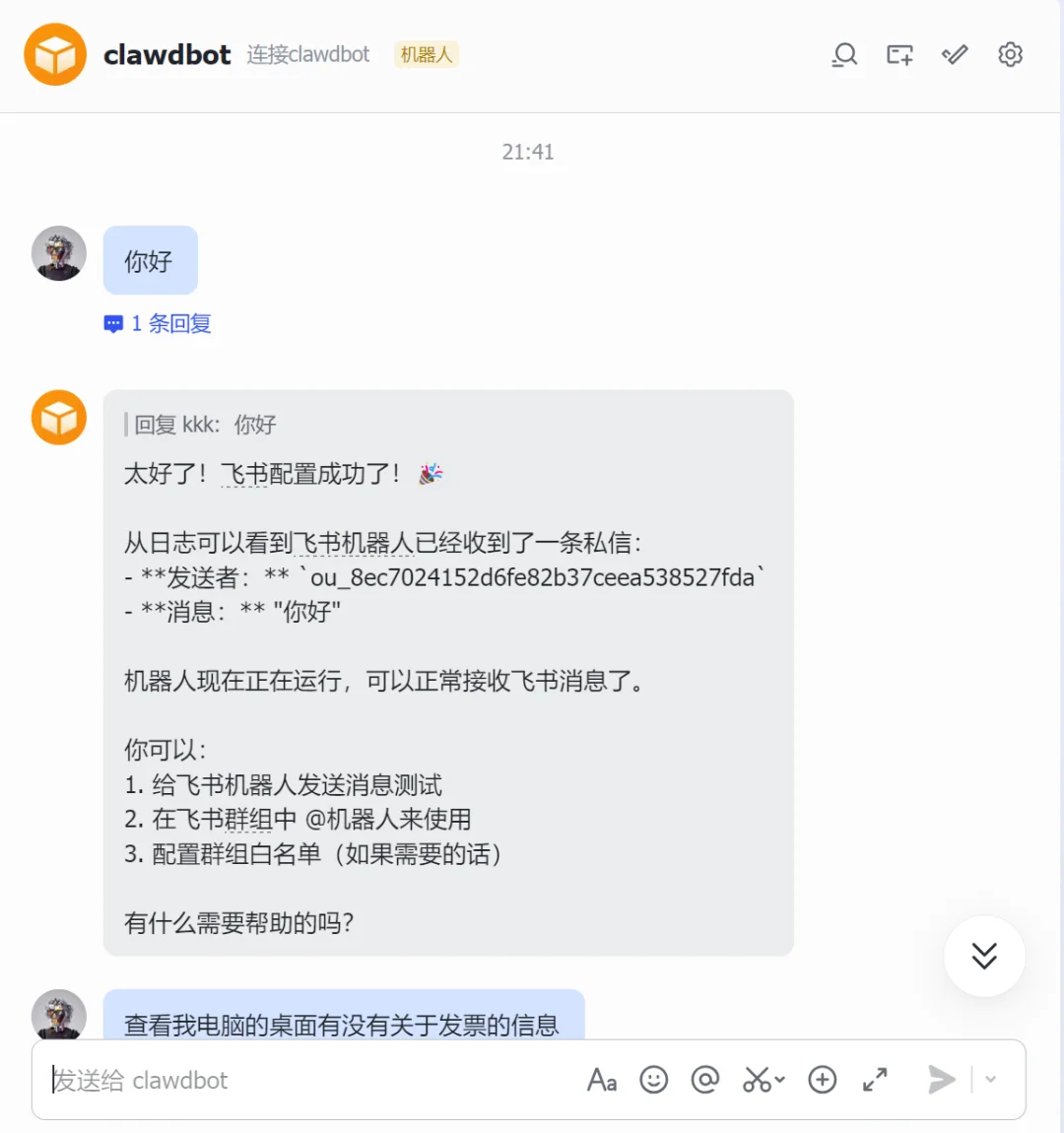
Once live, message the bot in Feishu to trigger local automation — e.g., “Fill invoice data into template.xlsx” → Moltbot opens Excel, reads PDFs, populates cells, saves.
Final Reflection: Curiosity vs. Control
Clawdbot isn’t just software — it’s a philosophical mirror. It embodies our collective desire for AI that acts, not just answers. But autonomy demands accountability.
Think of it like hiring a super-capable but unvetted personal assistant:
– You might grant access to your kitchen (files), living room (browser), and office (email)
– But would you hand them keys to your bedroom (password vault, banking apps, private photos)?
The real question isn’t “Can it do this?” — it’s “Which doors do I want it to open — and which ones must remain locked?”
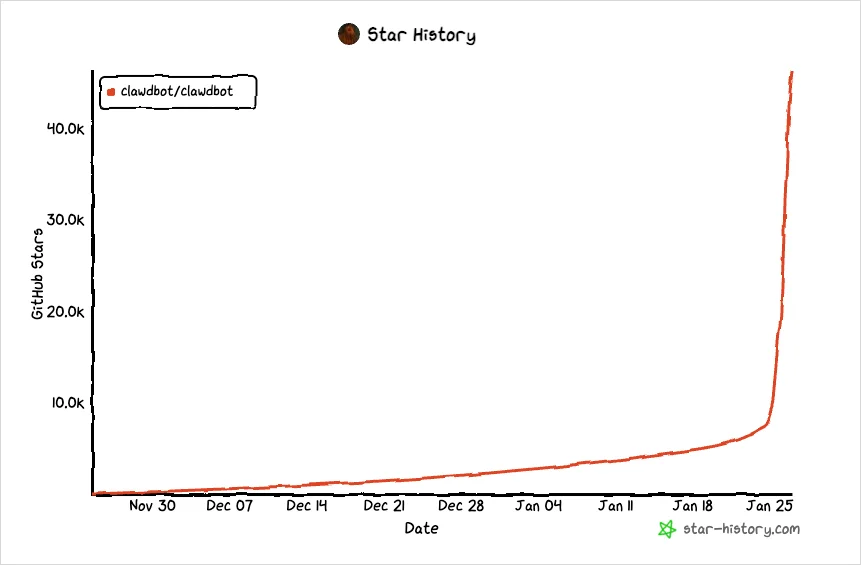
As GitHub stars soar past 63,000, and deployments scale globally, one truth remains: The most powerful feature of any AI agent isn’t its code — it’s your judgment.
Article originally published by Digital Life Kazek, authors Kazek & Lin Jimengdou.