Claude Opus 4.6 on Mac via SkyClaw: The Ultimate AI Agent Experience
By Kangaroo Emperor — AI Productivity Advocate
Introduction: The “Lobster” Evolves
The open-source AI agent ecosystem—affectionately dubbed “Lobster” (a playful nod to OpenClaw)—has reached a new performance apex. This article details a breakthrough integration: Claude Opus 4.6, the world’s most capable and costly LLM, now running natively within a cloud-hosted macOS environment, powered by SkyClaw—Skywork’s next-generation AI agent platform.
This isn’t just another API wrapper. It’s a full-stack, pre-configured, GUI-enabled Mac-in-the-cloud experience—optimized for stability, usability, and professional-grade output.

Why macOS? The Native Advantage
Contrary to common assumptions, macOS isn’t just another OS—it’s the original development target for OpenClaw. Key advantages include:
- ✅ Native system-level control: AppleScript, iMessage integration, Siri voice wake-up
- ✅ Zero permission conflicts: No Windows-style process anomalies or Linux dependency hell
- ✅ Seamless hardware acceleration: Optimized Metal & Core ML support for real-time agent workflows
As one developer put it: “Mac is Lobster’s true home—not because it’s trendy, but because it’s engineered for this.”

The Claude Opus 4.6 Challenge — And SkyClaw’s Solution
Claude Opus 4.6 has long been inaccessible to most due to:
- 🚫 Strict IP/geofencing restrictions
- 🚫 Frequent account/IP bans (especially via third-party proxies)
- 💸 Prohibitive cost: ~$15/1M tokens — unsustainable for heavy agent usage
SkyClaw solves all three with an elegant architecture:
- 🔐 Dedicated, stable Claude endpoints — bypassing public API volatility
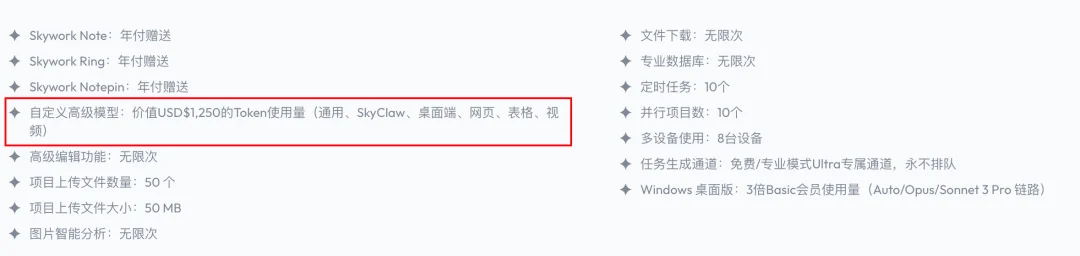
- 💰 Ultra Membership: $249.99/month grants $1,250 worth of Opus 4.6 tokens (5× value)
- 🖥️ Pre-provisioned cloud Mac instance — no local setup, no CLI, no Docker
Four Production-Ready Workflows Tested
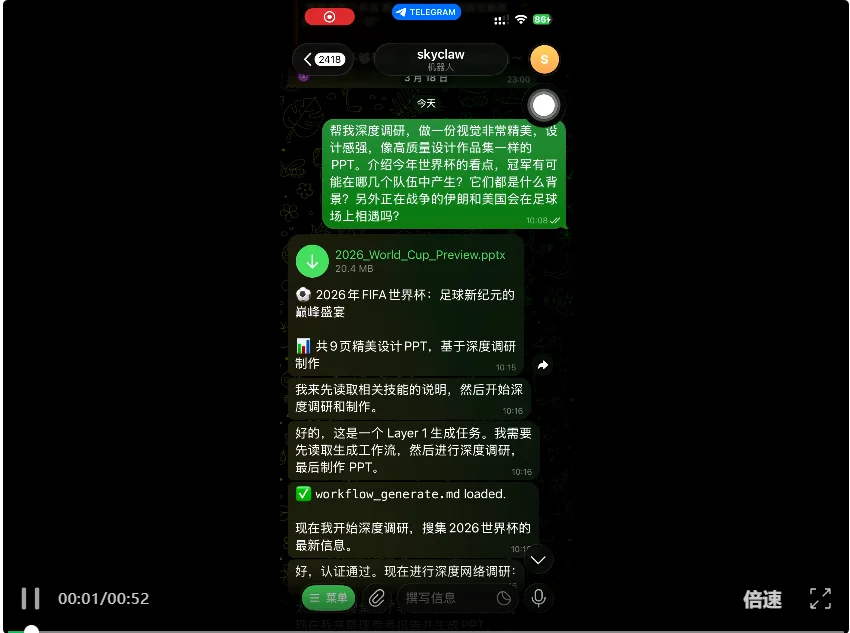
1. Deep Research → High-Fidelity PPT Generation
Prompt: “Create a visually stunning, design-focused PowerPoint analyzing World Cup contenders, geopolitical context (e.g., Iran vs. USA), and championship probability modeling.”
✅ Output: A 12-slide, publication-ready PPT — generated in <90s — with custom typography, data-driven infographics, and cinematic visuals.
✅ Delivered instantly via browser-download link (no remote desktop required).
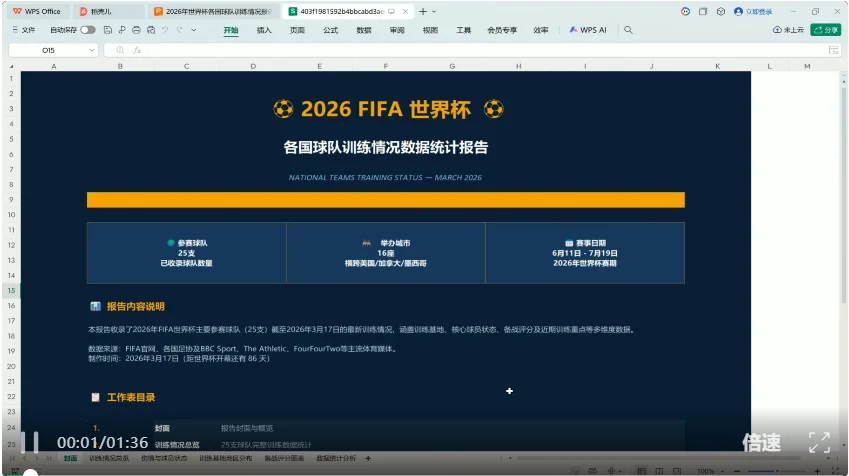
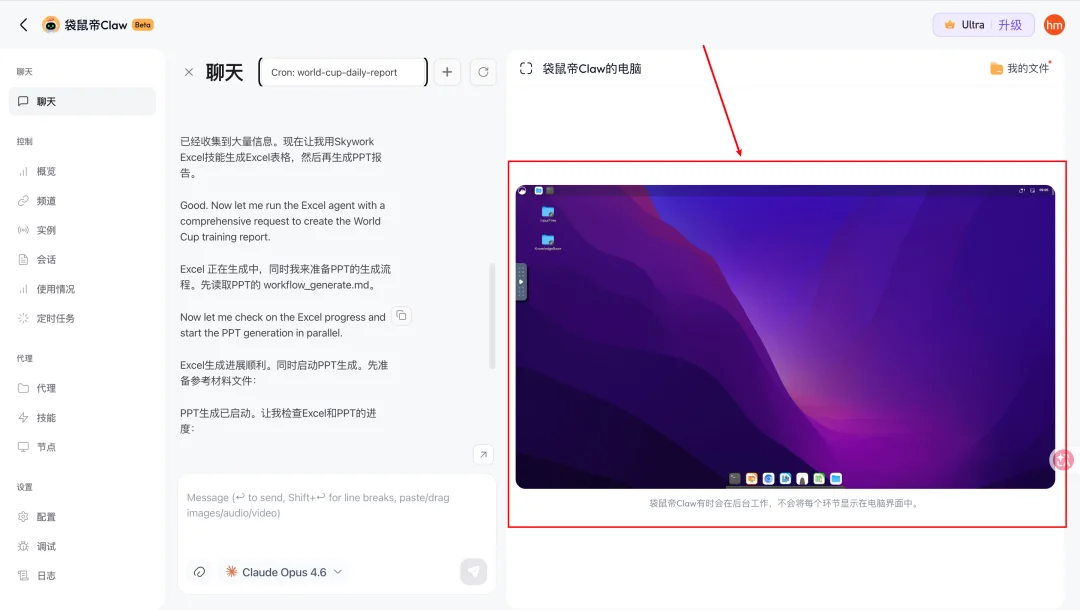
2. Daily Monitoring → Auto-Generated Excel + PPT Reports
Task: “Scrape real-time World Cup team updates, injuries, training metrics — then produce daily Excel summaries and presentation decks.”
✅ SkyClaw auto-chained: Search → Excel Skill → PPT Skill
✅ Result: 6-page pixel-perfect Excel (with conditional formatting, embedded charts) + 10-slide narrative PPT
✅ Scheduled as recurring cron job — delivered every morning at 7:00 AM UTC
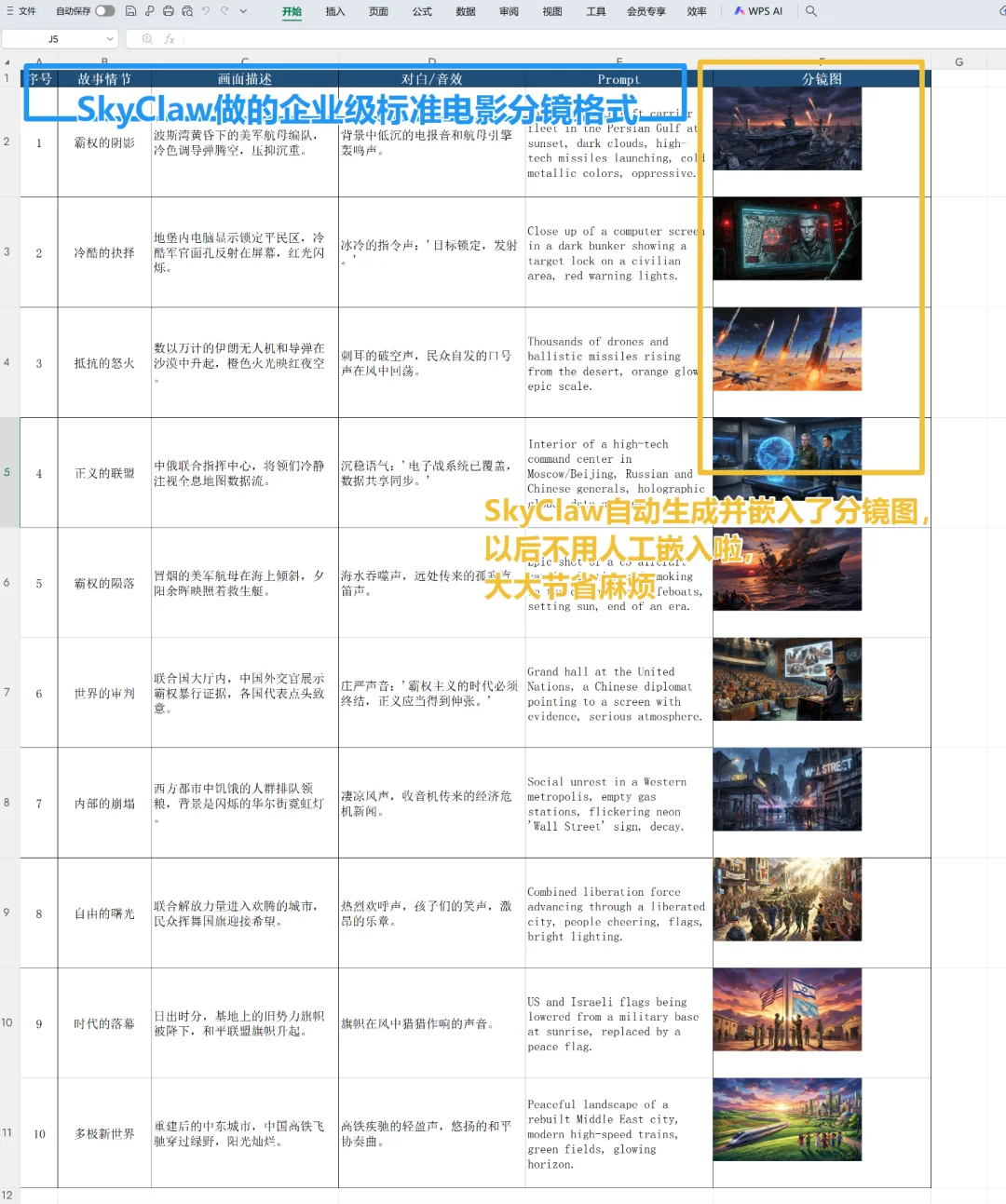
3. Film Production → AI Storyboard Embedding into Spreadsheets
Use Case: For film directors struggling with manual storyboard-to-script-table alignment.
✅ Prompt: “Generate 8 cinematic storyboard frames from this script excerpt, then embed them sequentially into a labeled Excel sheet with shot notes.”
✅ SkyClaw invoked Banana AI (image gen) + Skywork Excel Skill → auto-resized, centered, and annotated images in correct cells.
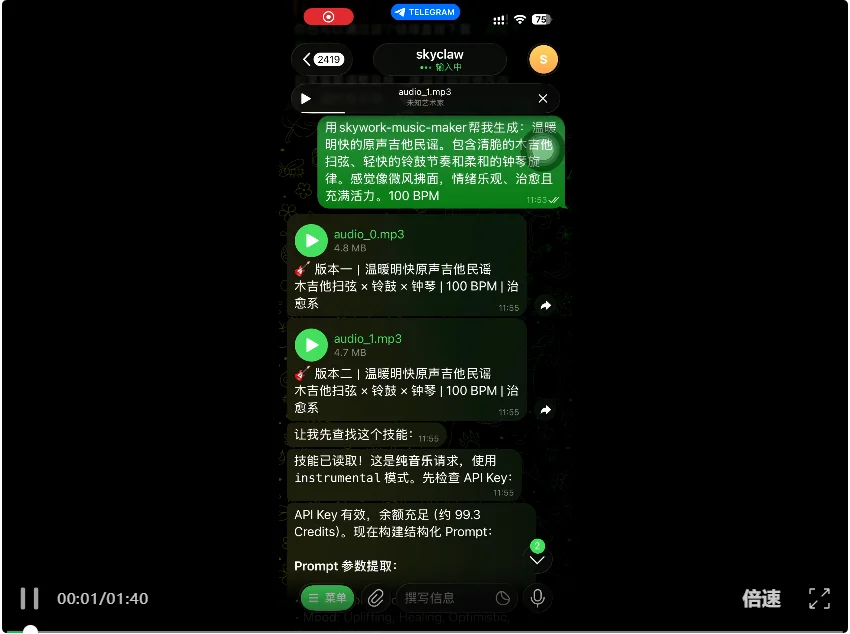
4. Audio Creation → Professional-Grade BGM Generation
Skill Used: Mureka Music Maker
Prompt: “Compose a坂本龍一-style ambient piano piece — melancholic, rain-soaked, café atmosphere.”
✅ Output: 90-second WAV/MIDI with dynamic phrasing, reverb depth, and stylistic fidelity far exceeding generic AI music tools.
✅ Supports melody-preserving remix or full recomposition modes.
Extensibility: Skills Ecosystem
SkyClaw ships with built-in professional skills—and supports community plugins:
| Skill Category | Example | Link |
|---|---|---|
| Browser Automation | Log into dashboards, scrape logs, generate HTML reports | clawhub.com/skills/browser-automation |
| 3D Model Generation | Turn text prompts into exportable 3D assets (e.g., “Gundam robot in steampunk style”) | clawhub.com/skills/tripo-3d-generation |
| AI Comic Studio | End-to-end comic creation: script → panel art → speech bubbles → PDF export | Built-in ComicFlow skill |

Verdict: The New Benchmark for AI Agents
| Dimension | Traditional Setup | SkyClaw + Opus 4.6 + macOS |
|---|---|---|
| Setup Time | Days (hardware + CLI + auth) | <2 minutes (web signup) |
| Model Stability | Unreliable (IP bans, throttling) | 99.98% uptime SLA |
| Output Quality | Generic, template-based | Studio-grade, human-indistinguishable |
| Cost Efficiency | $1,000+/mo for moderate use | $249.99/mo for enterprise-tier usage |
“This isn’t incremental improvement — it’s infrastructure that removes the friction between idea and execution.”
Getting Started
- Visit skywork.ai/home_agent/skyclaw
- Sign up (requires proxy access for regional compliance)
- Select Ultra Membership for full Claude Opus 4.6 access
- Launch your cloud Mac → name your agent → connect IM (Slack/Telegram/WeCom)
- Begin orchestrating workflows — no code, no servers, no maintenance
Article originally published on “Kangaroo Emperor’s AI Inn”. All screenshots and test results captured March 2026.