AI-Native Development Workflow: A Real-World Case Study
Many still equate AI development with “Let AI write my code.”
That’s not wrong — but it’s incomplete. Coding is just one phase in the software lifecycle, and in the AI era, it’s arguably the least transformative part: modern LLMs excel at generating robust, production-ready code from natural-language prompts.
The real paradigm shift happens outside the editor:
– Requirement analysis
– Solution architecture
– High-fidelity prototyping
– Test strategy & validation
These “pre- and post-code” activities are where AI-native development rewrites the rules.
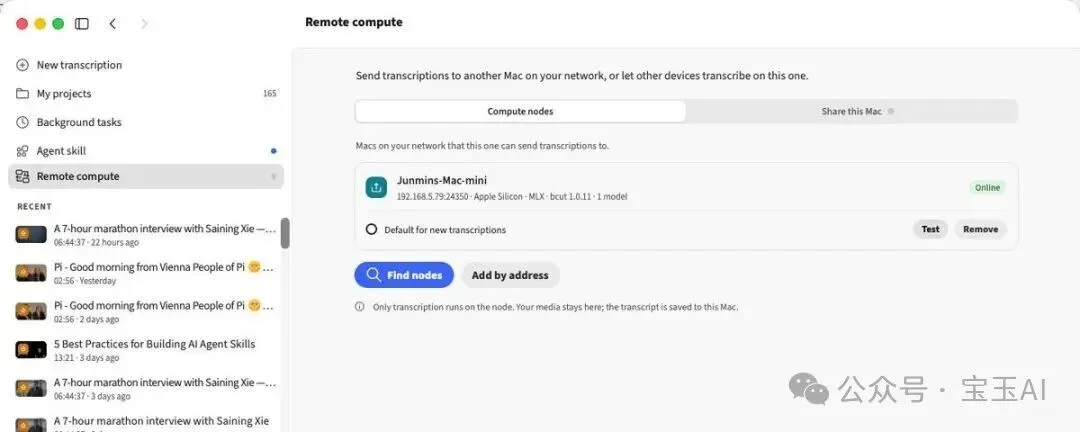
Recently, I added a remote transcription feature to my app (BaoCut, https://baocut.app) using an end-to-end AI-native workflow — and it’s worth dissecting step-by-step.
Core Insight: Process Stays, Roles Shift
Before diving into the case, here’s the foundational principle:
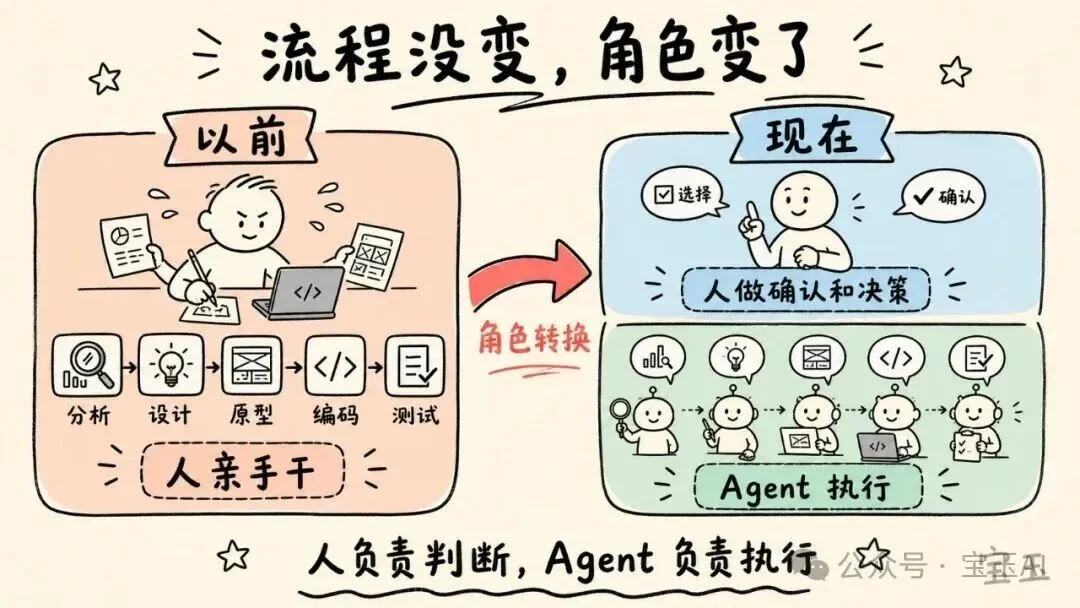
AI-native development follows the classic SDLC — feasibility analysis → design → prototyping → implementation → testing — unchanged. What transforms is who executes each step.
Historically, humans performed every task manually. Today, humans act as orchestrators, while AI Agents handle execution:
– Humans make strategic decisions at critical path points
– Agents perform analysis, design, coding, debugging, and verification
It’s like upgrading from developer to CTO: you no longer write every line — but you define what to build, how it should behave, and whether it meets standards.
This isn’t incremental improvement — it’s exponential efficiency gain when the full loop runs smoothly.
Step 1: Requirement Origin — GitHub Driven
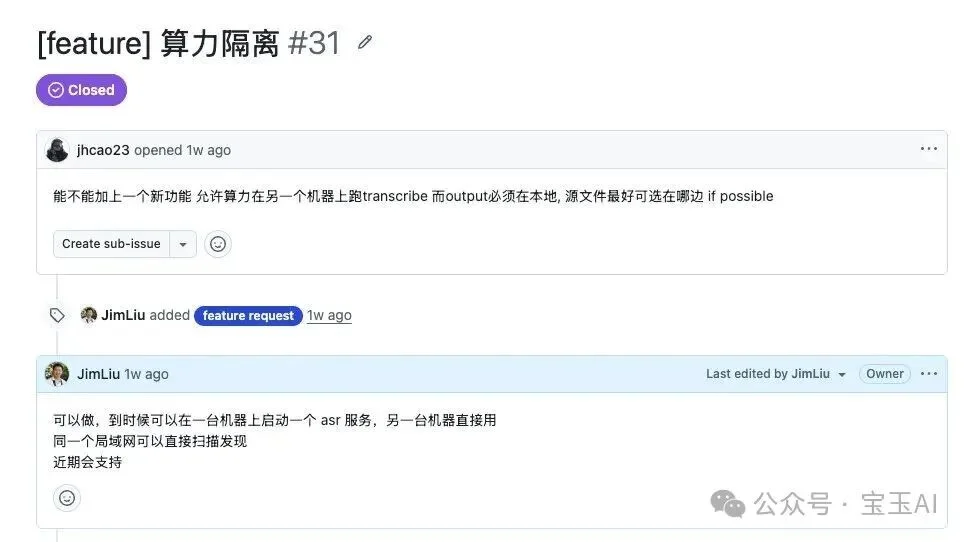
The feature emerged from a GitHub Issue: a user requested remote transcription for BaoCut — enabling lightweight devices (e.g., laptop B) to offload heavy ASR workloads to powerful local machines (e.g., desktop A).
The scenario was concrete, valuable, and aligned with product vision. Crucially, I did not open an IDE yet.
Step 2: Gate 1 — Feasibility Analysis (Decide If)
This is the most overlooked — and most vital — gate.
Decide if before deciding how. Skipping this wastes tokens, time, and trust.
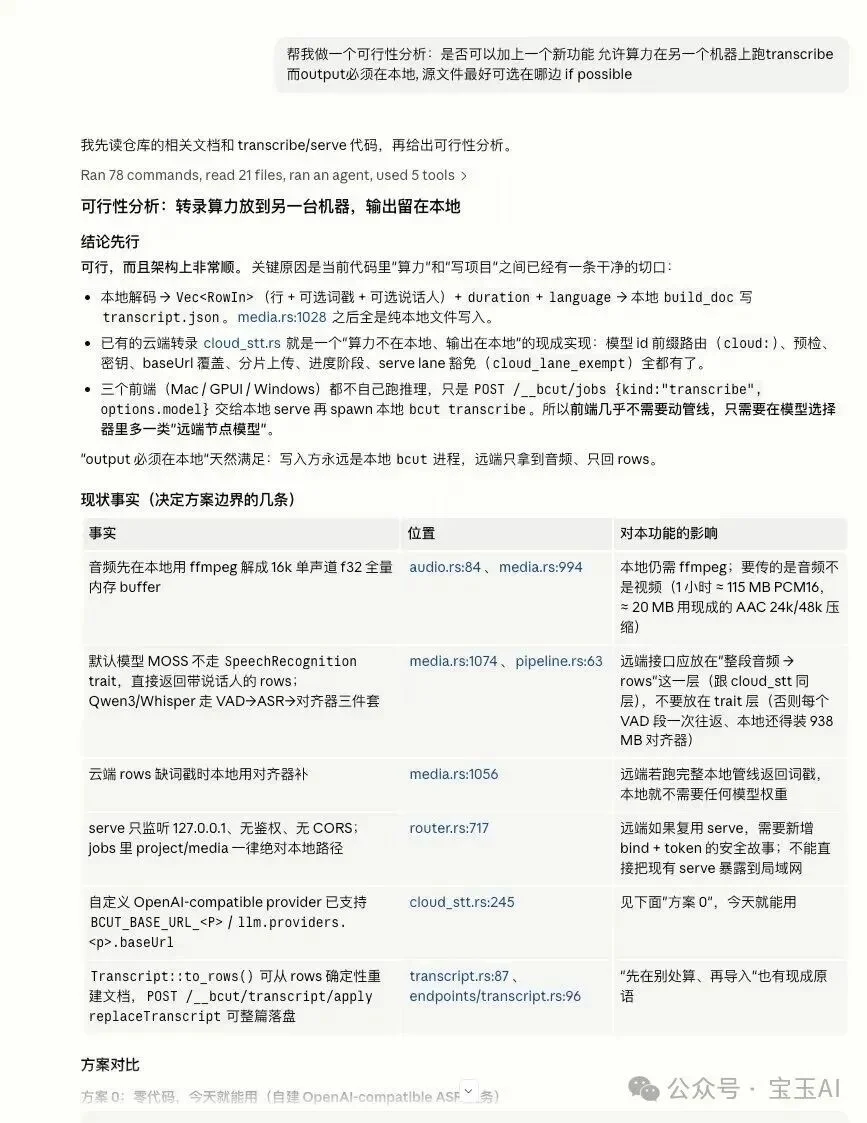
I fed the raw request to Claude Code, asking it to assess technical viability within our existing stack. It returned:
– ✅ Confirmed feasibility
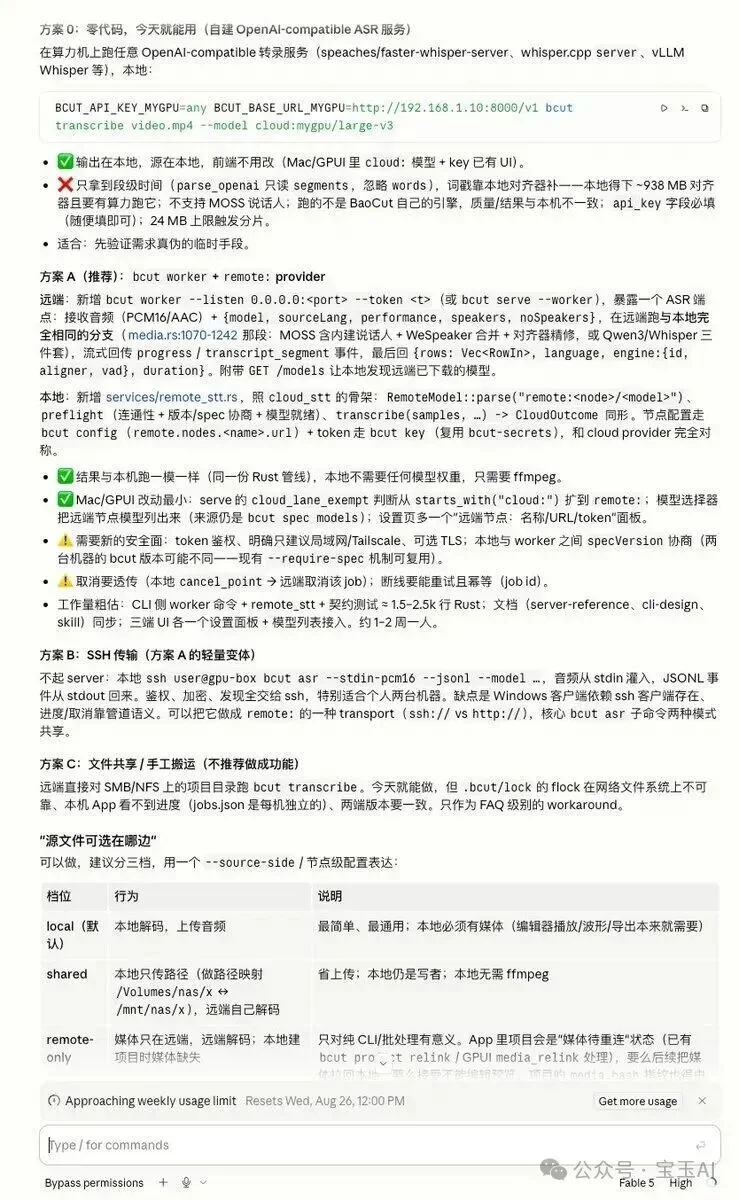
– 📋 Multiple architectural options (HTTP API, embedded service, P2P discovery)
I reviewed them through dual lenses:
| Perspective | Evaluation |
|---|---|
| Product | Does it solve real user pain? ✅ Yes — seamless local compute offloading |
| Tech | Is implementation cost sustainable? ✅ Yes — minimal infra changes |
Final call:
– ✅ Adopt Option A: Launchable local transcription service (zero config)
– ➕ Add Option 0’s HTTP API: For advanced users needing programmatic access
🔑 Pattern: Agent analyzes & enumerates; human judges & commits.
Step 3: Gate 2 — Design Documentation (The New “Memory”)
With direction locked, I instructed the Agent to produce a unified design doc (docs/remote-transcription.md) covering:
– Functional scope & user flows
– Service architecture (client/server roles)
– API contract & error handling
– Security boundaries
Why Docs Matter More Than Ever
In AI-native dev, documentation evolves from artifact to infrastructure:
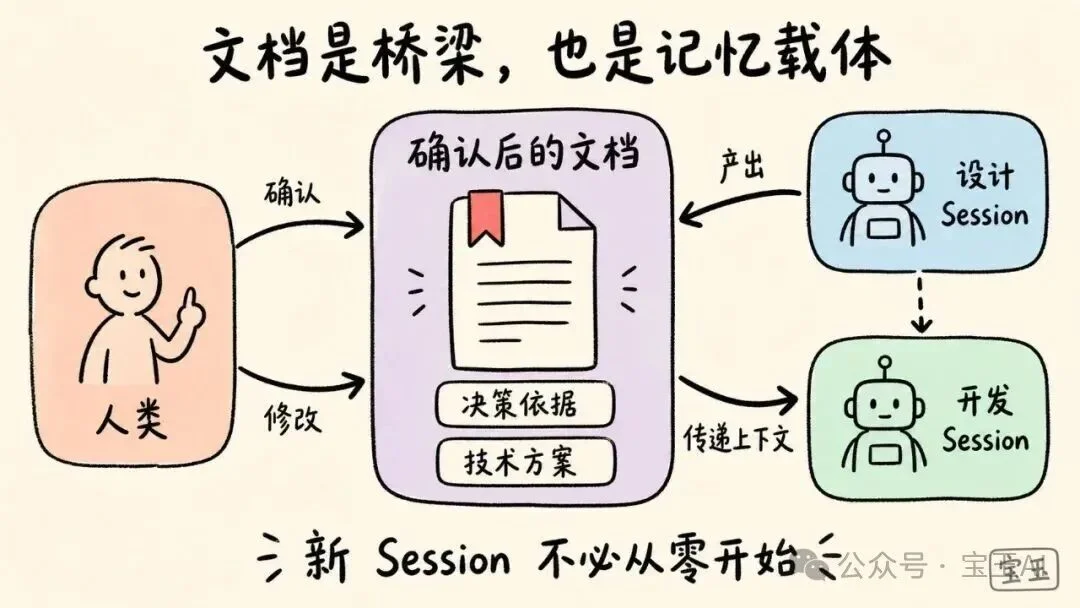
🔹 Human-Agents Bridge: You review, annotate, and approve — not raw code, but intent and structure.
🔹 Agent-Agent Memory: Each new session (design → prototype → code) inherits context only via docs — not chat history. Without them, every step starts from zero.
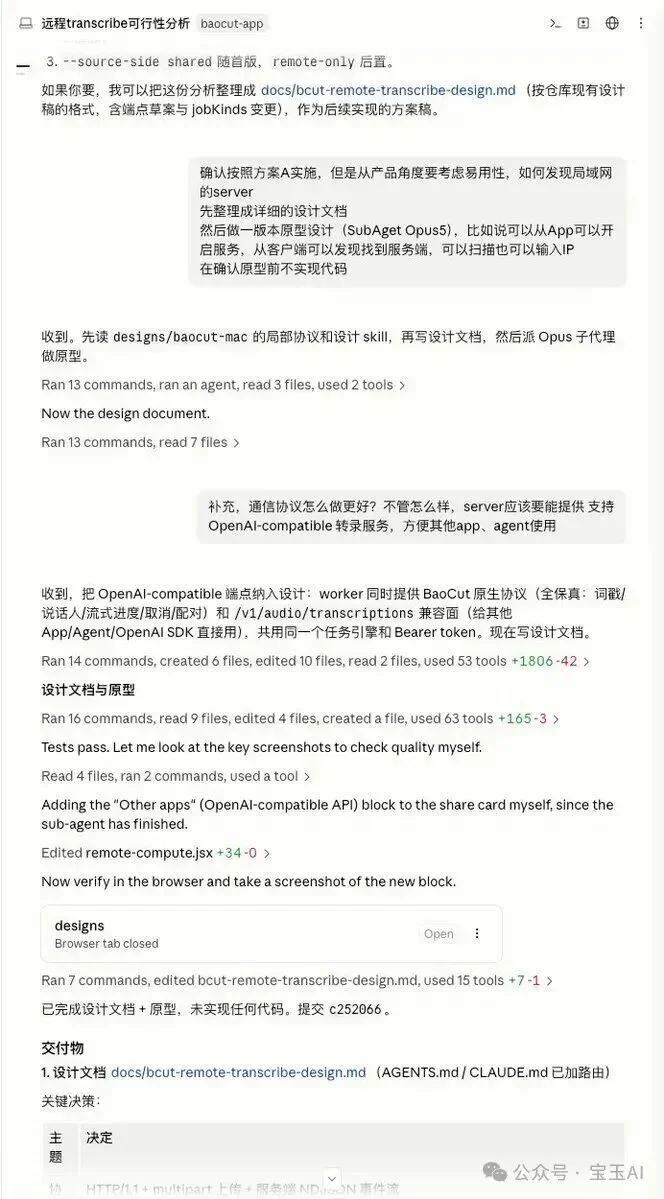
✅ Best practice: Treat every deliverable (req doc, design, prototype) as versioned, Git-tracked assets — enabling full auditability: Who requested? What did the Agent produce? Who approved?
Step 4: Gate 3 — High-Fidelity Prototyping (Demand + UI + Interaction)
Traditionally siloed — product specs, wireframes, visual design — now converge into one high-precision prototype.
Using Claude Design (or baoyu-design), I prompted:
“Generate a production-ready Figma-equivalent prototype based on docs/remote-transcription.md. Include interactive states, status indicators, and responsive layout.”
Key Iterations
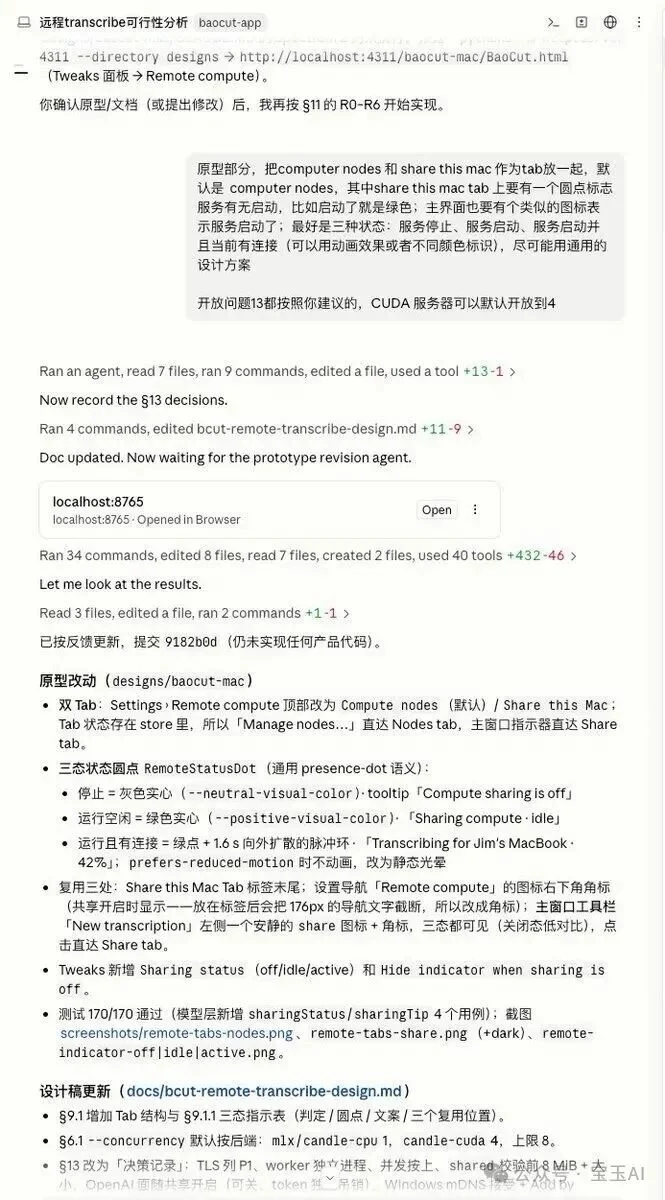
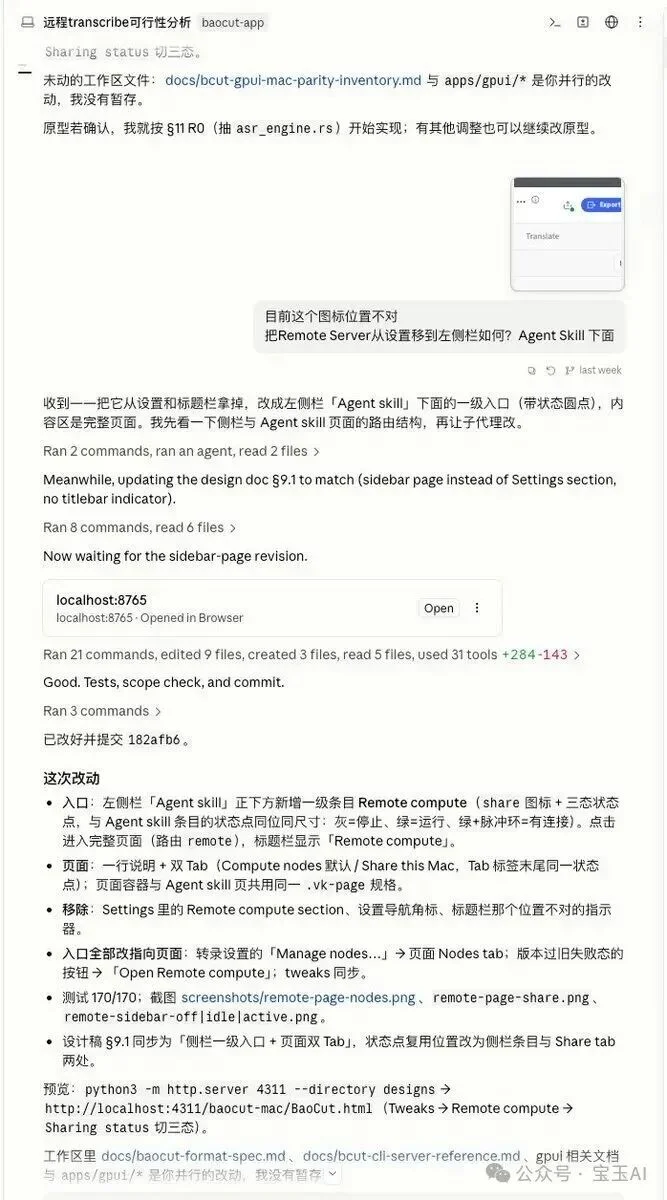
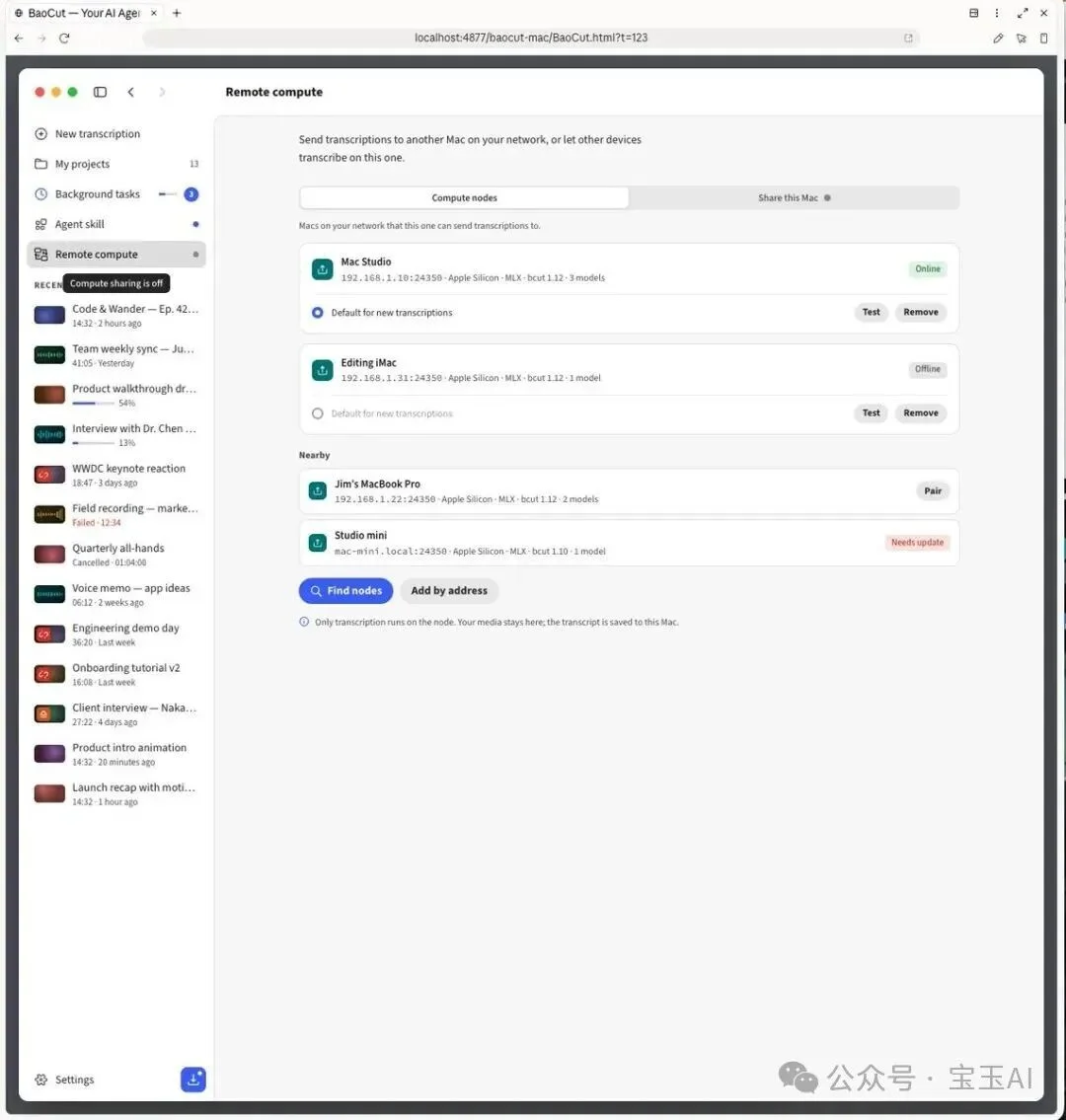
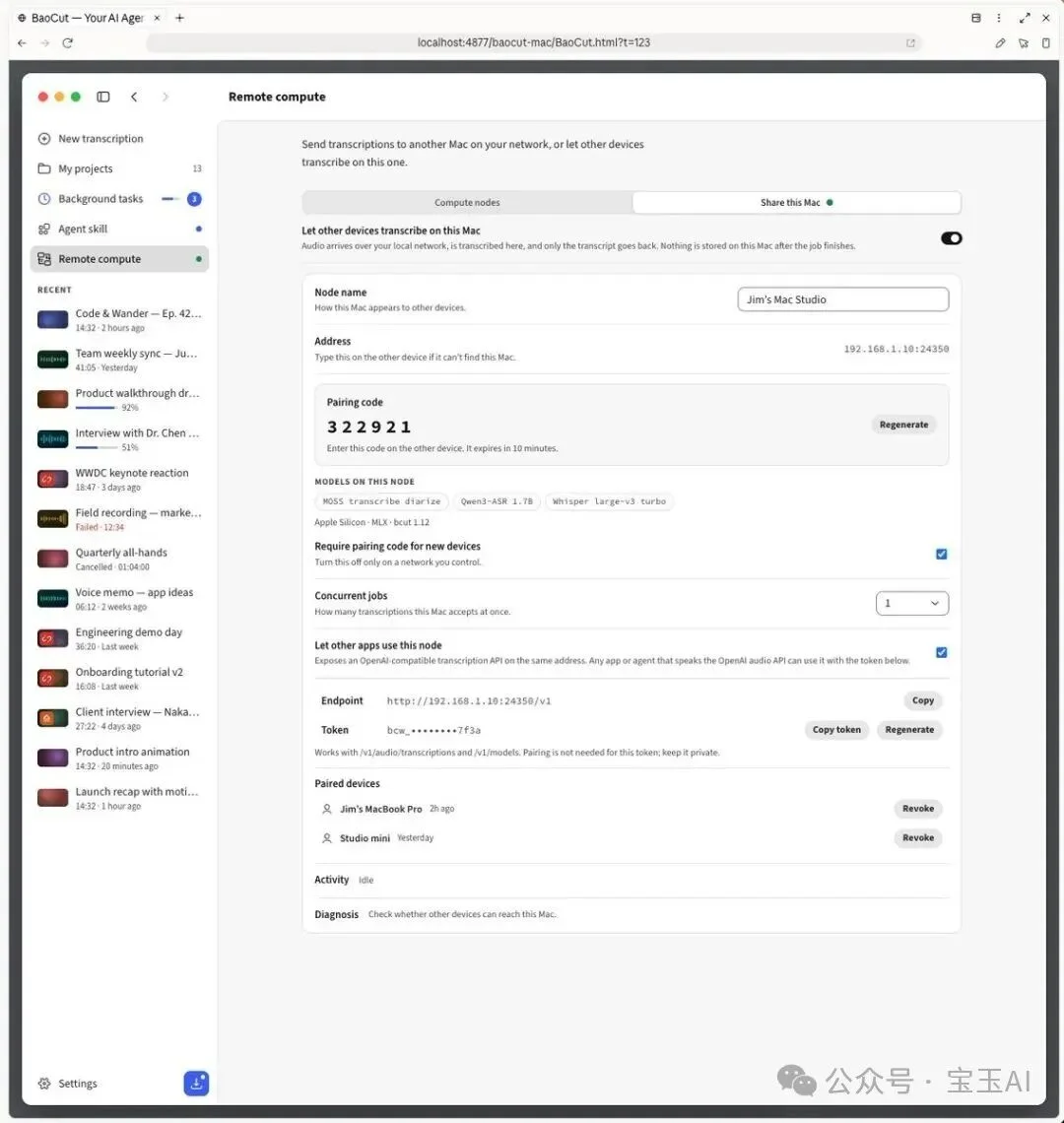
- 🔄 Switched from list to tab-based navigation (clarity > compactness)
- 🎨 Added live status icons (on/off) for immediate feedback
- 🚪 Moved feature from Settings → Main UI (user discovery > settings depth)
Every tweak required only natural language:
“Show service status visually — green = active, gray = idle.”
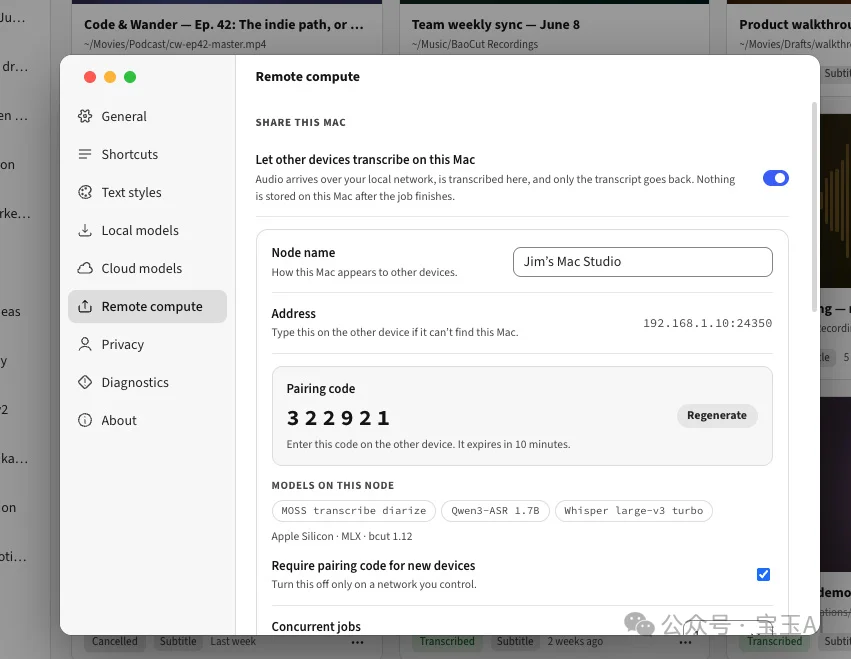
⚠️ Never skip prototyping: Modifying a pixel-perfect UI takes seconds. Rewriting deployed logic takes hours.
Step 5: Gate 4 — Implementation (Code Is No Longer the Bottleneck)
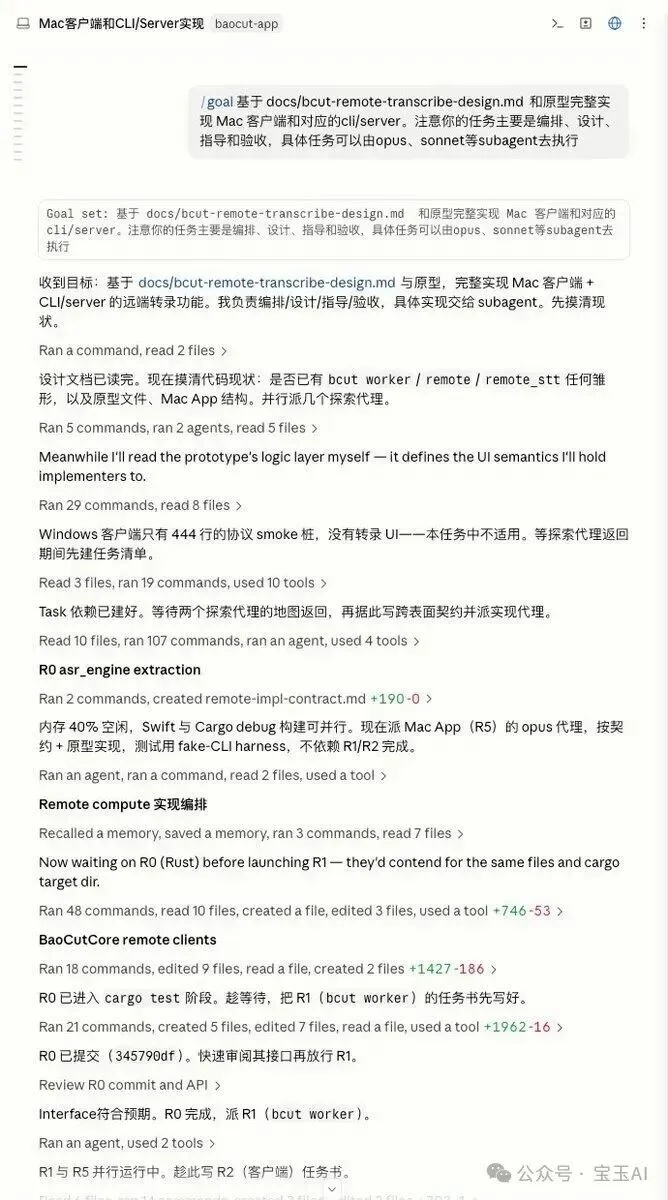
With design doc + prototype confirmed, I invoked Claude Code (Fable 5) using /goal:
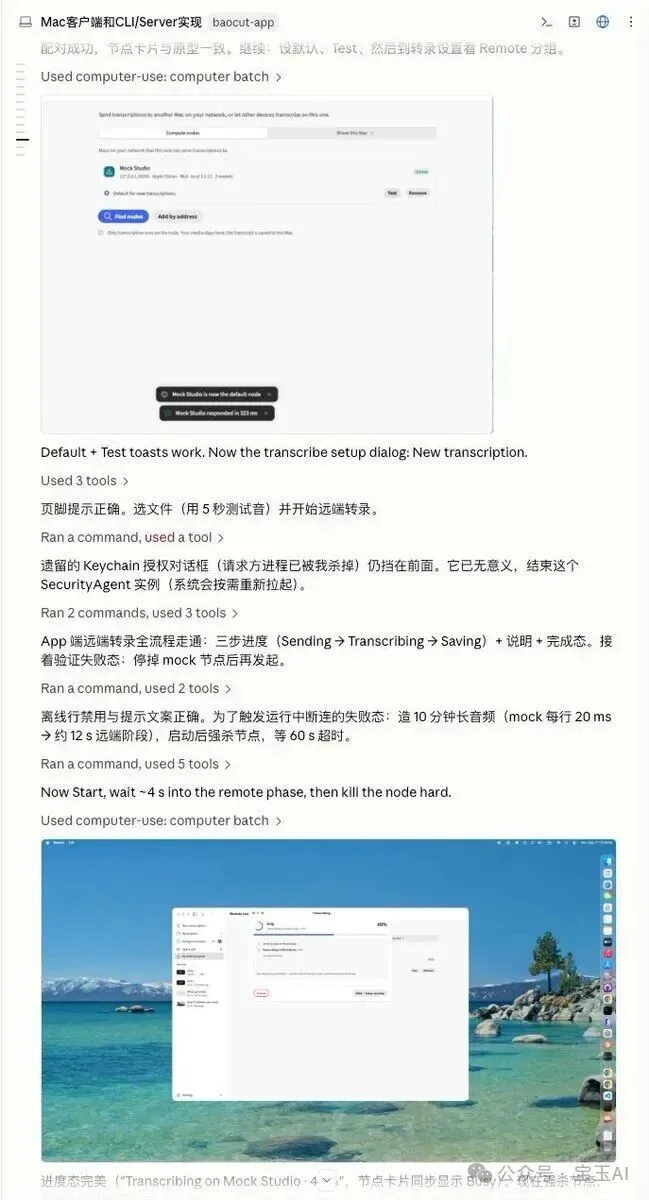
“Implement all features per docs/remote-transcription.md. Self-validate: run unit tests, screenshot UI, report pass/fail.”
It autonomously:
– Broke work into milestones
– Wrote modular, idiomatic code
– Executed tests & self-debugged failures
– Generated screenshots for visual confirmation
🔑 Critical technique: Enable agent self-validation. This creates an internal feedback loop — you receive verified output, not draft code. Human review shifts from syntax to semantics.
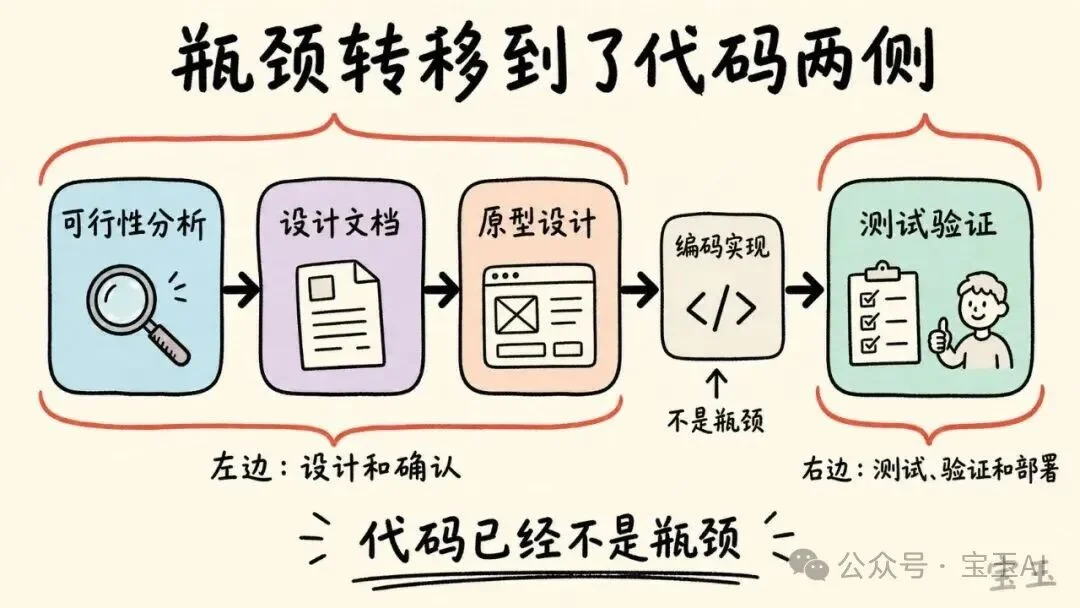
💡 The bottleneck has migrated:
– ❌ Coding is solved
– ✅ Design alignment and validation rigor are now the rate-limiting steps
Step 6: Gate 5 — Testing (Think Like a User, Not a Dev)
Agents write tests — but they don’t use your product. That’s your job.
Mindset Shift
Be the first user — not the last developer.
- Open the app cold
- Click intuitively (no “developer mode”)
- Try edge cases: bad inputs, network drops, rapid toggles
- Ask: Is guidance clear? Is failure recoverable? Is success obvious?
Found issues? Feed them back to the Agent — it fixes and revalidates.
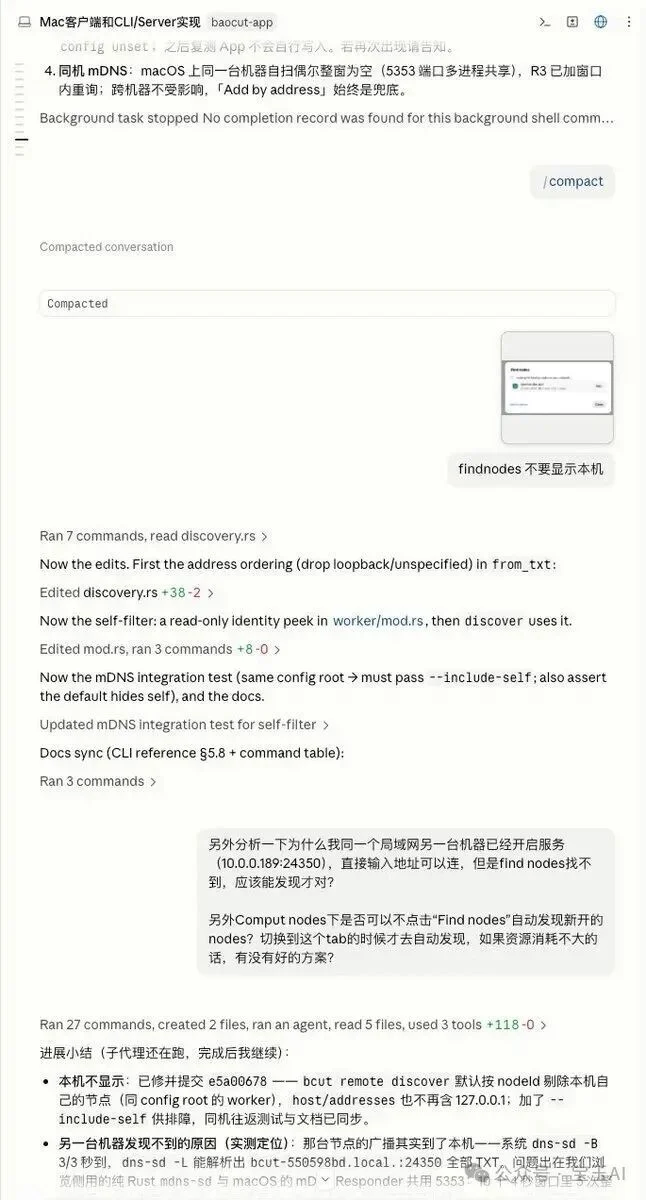
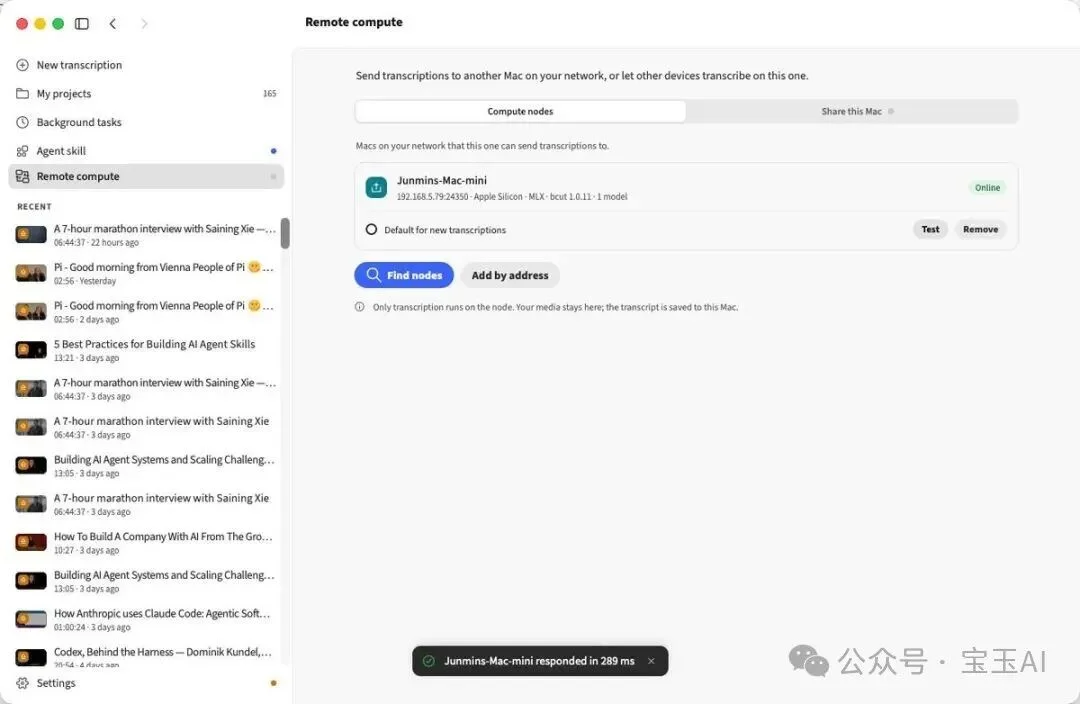
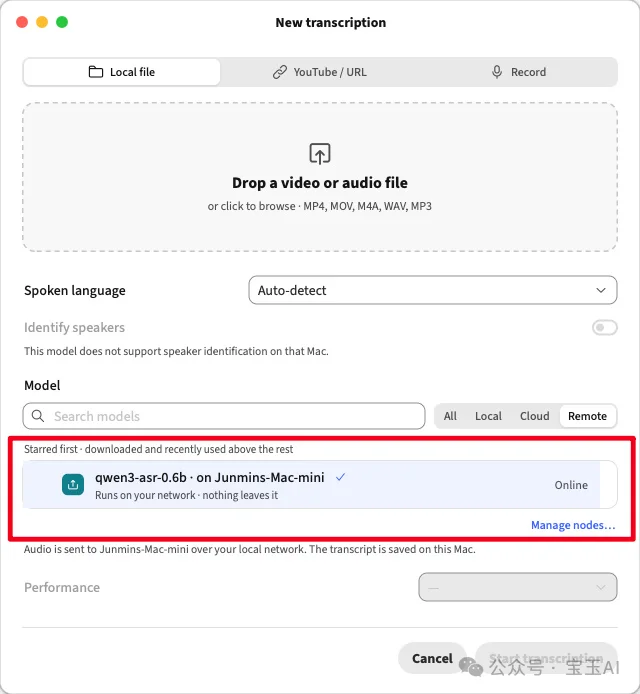
✅ My QA: black-box testing only. I trusted Fable 5’s implementation — verified by its own tests and my user-session validation. (For finance-grade logic? Add manual code review.)
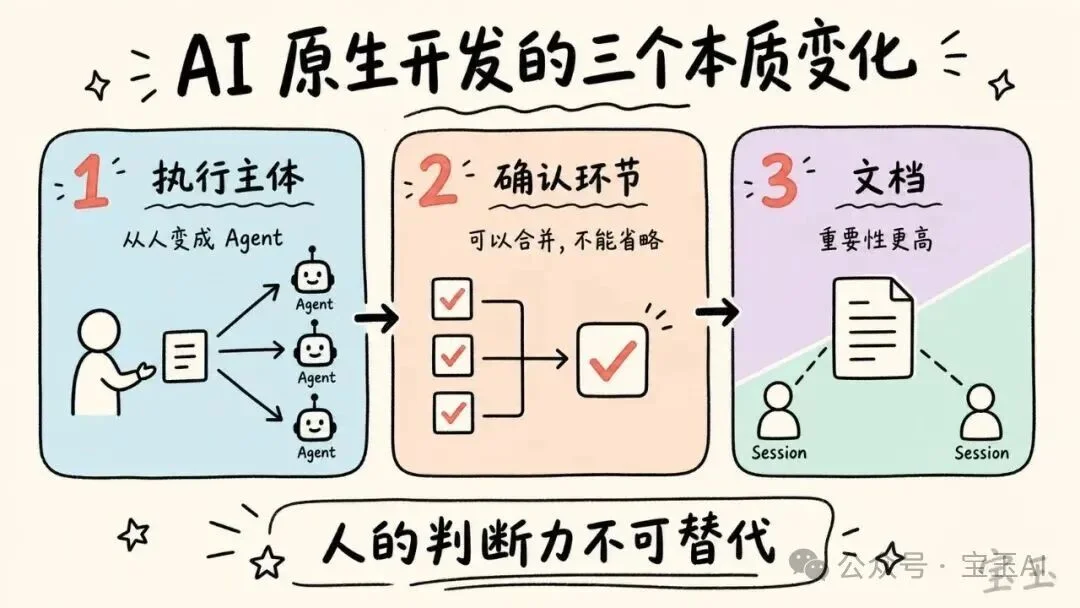
Three Foundational Shifts
1. Execution → Orchestration
Every phase — feasibility, design, prototyping, coding, testing — is executed by Agents. Humans curate, decide, and validate.
2. Confirmation ≠ Ceremony
Traditional sign-offs (PRD review, UI approval) can merge — but cannot be omitted. Each gate serves a purpose:
– Feasibility → Avoid wasted effort
– Design → Lock architecture early
– Prototype → Freeze UX pre-implementation
– Testing → Verify real-world usability
3. Documentation Is Central Infrastructure
Docs are no longer afterthoughts — they’re:
– ✅ The single source of truth for human review
– ✅ The structured context passed between Agent sessions
– ✅ The audit trail for compliance & traceability
Skills: Less Is More
Contrary to hype, most coding-specific Skills are redundant. Modern LLMs generate excellent code from simple prompts:
“Analyze feasibility”, “Write design doc”, “Build prototype”, “Implement per spec”
Where Skills do add leverage:
– 🛠️ Left-side bottlenecks: Tools like Claude Design accelerate prototyping & UI validation
– 🚀 Right-side bottlenecks: Auto-deploy, /goal, CI/CD integrations reduce manual toil
Invest in process design — not prompt engineering. ROI is exponentially higher.
Final Reflection
From GitHub issue to production-ready feature, coding consumed almost zero human time. Instead, I invested in:
– Strategic feasibility judgment
– Iterative prototype refinement
– Empathetic user-testing
These are the irreplaceable human skills: Should we build it? Does it feel right? Will users succeed?
AI-native development doesn’t replace developers — it elevates them. You become a conductor, not a note-player. Your output isn’t lines of code — it’s decisions, constraints, and quality gates.
Letting go of code ownership is hard. But the trend is undeniable: as models grow stronger, your value migrates left and right of the code — into intention and impact.
— Article by BaoYu AI