AI Desk Card: Open-Source Skill Turns E-Ink Screen into Smart Context-Aware Dashboard
A revolutionary approach to ambient computing — where AI, not users, decides what appears on your desk’s e-ink display.
Introduction: From Physical Sticky Notes to Adaptive AI Surfaces
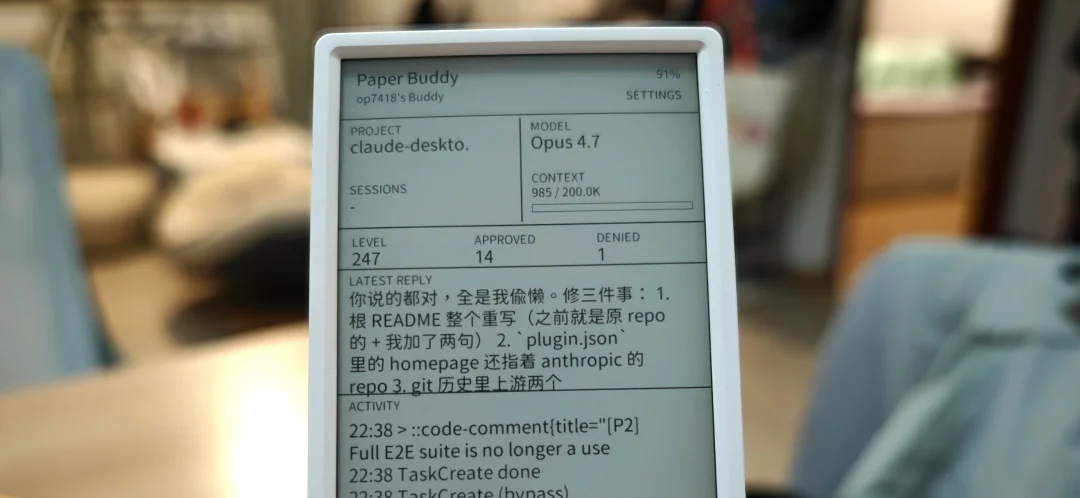
Last month, the creator built M5 Paper Buddy, an e-ink display connected to Claude Code to monitor AI activity and approve tasks via physical buttons — a satisfying ritual. But after weeks of use, a key insight emerged: the device spent far more time idle on the desk than actively observed.
Why? Because stable AI workflows rarely need supervision, and approval moments usually coincide with the user already being at their computer. It solved an edge case — not a core need.
That led to a deeper observation:
📌 People stick physical notes on monitor bezels — not because they’re optimal, but because they’re always visible, frictionless, and glanceable.
But sticky notes are static, unresponsive, and quickly outdated. What if AI — with memory, context awareness, and integration capabilities — could dynamically govern that space?
Enter AI Desk Card: an open-source Skill that transforms a 4.7-inch magnetically mounted e-ink screen into a real-time, AI-curated peripheral.
Core Philosophy: UI Decided by AI, Not Configuration
Unlike traditional dashboards or IoT devices, AI Desk Card flips the paradigm:
- ✅ No app, no settings panel, no manual widget configuration
- ✅ No OTA updates for new features — widgets live server-side
- ✅ Hardware is minimal: M5Paper + ESP32. Intelligence lives in the Agent.
The system ships with 16 pre-built, pixel-perfect widget templates (e.g., pr-queue, calendar, break-reminder, weather). The AI Agent only sends lightweight JSON payloads — specifying which slot, which widget type, and what data to render.
{
  "slot": "bottom",
  "type": "pr-queue",
  "data": {
    "items": [
      {"repo": "codepilot", "title": "Fix scroll jitter", "status": "review"},
      {"repo": "aigc-weekly", "title": "Add LLM benchmark section", "status": "pending"}
    ]
  }
}
A Python + Pillow service renders this into a crisp 540×280 bitmap and pushes it to the e-ink screen. No layout logic, no font loading, no runtime rendering on-device.
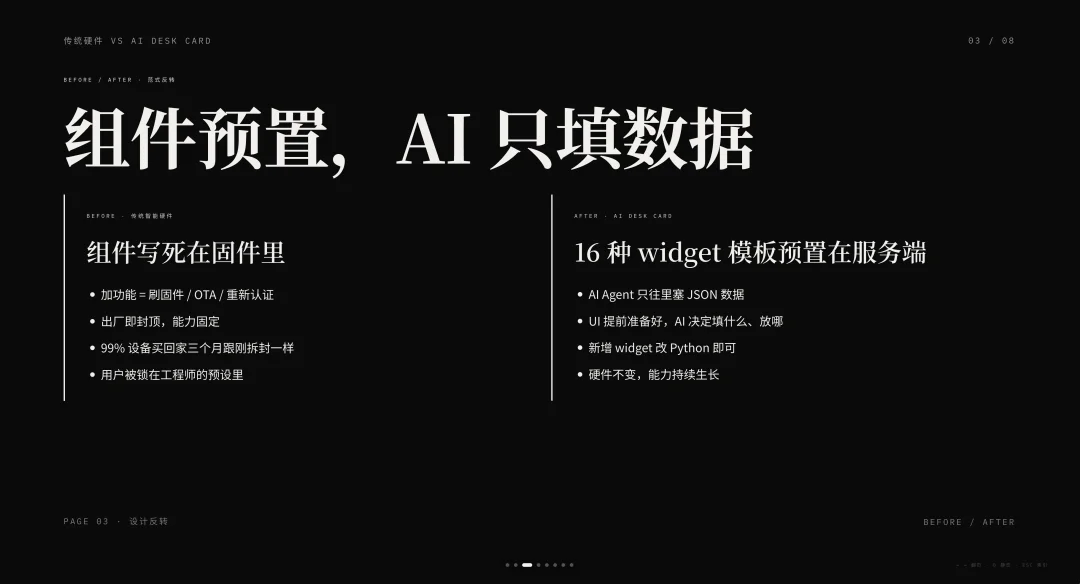
💡 Why this design? E-ink has hard constraints: slow refresh (~2s), limited memory, no GPU, and strict pixel precision. Offloading UI generation preserves reliability while enabling infinite adaptability.
Real-World Use Cases
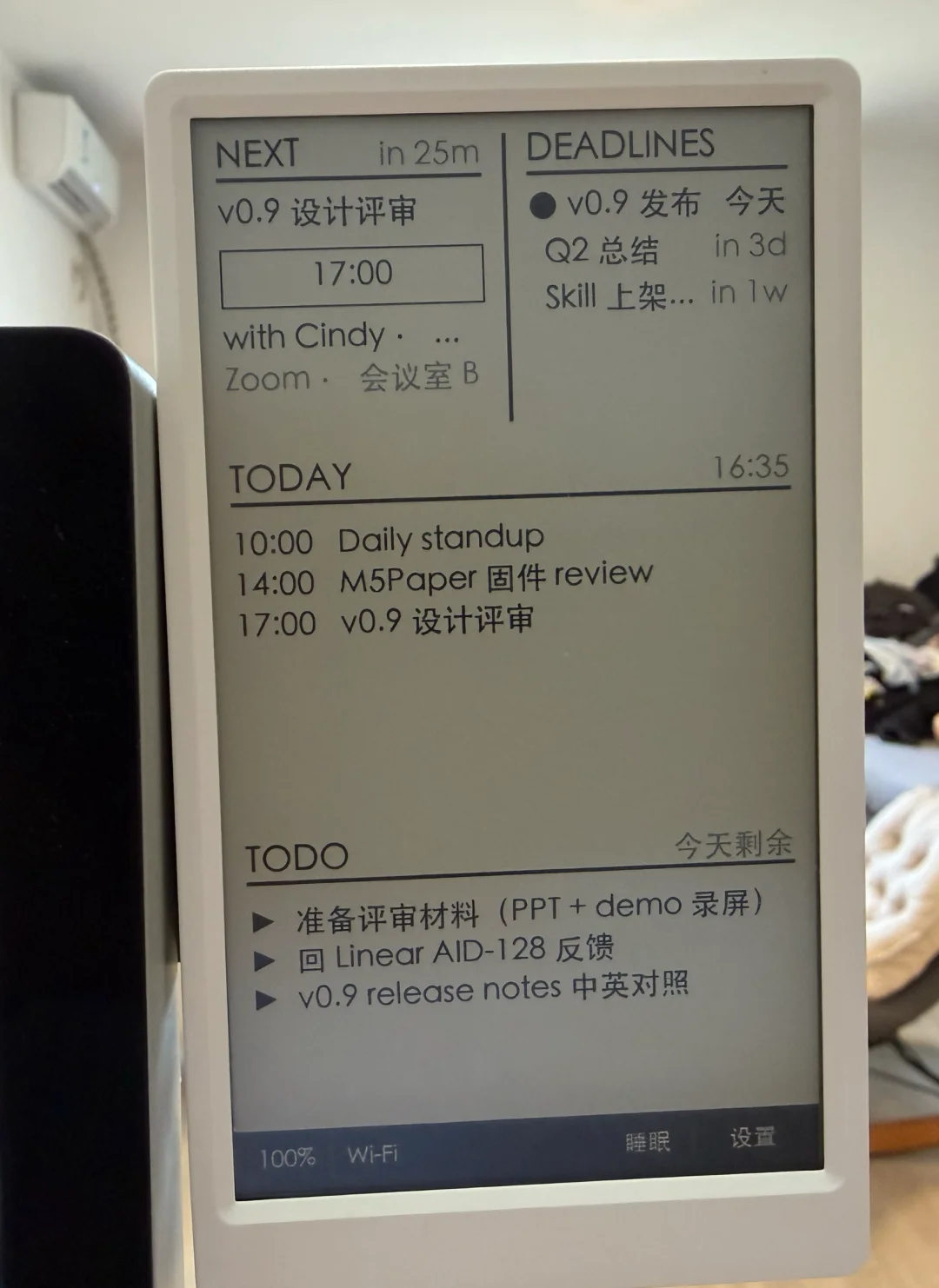
✅ Case 1: Self-Updating Calendar & To-Do
- Top-left slot → synced Feishu Calendar (meetings, deadlines)
- Middle slot → dynamic To-Do list, updated in real time
When you say: “Add coffee with Alex Thursday at 3 PM”, the AI:
– Writes the event to Feishu
– Refreshes the calendar widget
– Adds the item to the To-Do slot
Say “AIGC Weekly draft is done”, and the line gets strikethrough — automatically.
🔄 Unlike static notes, this reflects a state stream, not a snapshot.
✅ Case 2: Silent Mode = Digital Business Card
Leveraging e-ink’s zero-power persistence:
- At 11 PM (or on long-press), screen switches to Quiet Hours mode
- Displays clean, high-contrast digital business card: photo, bio, QR code
- Fully powered down — but image remains visible for days
✅ Pull it from your bag → hand to a new contact → scan → pocket. Zero boot, zero app, zero awkwardness.
✅ Next morning: AI wakes it up → restores work context (calendar, PR queue, etc.)
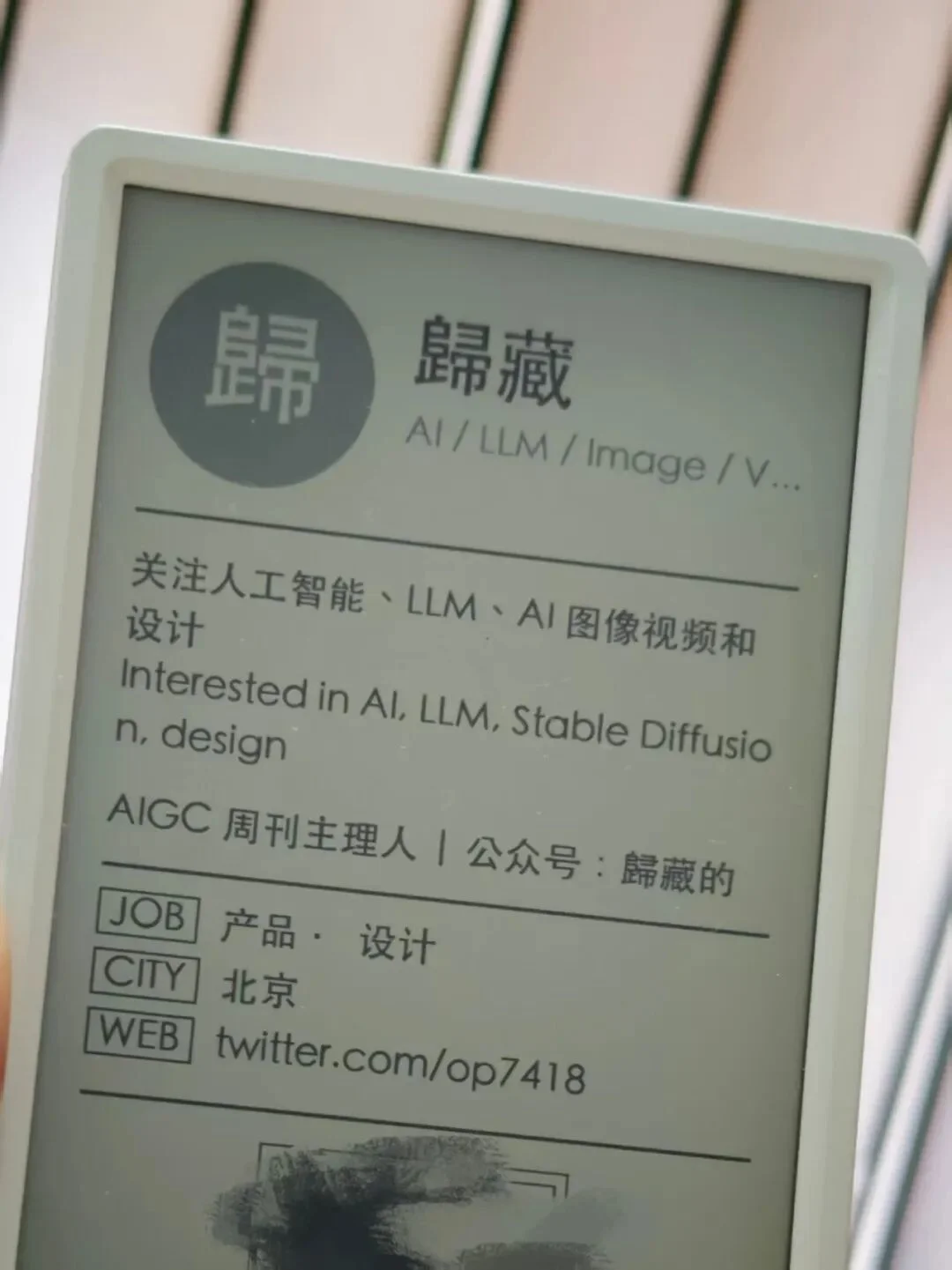
🖨️ E-ink’s “flaws” — no backlight, slow refresh, persistent image — become superpowers when designed with physics, not against it.
✅ Case 3: GitHub Awareness Without Distraction
- Bottom slot hosts a
pr-queuewidget - Shows new PRs, @mentions, CI failures — only when relevant
Smart contextual filtering:
– While writing AIGC Weekly: PRs are deprioritized; only critical issues surface
– While coding CodePilot: PR queue jumps to primary position
🧠 What appears isn’t configured — it’s scheduled by AI based on your current task, attention state, and priority signals.
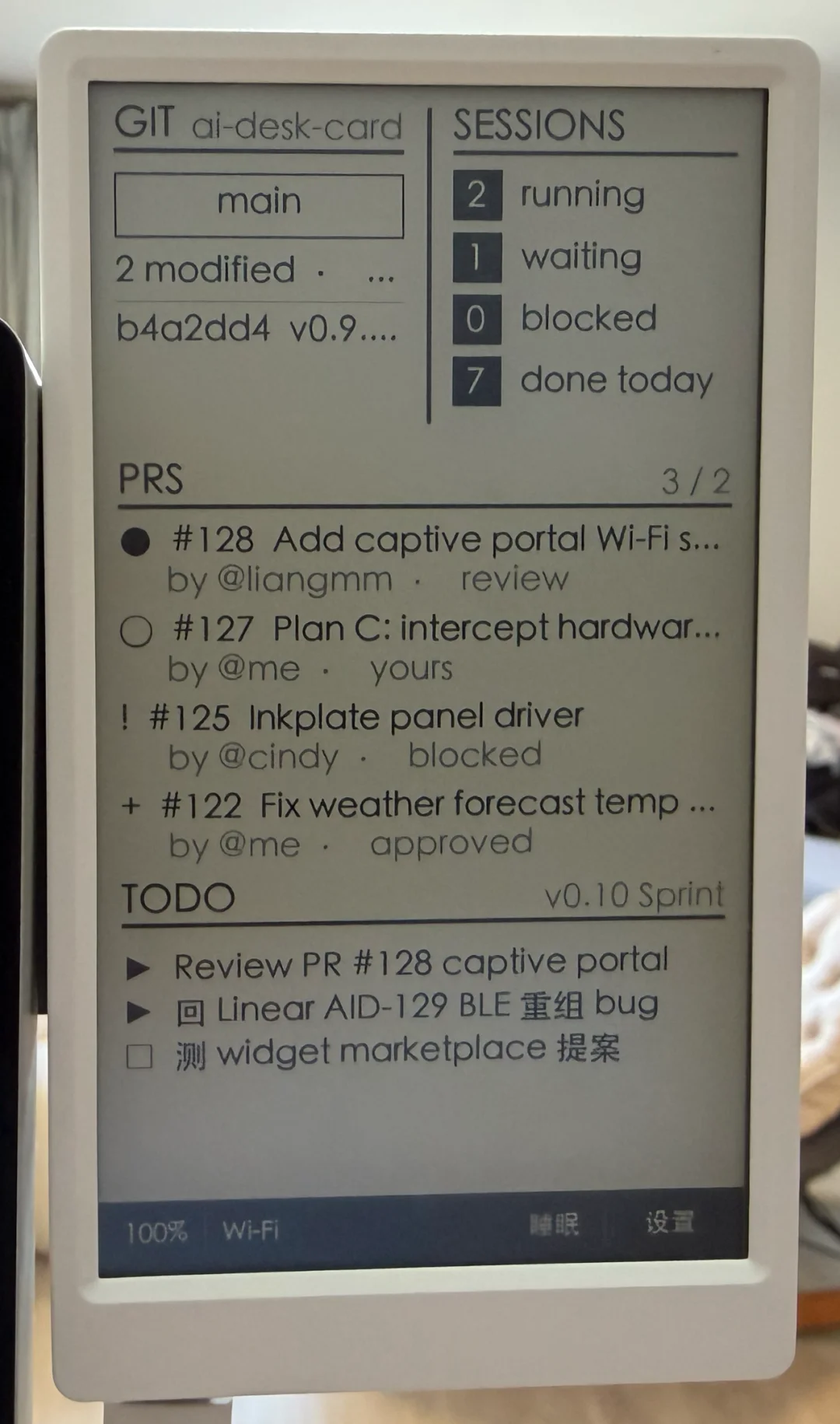
✅ Case 4: Ambient, Non-Intrusive Nudges
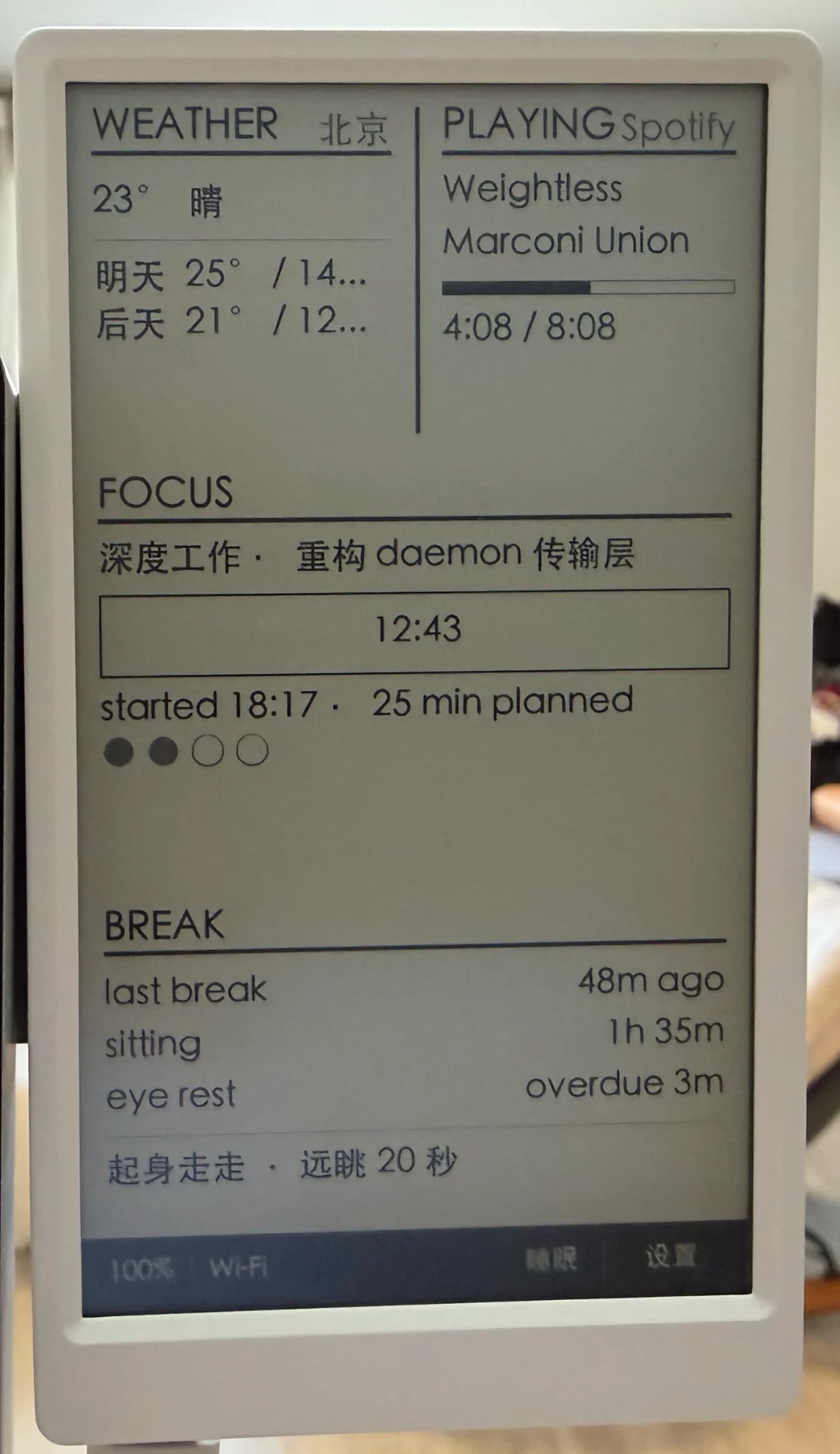
break-reminder: Appears after prolonged inactivity — “Time to stretch”weather: Quiet top-bar alert — “Afternoon rain”
No popups. No sounds. No vibrations. Just a glanceable, non-disruptive line.
It respects flow: ignored during deep work, noticed when mental fatigue sets in.
Installation: Fully Guided by AI — Zero Manual Setup
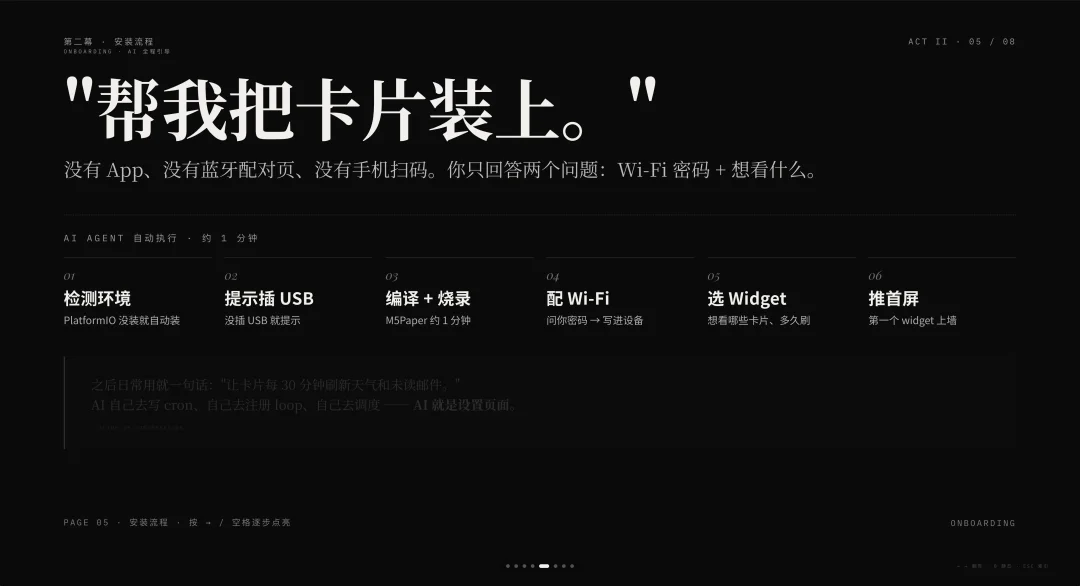
No apps. No Bluetooth pairing. No QR scans.
Just tell your AI Agent:
“Install ai-desk-card: https://github.com/op7418/ai-desk-card”
Then AI handles everything:
- ✅ Checks & installs PlatformIO if missing
- ✅ Detects USB connection; prompts if absent
- ✅ Compiles firmware & flashes M5Paper (~60 sec)
- ✅ Requests Wi-Fi credentials → writes to device
- ✅ Asks “Which cards do you want? Refresh interval?”
- ✅ Pushes first widget live
Later, adjust behavior in natural language:
“Refresh weather and unread emails every 30 minutes, weekdays 8 AM–10 PM.”
AI writes cron jobs, registers loops, and schedules API calls — all autonomously.
The Bigger Shift: Hardware as AI’s Physical Output Channel
Traditional hardware locks capability into firmware. AI Desk Card decouples intelligence from silicon:
| Traditional Device | AI Desk Card |
|---|---|
| Features baked in at factory | Capabilities grow via AI skill updates |
| Requires OTA + re-certification for new features | New widgets added server-side — instant availability |
| Sensors + CPU define limits | Limits defined by what data AI can access (Feishu, GitHub, Obsidian, Home Assistant, weather APIs…) |
🔌 Hardware becomes thin, specialized, and disposable. AI becomes the enduring, evolving brain.
Cost is accessible: M5Paper V1.1 ~$85 USD. Future targets include Inkplate, Waveshare boards, and even repurposed Kindles.
Roadmap & Integrations
- ▶️ Port to M5Paper S3, Inkplate, and Waveshare e-Paper HATs
- ▶️ Kindle Adapter Layer: Turn闲置 e-readers into desktop secondary displays
- ▶️ Home Assistant Integration: Show room temp, door lock status, robot vacuum location
- ▶️ Color E-Ink Support: Enable richer visualizations and new widget categories
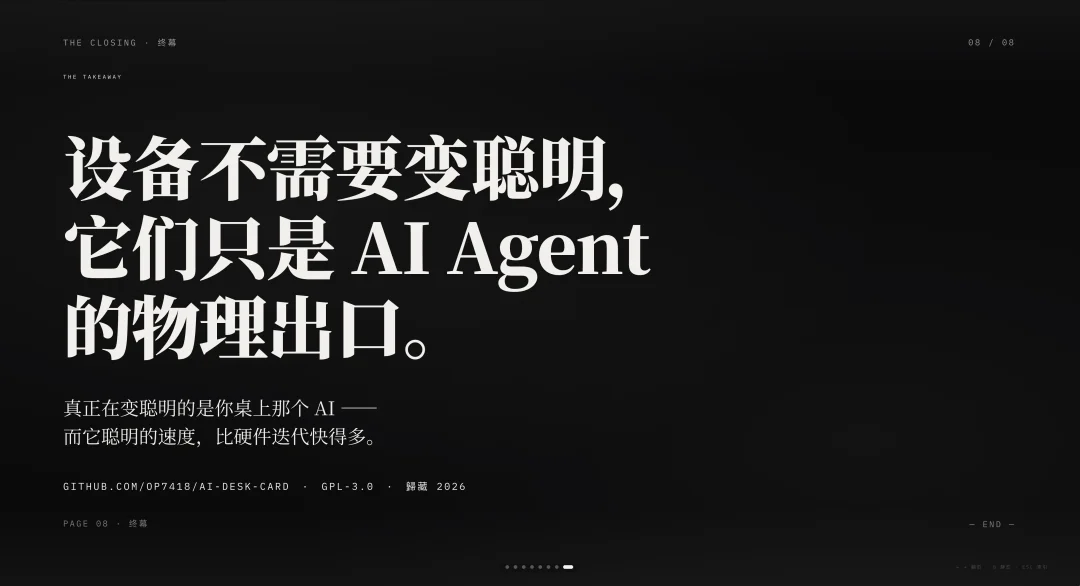
Every new hardware target expands AI’s reach into the physical world — without requiring the device itself to “get smarter.”
🌐 The intelligence isn’t in the screen. It’s in the agent — and its speed of evolution dwarfs hardware cycles.
Get Started
🔗 GitHub Repository: https://github.com/op7418/ai-desk-card
💡 Designed for Claude Code, Codex, and compatible AI Agent frameworks.
This project originates from “Gui Cang’s AI Toolbox”.