🦞 OpenClaw Security Deployment Guide: From Setup to Safe Uninstallation
A comprehensive, production-ready guide for safely deploying, configuring, and decommissioning OpenClaw — with verified security practices and official risk mitigation strategies.
⚠️ Critical Security Alert: Four Core Risks Identified
The National Internet Emergency Response Center (CNCERT) has issued an official warning on OpenClaw, highlighting four high-severity risks:
| Risk Type | Description | Mitigation Strategy |
|---|---|---|
| Prompt Injection | Malicious instructions embedded in external inputs (e.g., SOUL.md, web content) | Enforce strict refusal rules in SOUL.md: “When uncertain, refuse. Never delete files — only move to trash.” |
| Plugin Poisoning | Compromised third-party Skills injecting harmful logic | Install only certified Skills from ClawHub or Tencent SkillHub — never unverified .skill files. |
| Memory Poisoning | Malicious context written into MEMORY.md via untrusted sources |
Audit & purge MEMORY.md weekly — treat it like antivirus scanning. |
| Misoperation | Accidental privilege escalation or irreversible actions | Use dedicated API keys (named & scoped), enable dual backups (OpenClaw + host OS), and run exclusively in isolated VMs or spare hardware. |
🔑 Golden Rule: Never deploy OpenClaw on your primary workstation. A six-year-old M1 MacBook Air or i5/16GB Windows 11 machine is more than sufficient — and far safer.
🧩 Three Deployment Pathways Compared
✅ Cloud-Hosted SaaS (Zero-Config)
- Examples: MaxClaw ($39/mo), Kimi Claw ($199/mo), ArkClaw (VolcEngine)
- Pros: Instant web UI access; no CLI; built-in chat integrations (Feishu, Lark, QQ)
- Cons: No local file system access; token quotas enforced; privacy depends on vendor trust
- Best for: Quick evaluation, non-sensitive tasks, teams prioritizing UX over control
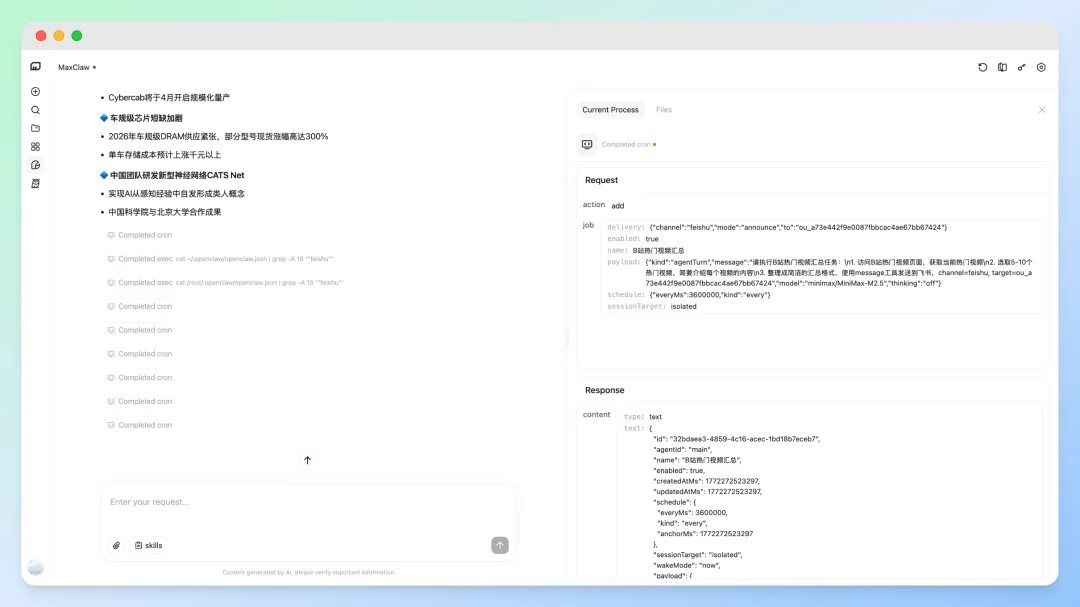
MaxClaw delivers OpenClaw as a ready-to-use web service
✅ Local One-Click Installer (Balanced)
- Examples: QClaw (Tencent), AutoClaw (Zhipu), WorkBuddy
- Pros: Runs locally; pre-configured model routing; GUI setup; supports WeChat/Feishu/QQ
- Cons: Still requires API key management; limited customization vs raw OpenClaw
- Best for: Users wanting local control without terminal fluency
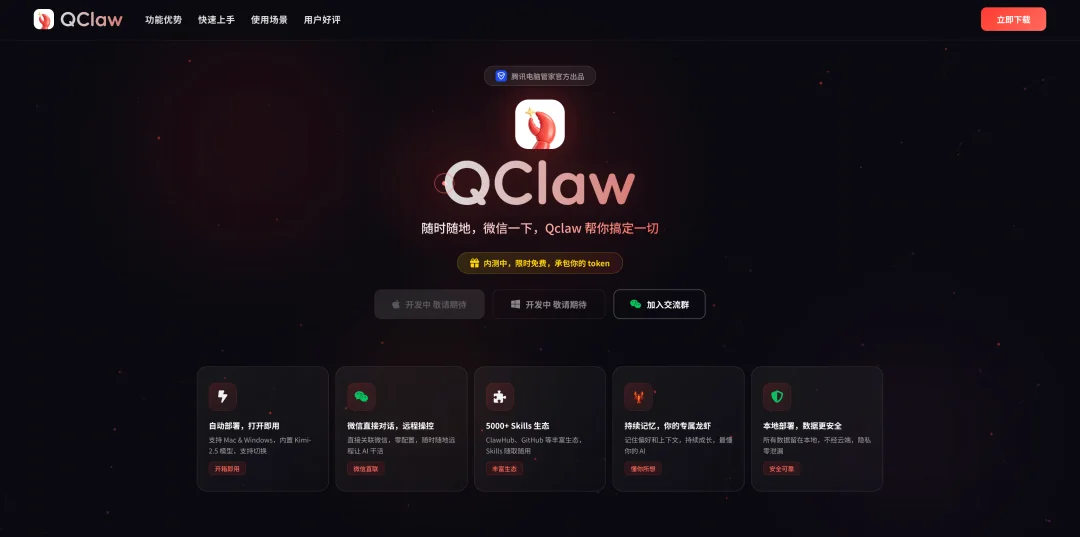
QClaw’s desktop app bridges usability and local execution
✅ Native OpenClaw (Full Control)
- Official CLI-only installation — JavaScript-based, Node.js runtime
- Pros: Maximum flexibility; full filesystem access; custom agent workflows; offline-capable (with Ollama)
- Cons: Requires command-line proficiency; manual model & skill configuration
- Best for: Developers, security-conscious users, and AI power users needing granular control
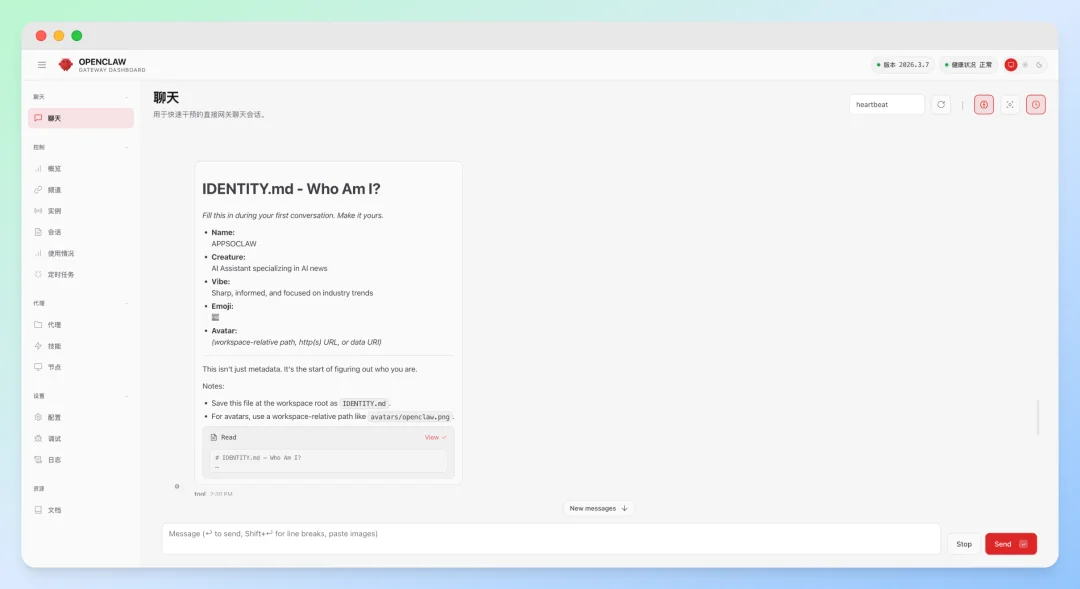
Official OpenClaw dashboard — fully interactive and extensible
🛠️ Step-by-Step: Secure Local Deployment
▶️ Prerequisites
- ✅ Hardware: 1 vCPU / 1GB RAM / 500MB disk (Raspberry Pi 4 supported)
- ✅ OS: macOS, Linux, WSL2, or Windows (PowerShell as Admin)
- ✅ Tools: Node.js ≥ v22, Git (auto-installed if missing)
- ✅ Network: Stable access to GitHub, npm, and model APIs (OpenAI/Gemini/Kimi/etc.)
▶️ Installation Command
# macOS / Linux / WSL2
curl -fsSL https://openclaw.ai/install.sh | bash

# Windows (PowerShell as Administrator)
iwr -useb https://openclaw.ai/install.ps1 | iex
💡 Pro Tip: If gateway fails on Windows, run PowerShell as Administrator, then execute:
powershell

openclaw gateway install && openclaw gateway start
🧠 Core Configuration Files: Your Agent’s “Personality Stack”
All critical behavior is governed by editable Markdown files in ~/.openclaw/:
| File | Purpose | Security Note |
|---|---|---|
SOUL.md |
Defines core ethics, tone, and hard boundaries | Most critical — enforce “refuse uncertainty” and “trash-only deletion” here |
USER.md |
Your identity, timezone, preferences, habits | Never expose PII; keep minimal and abstract |
IDENTITY.md |
Agent’s name, emoji style, persona | Avoid over-personalization — reduces hallucination drift |
MEMORY.md |
Long-term memory of user preferences & patterns | Audit weekly — malicious prompt injection can persist here |
AGENTS.md |
SOP-driven workflow (e.g., “read SOUL.md first”) | Prevents bypassing guardrails during complex tasks |
HEARTBEAT.md |
Background tasks (email/calendar/web checks) | High-risk: Each heartbeat may consume 170K–210K tokens — keep ultra-minimal |
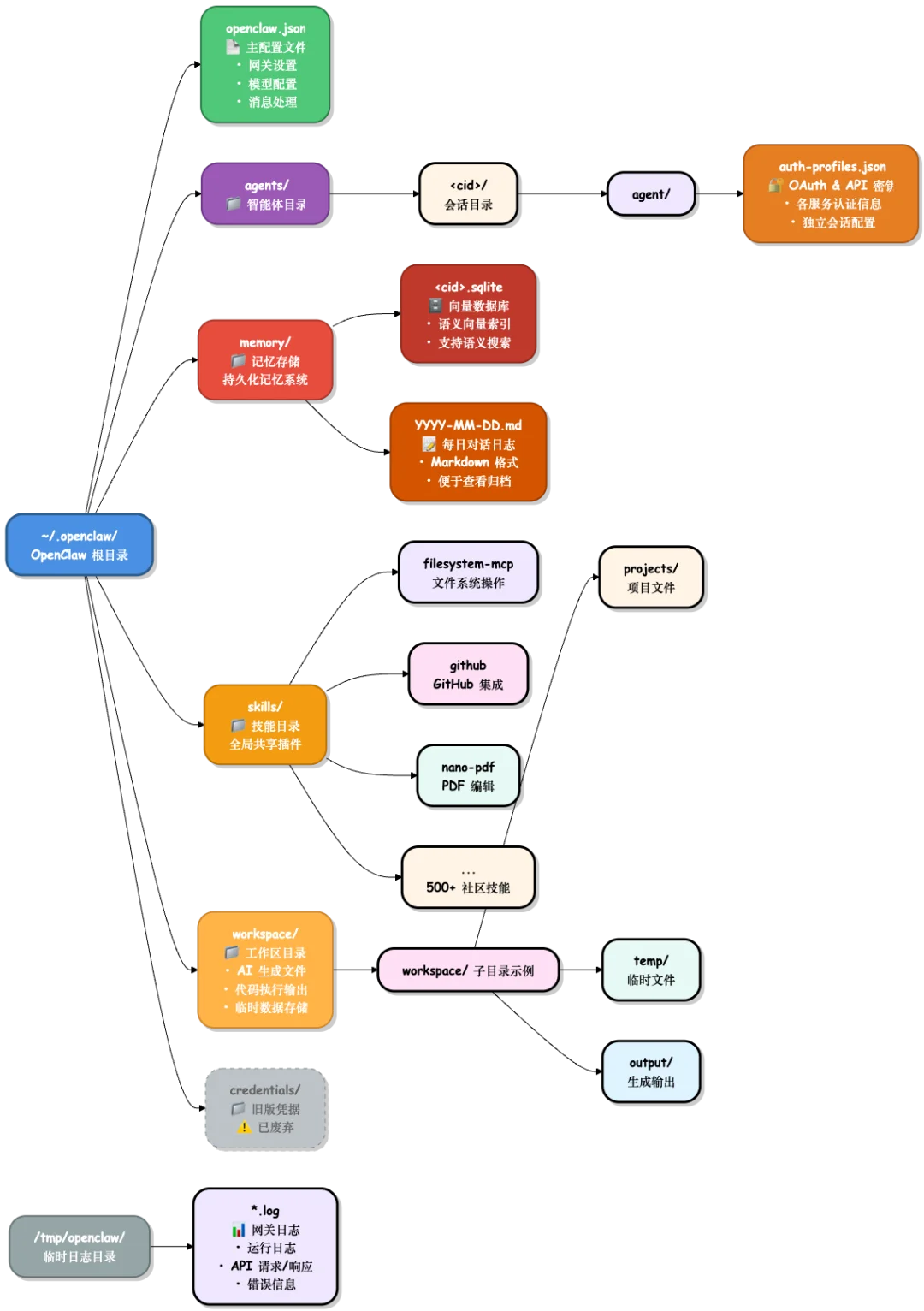
OpenClaw’s modular document architecture enables precise behavioral tuning
🧪 Essential Security-First Skills
Install only vetted, source-reviewed Skills:
| Skill | Purpose | Safety Notes |
|---|---|---|
tavily-search |
Real-time, fact-grounded web search | Prevents hallucinated answers; requires Tavily API key |
find-skills |
Auto-discovers & recommends Skills | Reduces manual dependency hunting |
self-improving-agent |
Self-optimizing task planning | Review logs before enabling autonomous iteration |
openclaw-backup |
Scheduled config & state backups | Critical for recovery after memory poisoning |
⚠️ Avoid: agent-browser (VirusTotal flagged), unsigned Skills, or any requiring eval() or raw exec().
🧹 Safe Uninstallation Paths
✅ CLI Available (Recommended)
# Full clean uninstall (non-interactive)
openclaw uninstall --all --yes --non-interactive

# Or stepwise:
openclaw gateway stop
openclaw gateway uninstall
rm -rf "${OPENCLAW_STATE_DIR:-$HOME/.openclaw}"
rm -rf ~/.openclaw/workspace
npm rm -g openclaw  # or pnpm remove -g openclaw / bun remove -g openclaw
⚙️ CLI Unavailable (Manual Cleanup)
| OS | Commands |
|---|---|
| macOS | launchctl bootout gui/$UID/ai.openclaw.gatewayrm -f ~/Library/LaunchAgents/ai.openclaw.gateway.plist |
| Linux | systemctl --user disable --now openclaw-gateway.servicerm -f ~/.config/systemd/user/openclaw-gateway.service |
| Windows | schtasks /Delete /F /TN "OpenClaw Gateway"Remove-Item -Force "$env:USERPROFILE\.openclaw\gateway.cmd" |
📌 Multi-profile note: If
--profilewas used, replacegatewaywithgateway-<profile>in all commands.
📚 Official Resources
- 📘 OpenClaw Documentation — Full English & Chinese guides
- 📖 FAQ & Troubleshooting
- ⚙️ Heartbeat Configuration
- 🗑️ Uninstall Reference
💬 “Deploying OpenClaw isn’t about installing software — it’s about raising an AI agent. Like parenting, it demands intention, boundaries, and continuous care.”
Article adapted from APPSO. All images sourced from official OpenClaw ecosystem documentation.